
3D printing gives you the ability to create anything right at your home. With this technology, you can 3D print unique toys, household tools, gadgets, and any other idea you might have. The possibilities are limitless. However, before you start the 3D printing process, there are key tips that you need to familiarise yourself with to help save you time, money, and frustrations along the way.
When you are first starting, failures are inevitable. Sometimes, your 3D print will fail regardless of how optimized it is for printing, and you will spend hours trying to figure out the issue and how to fix it. If you are not ready for this, you should not buy a 3D printer.
Beyond the 3D printer version you buy and what you want to 3D print, you should know several key basics, which we highlight below.

5 things to consider before buying a 3D printer
Consider these important factors before making a big investment
5 Buy an easy-to-use 3D printer
Some 3D printers work straight out of the box
If you haven't bought your machine yet, purchase one of the latest versions, like Bambu Lab 3D printers, so you can start 3D printing immediately after removing it from the box. Some 3D printers come pre-assembled, so as a beginner, you won't have to spend much time trying to get them working. If you don't like tinkering, it will be even more challenging to get it right when you need to build it yourself.
It’s also essential to invest in a cheaper and smaller 3D printer when you are starting so that you learn the basics. When comfortable with the process, upgrade to a larger or more advanced machine to create more complex projects.

You can now 3D print an official Pizza Hut food warmer for your PS5
Turns out, this thing can play videogames too. Who knew?
4 Master bed leveling and 3D printer calibration
Get the first layer right
Before you start any 3D printing job, you will always need to ensure the bed is level. This will determine the quality of the first layer. 3D printers come with either manual or automatic bed leveling features. With the manual bed leveling, you need to adjust the screws at the corners of the print bed while using a piece of paper or a feeler gauge to measure the distance between the nozzle and the bed. Adjust until the paper can slide with a slight resistance. It should not be too close or too far.
If you use a 3D printer with automatic bed leveling features, it utilizes sensors to detect and compensate for inconsistencies. This is much easier than the manual option and is not prone to errors. In addition to bed leveling, calibrate the extruder properly so the printer extrudes the right amount of filament. Remember to fine-tune other settings, such as speed, flow rate, temperature, and retraction.
3 Understand supports and overhangs
Use supports in extended parts
Sometimes, you can work on parts that extend outward without any material directly beneath them, and they can resemble the “T” shape; a good example is a 3D character’s outstretched hand. This is what we call overhangs. 3D printers can’t appropriately print parts exceeding a 45-degree angle, and they will collapse before solidifying. For such designs, you should try to orient it to see if it will be in a position you can print without extended areas. If it’s not possible, consider using support in those areas.
Supports are temporary structures that hold up the overhangs. Most slicing programs allow you to generate a support automatically or manually. However, remember that they increase printing time and material usage, and you will also need to perform many post-processing activities to get a good finish.
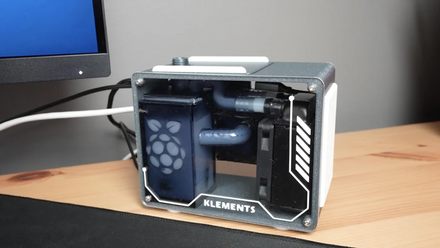
Someone 3D-printed their own Raspberry Pi 5 case with water cooling, and so can you
It certainly looks the part.
2 Learn design for additive manufacturing techniques
Learn the rules of designing for 3D printing
You can get print designs from websites like Thingiverse, Cults3D, Myminifactory, and many others. However, if you would like to create your files, there are various rules you need to keep in mind. When designing the file in a 3D modeling program, ensure it is watertight. This means it should not have holes or non-manifold edges that could cause slicing errors.
Moreover, consider the strength of the model to ensure it withstands the stress, especially if the prints are functional. Do this by adjusting the wall thickness and infill density and reinforcing weak points. Also, choose the appropriate resolution, as it affects the level of detail and print time. However, keep in mind that the resolution you use depends on the capability of your machine.
You should also understand the various file formats to save your files after 3D design. STL, OBJ, or 3MF are the standard formats you save 3D models so they are compatible with the slicing software for 3D printing. Cura and Prusaslicer are the standard slicers for most FDM 3D printers.
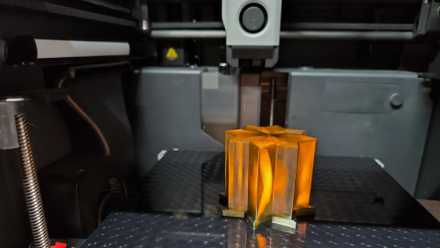
7 reasons I’m switching to PETG filament for my 3D printing
While PLA filament is best for 3D printing beginners, there are strong advantages to using PETG instead
1 Choose the right filament
Choose the material wisely

Start with filaments like PLA, which are easy to work with, before moving to other filaments. Try to experiment with the various settings, troubleshoot issues, and perfect your prints, and when you are comfortable, switch to a different one.
If you decide to work with ABS, which is known for its strength but also tends to emit potentially harmful fumes when printing, you should consider buying a 3D printer with an enclosure. You can get one from retailers, including Amazon. This will help contain the fumes, improve temperature stability, and reduce issues like warping, which is common in ABS material.
Get started with 3D printing with ease.
In addition to the above tips, you should learn to be patient, as 3D printing can be time-consuming. Prints can take hours or even days to finish, and failures can occur along the way, but you should take it as a learning curve. Rather than focusing on the final results, enjoying the entire process is essential. Try different settings and understand how your machine works. Whether it comes out well or not, each print should improve your skills; over time, you will see significant improvements.