
Summary
- Winslop is a simple app that scans Windows 11 locally and removes Copilot and other AI features.
- There's a growing backlash to Copilot's Windows 11 integration.
- Winslop isn't an official Microsoft app, so use it at your own risk — early reports and my tests show it works well.
I find Copilot useful sometimes, but for the most part, I do my best to avoid Microsoft's AI platform whenever I'm using my Windows 11 PC, especially as the tech giant continues to find more ways to throw it in my face at every opportunity.
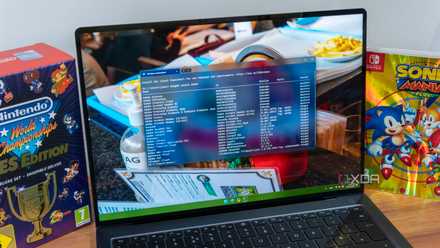
If you're looking for a cleaner, more stripped-back Windows 11 that isn't full of questionably useful AI features, a new tool has arrived that helps users detect and remove AI-related functionality. The appropriately named Winslop runs locally, clearly indicates system changes, and aims to be as transparent as possible with regard to deleting Copilot features from Microsoft's operating system.
Along with AI, Winslop detects systems and preinstalled Windows 11 features that some users might consider bloat and offers a quick way to remove them.
Of course, Winslop isn't made by Microsoft, so use the app at your own risk. Early reports indicate the very simple tool works really well. I briefly tried it myself on my Windows 11 desktop, and while I didn't move forward with ditching Copilot entirely (I find some Windows 11 AI features useful), it's easy to use and seems to work well (I removed Copilot prompt from a few select locations).
There's growing pushback against Windows 11's AI features
More apps like Winslop are likely on the way
While Winslop has the best name I've heard so far, it isn't the first Windows 11 AI removal app. FlyOOBE, another community-made tool released back in August 2025, can also disable or remove Copilot features (unsurprisingly, the team beind FlyOOBE also created Winslop).
At CES 2026, it definitely seemed like (at least behind the scenes) a lot of PC makers are over the concept of Copilot+ PCs, with Dell even publicly admitting that with regard to consumers, "AI probably confuses them more than it helps them."
The launch of Winslop feels extra appropriate given Microsoft CEO Satya Nadella's recent post on the company's sn scratchpad blog, where he wrote the following:
"We need to get beyond the arguments of slop vs sophistication and develop a new equilibrium in terms of our ‘theory of the mind’ that accounts for humans being equipped with these new cognitive amplifier tools as we relate to each other."
I've found ways to integrate AI into my personal workflow, but it took a lot of time to figure out how to make it work for me in a way that makes sense. Shoehorning AI features into what sometimes feels like every aspect of Windows 11 in order to spur consumer adoption feels like the wrong approach, regardless of how much Microsoft has banking on Copilot's success.
Winslop

Another BlackBerry-inspired QWERTY keyboard smartphone has emerged
Unihertz's Titan Elite 2 offers key improvements over its predecessor, including an overall sleeker, more modern design.