
If you want to build a mesh network and aren't sure where to start, you're probably summing up some of the more affordable options. That's exactly what I did, as up until recently I was using a Wi-Fi 5-based Google Home mesh network. I wanted to increase my speeds though, as I have gigabit internet that would maximize at around 300Mbps over my previous mesh network. That's why I decided to go with Wi-Fi 6E, and I purchased the TP-Link Deco XE75 myself.
What I got is exactly what I wanted, and it couldn't have been easier to setup, and has improved the coverage in my home significantly. My apartment is roughly 95 meters squared, with a 15 meter hallway between where my router starts and the door to the second bedroom begins. My original router wasn't really able to cover the entire length of my apartment with its 5GHz network, but this mesh network solves exactly that, with the second Deco device being placed halfway down my hall and covering my entire apartment with a 6GHz network.
About this review: I purchased the TP-Link Deco X75 myself for use in my apartment. TP-Link did not have any input into the contents of this review.

TP-Link Deco XE75
- Coverage
- 5,500 ft squared
- Number of Devices Supported
- 200 devices
- Speed
- Up to 5,400Mbps
- Wi-Fi Protocols
- WPA, WPA2, WPA3
The TP-Link Deco XE75 is a mid-range Wi-Fi 6E mesh Wi-Fi kit with an AXE5400 tri-band connection. This router has 574Mbps available at 2.4GHz, 2402Mbps at 5GHz, and another 2402Mbps at 6GHz, allowing for fast mesh speeds, even in a heavily congested building.
- App requirements
- Deco app
- Dimensions
- 105 × 105 × 169 mm
- Ports
- 3x 1 Gbps
- Great, fast coverage
- Cheap Wi-Fi 6E
- Easy set up
- Only three 1Gbps ports
- Subscription features that are free elsewhere
TP-Link Deco XE75 review: Price and availability
The TP-Link Deco XE75 is a pretty affordable mesh network that you can pick up for around $200 in a two-pack, and you can purchase it globally. I was able to purchase it from Amazon in Ireland, and most major retailers in the United States will have it available, too.

Best mesh routers in 2025
Get a fast Wi-Fi mesh router kit to keep speeds high all over your home
TP-Link Deco XE75
- Coverage
- 5,500 ft squared
- Number of Devices Supported
- 200 devices
- Speed
- Up to 5,400Mbps
- Wi-Fi Protocols
- WPA, WPA2, WPA3
- App requirements
- Deco app
- Dimensions
- 105 × 105 × 169 mm
- Ports
- 3x 1 Gbps
Design and hardware
Simple and stylish
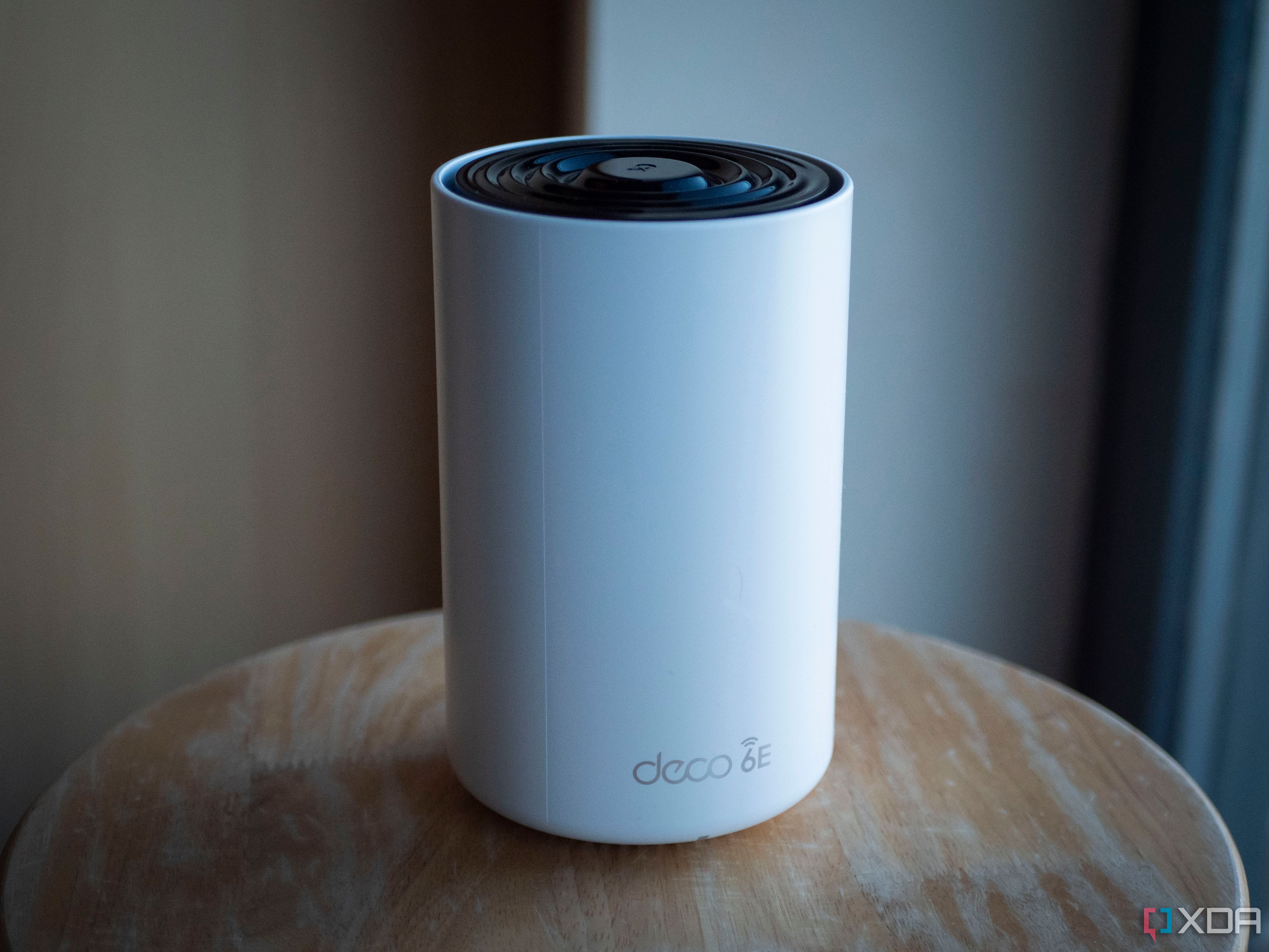
The TP-Link Deco XE75 has a pretty basic design, which is perfect for a product that needs to sit in plain sight. The most there is to its design is the black rounded top and the "Deco 6e" at the front. It has fans built-in but they don't ever really seem to turn on, as there's no noise that comes from it and I don't feel any airflow, either. I imagine in warmer climates these will pick up more.
This particular mesh network is a AXE5400 tri-band Wi-Fi 6E setup with up to six streams. You'll get up to 574 Mbps on the 2.4GHz netowrk, 2,402 Mbps on the 5GHz network, and another 2,402 Mbps on the 6GHz network. Wi-Fi 6E can utilize all three bands at once, which is why it's significantly faster. I used the Samsung Galaxy Z Fold 5 and an M1 Macbook Pro in my testing, getting 700Mbps over Wi-Fi in a speed test.
On the back, there's a barrel jack for power and three 1Gbps Ethernet ports. These ports are the weakest part of the entire ordeal, especially if you have an internet connection higher than 1,000 Mbps down. You'll be limited to a maximum of 1Gbps otherwise, meaning you can theoretically reach higher speeds over Wi-Fi than you would wired. For me, though, they get the job done perfectly and I've no complaints.
The speeds you get will largely come down to the devices that you have and what they're capable of. Wi-Fi 6E is relatively new, and some devices still won't support it. That's where the big speed boosts will be found, though the 5GHz connection is still quite fast, and I can reach roughly 600 Mbps behind several walls about 10 meters away. Keep in mind that a lot of IoT devices like smart TVs are only capable of significantly slower than gigabit speeds.
Setup and software
An easy experience
Setting up the Deco XE75 was ridiculously easy, especially given that I had only just set up the Google Home mesh network that I was previously using at my parents' house that day. That setup was an ordeal; the Google Home app struggled to pick up the second node, then there's QR code scanning, enrolling the device in your home... it's just a lot of steps. The Deco was a breath of fresh air right after, as it was basically plug and play. I set up the initial primary node that plugs into my router, and then the second node just... connected to it. No setup required once I plugged it in, it handled the handshake procedure itself.
The most I had to do was input my details of what I wanted the SSID to be, which makes sense as you still need to be able to recognize the network to connect to it. Everything was completely seamless, and I had the network setup in roughly fifteen minutes.
The rest of the TP-Link software suite is excellent, and the app itself is well-polished and easy to use. You can set a custom DNS for your entire network (which I did using Pi-Hole), you can set a VPN for the network, there are parental controls and security options, and you can even run a VPN server on the Deco so that you can access your network externally.
There are some premium packages that you can pay for too, such as the Advanced Parental Controls package. This adds SafeSearch, time limits, time rewards, and detailed reports. Most other mesh kits do have these options available for free, though, so that's a bit of a slight against the Deco XE75 too. You can still create basic parental control profiles and even attach them to specific devices though, which is helpful if you want some devices to have filtered content and not others.
If you want to control any of your Deco settings, sadly you'll need to use the app for basically anything. The web UI works but significantly strips back on the options that you get other TP-Link offerings. The company wants you to use its app and this is the way that it makes you, as you won't be able to configure much without it. It shows you the RAM and CPU usage, the system logs, and some other basic information, but nothing useful and nothing that you can actually change.
Wireless performance
Wi-Fi 6E is big
Wi-Fi 6E, despite the name implying a minor upgrade over WI-Fi 6, is actually a significant leap forward. It adds extra bands, reduces latency, and is overall faster. I was able to get up to 700Mbps from the primary node over Wi-Fi on my Galaxy Z Fold 5 and my M1 Macbook Pro while being 15 meters away from the primary node. My upload speed is capped at 100Mbps, and I was able to get that anywhere throughout my home.
My second node is just as fast too, and being in the furthest bedroom of my apartment (where I can barely get a signal with the primary Deco node on the 6GHz band), I can still get about 700Mbps thanks to the additional node I added in the hallway. That's with Wi-Fi 6E; dropping to Wi-Fi 6 when using the 5GHz node gives a minor downgrade of going down to roughly 600Mbps, but still a perfectly usable speed for anyone.
The reason you may want to use lower bands is that the lower the band, the further the connection will travel. 2.4GHz connections will travel the furthest, 5GHz will struggle through walls and at distances, and 6GHz will experience those problems more dramatically. That's why it's good to have additional nodes if you want wider coverage at faster speeds, as otherwise you'll need to fallback to the slower options.
One additional benefit is that because these are Wi-Fi 6E nodes, even if your devices don't support Wi-Fi 6E, they connect to each other over that same protocol. This means that you'll get faster connections still on Wi-Fi 6 devices that are further away connecting to these nodes, as the nodes themselves benefit from their shared mesh network by connecting through faster methods.
Should you buy the TP-Link Deco XE75?👁 TP-Link Deco XE75 node sitting on a table
You should buy the TP-Link Deco XE75 if:
- You want a fast mesh network
- You have gigabit internet
- You want to save money on a powerful Wi-Fi 6E network
You shouldn't buy the TP-Link Deco XE75 if:
- You don't have fast internet
- You want good parental controls without needing to pay
The TP-Link Deco XE75 was a fantastic purchase for me, but the reasons why may not be the same for you. I don't have a need for parental controls, I have gigabit internet, and I have an apartment that has a fairly long hallway and needed an extra boost down the far end of it. These are the conditions that are perfect for a mesh network like this. Wi-Fi 6E is still largely in its infancy in terms of relevance, as many people are still using devices that can only use the older Wi-Fi 6. For those people, there's little benefit to be had.
Still, I would highly suggest checking this mesh network out if you're in the market for one and want to save some money. It's affordable at a price that works out roughly $100 per node, and there's a lot of benefit to be had if you have a fast internet connection but less than ideal coverage throughout your home. If you're looking to try out Wi-Fi 6E, I can't recommend this mesh network enough.
TP-Link Deco XE75
- Coverage
- 5,500 ft squared
- Number of Devices Supported
- 200 devices
- Speed
- Up to 5,400Mbps
- Wi-Fi Protocols
- WPA, WPA2, WPA3
The TP-Link Deco XE75 is a mid-range Wi-Fi 6E mesh Wi-Fi kit with an AXE5400 tri-band connection. This router has 574Mbps available at 2.4GHz, 2402Mbps at 5GHz, and another 2402Mbps at 6GHz, allowing for fast mesh speeds, even in a heavily congested building.