
A while ago I wrote about how Claude Pro had become a daily tool for me, and how none of that had anything to do with coding. That's still true, but I finally caved on the one part I'd been avoiding. Claude Code kept showing up everywhere I looked, and I almost started to feel out of the loop for being one of the few tech writers who hadn't tried it yet.
So I sat down this weekend with a lower bar than usual: just get something running, even if half the vocabulary went over my head. The docs still hit you with "agentic" and "subagents" and a recommendation to install through PowerShell. It's not like I'm clueless, these things are adjacent to my work, especially since I've been self-hosting LLMs, but it's just not something I'm fluent in as a designer (and non-coder).
Turns out I didn't need to use or even understand half of the coverage on Claude Code to actually benefit from it.
Want to stay in the loop with the latest in AI? The XDA AI Insider newsletter drops weekly with deep dives, tool recommendations, and hands-on coverage you won't find anywhere else on the site. Subscribe by modifying your newsletter preferences!
Claude Code isn't what they told me it would be
It's the same Claude, just with file access
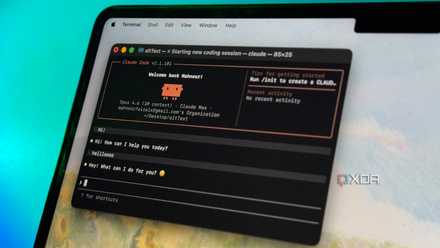
For the longest time, whenever I read something about Claude Code it always featured screenshots of black terminals filled with file paths and command outputs. That's actually pretty accurate given Claude Code launched as a terminal-only tool back in February 2025, and the desktop GUI only came out in November. So if you've been following Claude Code coverage at all, the chances of you having seen anything other than terminal workflows are pretty low.
But here's the thing those screenshots don't really make clear. The person typing prompts isn't writing any code. They're just typing in natural language, same way I do in a regular Claude chat. Everything technical-looking on screen is Claude narrating its own work as it goes, which is the same thing the model is already doing when you watch Artifacts spin something up in regular Claude, for example. It's the same Claude, just pointed at your computer. You point it at a folder when you start a session, and from then on Claude can actually look at the files there and work with them directly. That's all there is to it.
I used Claude Code through the Code tab in the desktop app rather than the terminal. There's also an IDE extension for things like VS Code, but that's a developer setup and I'd be lying if I said I knew the exact difference.
Claude Code's creator keeps sharing tips, and they all made my experience better
Who better to learn from than the person who built it?
First impressions left me underwhelmed
Perhaps I was using it wrong, perhaps it's just not for me
Going in, I tried to give it a fair shot. I started where anyone would by reading Reddit threads and watching YouTube tutorials, but ultimately you learn by doing. So I asked Claude Code to build me something - a small color palette generator, which is just a single HTML file that takes an image and pulls out the six dominant colors as swatches with hex codes. It only took a minute or two for the palette.html to appear in my selected folder, and I was able to use it in my browser.
The problem wasn't the result, it was the process; knowing I could have done the exact same thing in Artifacts, which I already have been doing for months. The only meaningful difference is that the Claude Code version is a real file on my disk rather than sitting inside a chat I'll eventually close.
I played around with the Adobe skill after that and got it to put together a flyer for me from a template. Same situation as before though - the Adobe MCP connector in regular Claude chat has been handling this for me for weeks already. I thought about pointing it at some folder admin too, however, Cowork already handles file organization for me.
I should probably be upfront about something here. I was testing Claude Code the way a non-coder would naturally reach for it, which leaves out the configuration side that more experienced users actually build their workflows around. So if you're reading this thinking I should have tried this or that, you're probably right. But on the surface stuff, if you're a non-developer asking Claude Code to build you something from scratch, you're not actually using the part of Claude Code that makes it different. You're just using a regular Claude that happens to save its output as a file.

I set up Claude Code the way its creator does, and the difference is night and day
Who better to learn from than the person who made it?
Turns out the more technical side is exactly where my non-technical use cases live
The features I assumed weren't for me are what ended up being useful
Looking back at the first couple of sessions, I was basically just running Claude Code like a slightly different version of regular Claude. To actually make it useful, I'd needed to change the configuration around it.
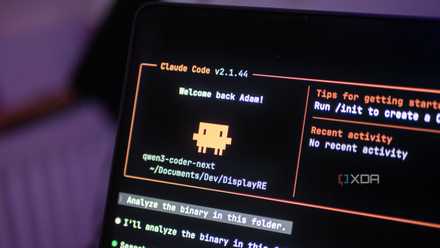
I came across this thread from the Claude subreddit that had some great tips for setting up Code for non-coding workflows. The starting point is a file called CLAUDE.md that drops into whatever folder you're working in. Claude reads it at the start of every session, so it's basically persistent memory for that project or codebase. I pretty much have all my bases covered by regular Claude, but to really put this to the test, I wanted to put Claude Code to work on a couple of folders I use every day, including my articles and screenshots folders.
The screenshots folder in particular needed some attention. It's where old screenshots from articles I've already published end up, and I keep them around because every so often I'll need to refer back to something I set up in the past that I can't find in our CMS anymore, for example. But it also has a fair amount of junk built up over time. So I asked Claude Code to create a CLAUDE.md for that folder describing what's in there and what I use it for, and to help me work through cleaning it up over time. The thing that makes this different to Cowork is that Code can read the contents of the screenshots themselves and understand what each one is actually showing, not just guess from the file name. And it does that across the whole folder at the same time and handles it very quickly, so when it's helping me figure out what to keep, it's working off the full picture rather than one file in isolation.
The subreddit post also recommended creating a Skill. Skills are basically reusable workflows you trigger by name, kind of like saved instructions that load on demand when you need them. I haven't worked with these in Claude directly yet but now was as good a time as any to try. I moved to my articles folder and asked Code to put together a Skill for refining titles for my article ideas. Code spent a while doing things in the background I didn't really follow, which I guess is the whole point of delegating it in the first place. Once it was done it walked me through what it had set up, where the file lived, and the different ways I could actually call the Skill in future sessions. This is definitely a massive step up from how I've been brainstorming title refinement in regular Claude.
Sub-agents are the bit I left alone for now. From what I've read they're delegated assistants with their own dedicated context, which sounds like the next step up from Skills, but I don't think I'm at that level yet, or might even have a use for them for the work I do.
Claude Code finally remembers why I made those choices, and my workflow is faster because of it
Claude Code is faster when it remembers past decisions, not just the files in front of it.
Every non-coder should give Claude Code a shot
I came in thinking I wouldn't get much out of Claude Code as a non-coder, and the first half of my experience pretty much confirmed that. But the configuration side is where this actually pays off for someone like me, and I genuinely didn't expect that going in. Cowork might actually have to make some room because Code is handling my admin work better, and I plan on going deeper into the Skills and agents side of things for other projects.