
Gaming on Linux has been a hot topic since the introduction of the Steam Deck back in 2022, which set the standard for a handheld gaming experience on PCs. That standard has yet to be met by its Windows counterparts, which is why handhelds such as the Lenovo Legion Go S came in a SteamOS variant in addition to Windows.
But as great as Linux can be for gaming, it's highly dependent on hardware support, and Nvidia has historically been frustrating due to using proprietary drivers that can sometimes lag behind what could be done with open-source projects. Things have been improving somewhat, though, and what better way to find out the current state of Linux gaming on Nvidia than to try it out for myself? So I did just that, and the results are actually not terrible.

SteamOS destroys Windows by up to 75%, and I have the receipts to prove it
SteamOS isn't only easier to use than Windows 11 — it's straight-up faster.
Setting up
Take your pick
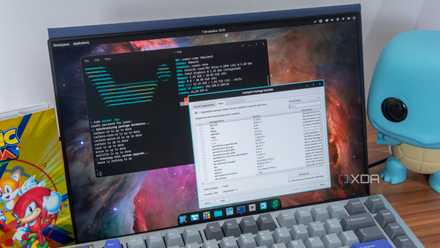
Gaming on Linux can start with a wide range of distros and you can choose from any of them, but there are some that claim to have a special focus on gaming and performance. When it comes to gaming, Bazzite is definitely one of the most popular names you can get, but for this experiment, I actually went with CachyOS. This is an Arch-based Linux distribution that's particularly focused processor-specific optimizations to deliver better performance. It's not just for gaming, but I figured it would be a good fit.
Setting up in general wasn't too hard, though I took some time to get settled in because I was dual-booting alongside Windows and there were some partitioning issues before I even got started. Once that was sorted, things were fairly easy.
CachyOS already includes Nvidia drivers by default because each install is optimized for your hardware, and this made things very easy on that front. Bazzite offers a similar option, so these two options are great places to get started.
Steam also installs Proton out of the box, so in terms of game compatibility, I was set. If I want to venture outside of Steam, I could also use Heroic Games Launcher or Lutris to enable Proton for non-Steam games and make them all playable. It's easier than you'd think.
CachyOS is the best Arch-based Linux distro out there
Plain Arch is great, but CachyOS makes all the right improvements
It's pretty solid
My games were perfectly playable
I've tested gaming on Linux a good few times before, and while this is the first time I did it on an Nvidia GPU, it was still great. This is an Asus ROG Flow X13 from 2021, so it has a 35W RTX 3050 GPU, and I wanted to give it a fair chance of success, so I tried a mix of newer and older games. I installed Bioshock Remastered, Call of Juarez: Gunslinger, Control Ultimate Edition, Elden Ring, and Hellblade: Senua's Sacrifice.
Bioshock is the oldest of these (from 2007), and while the remastered version came out in 2016, it didn't change that much from the original, so it's still the lightest of the bunch, and this laptop ran the game perfectly fine. Steam's performance overlay indicated that the game ran at around 100FPS at the highest settings, though it was inconsistent (as tends to be the case with this game). That's about what you'd expect, though neither the CPU nor GPU were hitting their limits, according to the same overlay.
Call of Juarez: Gunslinger, a 2013 game, ran significantly better. It constantly exceeded the 120Hz refresh rate on the display, usually more than doubling it. So I turned to the more demanding titles in my library.
Hellblade is a 2017 game, but it's a very demanding one, but to my surprise, it mostly ran fine, too. At native resolution (1920x1200), mostly very high settings, but using DLSS Quality and with ray tracing turned off, the game was perfectly playable. It was often running at 50-60 frames per second, and there was certainly room to turn down more settings if needed. I did notice what seemed to be some audio issues where sound didn't seem to sync with the video, and some sound effects didn't seem to play properly, but I didn't feel like I was missing anything essential.
Control Ultimate Edition is where things started to get dicey, but it was still playable. I set the game to run at native resolution, lowered the graphics preset to medium, and disabled motion blur, and the game became playable, usually hovering slightly above 30 frames per second. Motion blur seemed to be a big factor, as I kept getting a lot of stutters before I disabled it. Even if your PC can handle it, motion blur doesn't add much in my opinion, so not much is lost there. Even at these low settings, though, it's not an optimal experience. Textures have very low quality and the GPU is still being pushed hard, but it is playable.
Finally, Elden Ring was also a solid performer. With the High preset enabled and running at native resolution, I was able to get around 45 frames per second, though there were noticeable dips here and there. Lowering the preset to Medium helped stabilize things a bit more and usually had me hovering above 50 frames per second.

I turned my gaming handheld into a Steam Deck and I love it
You don't need a Steam Deck... do you?
But how does it compare to Windows?
It's not bad, actually
With all that being said, the question that remains is how does this performance compare to running these games on Windows, and the answer is still pretty positive.
I tried playing Hellblade: Senua's Sacrifice at the same settings on Windows, and indeed, the experience was noticeably smoother. The framerate was more consistently above 60 frames per second, sometimes reaching 70, and there were fewer stutters. Of course, Hellblade is also not native on Linux, so that also contributes to the difference. While Windows is clearly better here, I do think the experience was still serviceable on Linux.
Elden Ring was a closer call. At the High settings preset, the game seemed to achieve a slightly higher framerate, closer to 50FPS than 45FPS. I did experience one major slowdown while I tried to fight an enemy, which I didn't see in the Linux version, but that could have been a one-off. Again, Elden Ring doesn't have a native Linux release, either.
The worst example was Control Ultimate Edition, which ran significantly better on Windows. While I was getting around 30 frames per second and seeing low-quality textures on Linux, the Windows version at the same settings was loading the proper textures more quickly and running at a smoother frame rate, usually around 40 to 45 frames per second. This is a game where playing on Linux came with very significant downsides, likely because, again, there's no native Linux port, and it's a more modern game with more demanding graphics.
Overall, gaming on Linux with an Nvidia GPU definitely appears possible, and the experience itself was sufficient in many cases. But as games like Control show, there's also the chance that some games will simply work significantly worse than they do on Windows.

Here's why no one can shut up about Linux gaming
A gaming revolution is on the horizon, but one major hurdle remains.
Gaming on Linux with Nvidia isn't all that bad
There's a big stigma around gaming on Linux — or using Linux in general — but after giving it a test on a lot of different devices, and now even with an Nvidia GPU, I have to say I find it pretty solid. If you're a competitive gamer, of course, you'll also find limitations, but for someone like me who focuses on single-player games most of the time, I've never found a lot of reasons not to switch to Linux for gaming.
The tests above just drive home the point that gaming on Linux has become a lot better over the years, and it's not nearly as hard to have some fun as it used to be. If you're still on the fence, maybe start by dual-booting like I did, but it's certainly worth a shot.