
The upcoming Steam Machine is a very exciting product for PC gamers in an era when people seem more and more eager to move away from Windows. Valve has already contributed significantly to making that transition easier by developing the Proton translation layer and encouraging developers to optimize their games for the Steam Deck, which also runs on Linux.
But unlike the Steam Deck, the Steam Machine is very much just another PC that isn't doing a whole lot that's new aside from running SteamOS, so you can realistically just turn your existing PC into a Steam Machine. And if you have an old Windows 10 PC at risk of being decommissioned, that may just be the best solution. So that's what I did, and the results were... interesting.
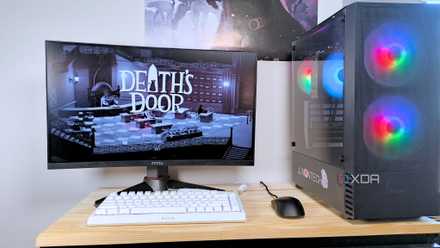
I built a Steam Machine out of spare PC parts and you can, too
If you have old PC hardware lying around or an aging Windows laptop, you might be able to breathe new life into it with SteamOS
Setting up Bazzite
Because SteamOS was more risky
I was asked to write about an "old Windows 10 PC" for this article, and unfortunately, that didn't leave me with a lot of options, especially not desktops. The oldest PC I have that ran Windows 10 originally is an HP laptop, so that's what I went with. But because it's an older machine, this laptop also has an older Nvidia GPU, which is not supported by the SteamOS Gaming Mode. This is something that you'll have to deal with if you have GPUs that predate the RTX 20 and GTX 16 series of GPUs, as well as some older AMD GPUs.
So, instead of SteamOS proper, I decided to go with Bazzite, which offers an option without the Gaming Mode feature. I have to rely on Steam's regular Big Picture mode to make the system usable with a controller, but it still works fine. The big loss here is that you may lose some of the performance benefits of using Gaming Mode, which helps prioritize resources for gaming, but if you have powerful enough hardware, it's not a big deal.
Installing Bazzite is pretty much like any other Fedora-based distribution, so the setup process is guided and fairly easy to follow. I will say, though, that the install process is tediously long.

I turned my gaming handheld into a Steam Deck and I love it
You don't need a Steam Deck... do you?
Using Bazzite
It's basically Fedora with a few extras
Using Bazzite isn't much of a challenge for me as someone whose main laptop is already running Arch Linux with KDE Plasma as the desktop environment. Bazzite is pretty much that (though there is also an option with GNOME), plus a few extras added for gaming. I've talked about this before and there are a lot of extras focused on things like emulation, too, but let's focus on the rest of the experience.
Of course, without the Steam Gaming Mode experience, Bazzite boots to the KDE Plasma desktop by default, which means you'll need to make some changes to be able to use the OS with a controller comfortably. Of course, if you use a mouse and keyboard, this works exactly as you'd expect, and the desktop experience in KDE Plasma is fairly similar to that of Windows, so you shouldn't take too long to get used to it.
Playing games should also be relatively easy. Steam is included and comes with the Proton translation layer, meaning just about any game that runs on Windows can also run on Bazzite, as long as there's no kernel-level anti-cheat that might break compatibility. That's always going to be a big hurdle for any Linux-based distro. If your games aren't on Steam, Bazzite also comes with Lutris, which similarly uses the Proton layer to enable almost any game to run without issues, so your entire library of games should be playable, regardless of whether it's on Steam or not.
Making it usable with a controller requires a little more setup since you'll have to make Steam run automatically at startup and make Big Picture mode the default, but that's only a couple of extra steps. However, I did notice an annoying issue where Steam would only detect the integrated Intel GPU and not the Nvidia one on first boot. So I had to quit Steam and relaunch it for it to show the Nvidia GPU in the system information.

I installed Bazzite on my PC, and it has me reconsidering Windows
Bazzite surprised me by running more of my games smoothly and making Windows feel less essential to my PC setup.
Does it perform well?
About as well as you could expect
Of course, if this is going to be a Steam Machine, it needs to actually play games. So how well do my games run on Bazzite with an Intel Core i7-8550U and an Nvidia GeForce MX150? Well, not great.
This laptop is from 2018, and integrated graphics in laptop processors have evolved incredibly quickly in the last few years, to the point where a low-end discrete GPU like this is actually not good at all. Even though it's Nvidia, there's no trace of DLSS support, and this was always a GPU designed for very thin and light laptops, so it's aged terribly.
That means modern games were borderline unplayable for me. I set Elden Ring to the low preset and lowered the resolution to 1366x768, but it was still running at 15 frames per second. Hellblade: Senua's Sacrifice ran at around 20FPS with settings set to low, no ray tracing, and AMD FSR in quality mode. I also tried Control and got similar results, hovering around 15FPS after turning the quality settings and resolution all the way down.
In both cases, the games also looked very unpleasant, even though Steam's performance overlay indicated the GPU was constantly at 100% utilization. Even at low settings, textures would often take very long to load in properly. Control still felt surprisingly playable, though, certainly a step up from the other two.
After that, I decided to turn my attention to some older games. Rocket League ran at 20-30 frames per second on the highest settings, but it probably doesn't matter, considering online play is disabled for the game on Linux. Finally, I tried Bioshock Remastered, another older game that's well within the capabilities of this machine. This one ran mostly fine at native resolution (1920x1080) and medium settings, hovering around 40FPS, though it was inconsistent. Lowering the resolution to 1600x900 produced much smoother results.
Ultimately, this laptop didn't end up being a great Steam Machine, but that's not due to any fault of the software. Laptop technology has evolved extremely quickly and these specs just don't hold up anymore. But a more powerful machine, whether it's a desktop or a gaming laptop, would still be a great "Steam Machine" today.

SteamOS destroys Windows by up to 75%, and I have the receipts to prove it
SteamOS isn't only easier to use than Windows 11 — it's straight-up faster.
(Almost) any PC can be a Steam Machine
While the Steam Machine is still an exciting piece of hardware because of what it represents for the gaming and PC landscape and the balance of power between Linux and Windows, it's worth remembering that you don't have to pay that kind of money to get a lighter, more streamlined gaming experience compared to Windows.
I still had to go about it in a more difficult way since my hardware is too old to support Steam Gaming Mode, but a lot of Windows 10 PCs, and especially those that are already running Windows 11, can support it and work just fine as a makeshift Steam Machine that could even be more powerful than the official one. You don't need to spend extra money for that experience.