
Switching from Windows to Linux is a scary thought for many, and understandably so. After all, it's a whole new paradigm, with a different way, different ways to install apps, and different apps available to begin with. There's quite a lot to get used to with Linux, and because the operating system is so flexible, it's also very easy to break things if you're new. But what if it didn't have to be so scary?
Universal Blue is the answer to that. This is a project that aims to provide a reliable and stable Linux experience based on Fedora, providing an immutable operating system that can't be easily broken, easy and safe updates, and an overall reliable experience that just works without having to spend too much time worrying about it.
This isn't a single distro, but rather a project that allows developers to create custom images with the same core benefits, making Linux more accessible to everyone. And if you want to get into Linux, this is where you should start.

I installed Bazzite on my PC, and it has me reconsidering Windows
Bazzite surprised me by running more of my games smoothly and making Windows feel less essential to my PC setup.
Separate the system and apps
An immutable, persistent operating system
Right off the bat, one of the biggest advantages of the Universal Blue project is that it delivers an immutable operating system that's completely separated from your personal data and apps. Essentially, what this means is that you can't make changes to the system files, which prevents them from breaking. You can only make changes to user data that doesn't compromise the stability of the operating system, which is a big part of why the project is so great for beginners. If you're worried about messing up your computer while using Linux, having an immutable OS completely removes that risk.
And the Universal Blue project is built on top of Fedora, and it uses the Fedora Atomic Desktop paradigm. The great thing about that is that you can rebase your operating system back to Fedora without having to reinstall. At any moment, you can just rebase it and start fresh without the customizations included in a particular distro. For example, say you installed Bazzite, which is a gaming-focused distro part of the Universal Blue project, but that's not something you're focused on anymore. Instead of installing the whole operating system again, you can rebase the system to another Universal Blue distro like Aurora or Bluefin. It's the same operating system with a new layer of customizations on top, and you can easily swap between different flavors without reinstalling everything all over again. It makes it so much easier to try different distros without losing everything.

I tried this Fedora-based Linux distro, and I love it as a Windows alternative
Aurora OS is pretty great
Atomic updates with little deviation
Never worry about a broken update again
One of the most frustrating parts of using Windows is how often updates can break things, and on Linux, there can be a lot of problems too, due to how packages update individually and the operating system is so open. Another benefit of this immutable approach is how to changes that paradigm so that you no longer install updates by just replacing packages with new ones.
It uses a system called atomic updates, and essentially, every set of system updates is deployed as a full image that contains all the updated packages, kernels, and so on. And rather than replace your currently installed image, this system uses something called rpm-ostree to manage the installed versions of your OS. When you install an update, you just swap to the new image, but your old image remains available. If anything goes wrong, you can just swap back to the old image during boot, so you keep having the stable, reliable experience you're used to. You can also rollback to a specific image from the official repository
Even then, because these system packages are all rolled out and bundled into one, and tested as such, there are a lot fewer variables to consider, and you can expect a generally much more stable experience in day-to-day use and after updates.
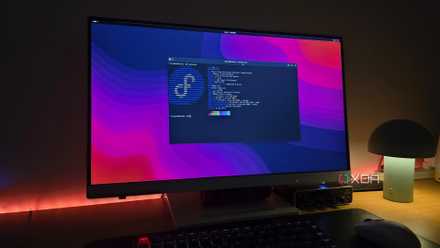
Why an immutable distro is the perfect starting point for new Linux users
With immutability comes a great environment for new users to get used to Linux
There's still variety
Kernel modifications are included in the images
The idea of an immutable operating system all based on the same project may have you thinking all the distros based on Universal Blue are the same or that they might be limited in some way, but that's not the case. Each distro's image can include kernel modifications right on the image itself, including things such as Nvidia drivers if you're downloading something more optimized for gaming.
Combined with the idea that you can easily rebase your installation, this means you can easily try all kinds of different experiences without having to lose all your data and apps. If you're trying to find the best setup for your PC, you can just swap from one base image to the next and see what works best for your hardware and your needs. And all this experimentation doesn't come at the cost of stability or anything of the sort. You're just swapping between base images, all fully complete with all the packages you need, and with essentially no deviation from that base image.
I initially set up one of my old PCs with Bazzite, but since I don't do that much gaming, I rebased it to Aurora to see what it would be like for day-to-day use. I didn't have to do a bunch of manual package installs and removals, swap kernels, or anything of the kind. I just swapped from one base image to the other.
5 reasons you should swap from Windows to Linux
Cant upgrade to Windows 11? Here's 5 reasons why it might be time to swap to Linux
It's a great alternative for Windows users
More reliability and resilience for newbies
Linux users likely already have some knowledge of the things I explained above, but it's important to note what all of this means for a Windows user. If you're thinking about moving to Linux for the first time, Universal Blue's approach makes it the easiest it can be. In many ways, it can be even better, especially for less experienced users.
In the Windows world, it's not uncommon for updates to cause issues and interrupt your workflow. With a Linux distro based on Universal Blue principles, you not only have more flexibility when it comes to installing updates, since they're not usually forced onto you, but you also have a very easy rollback option. And because system updates are done by swapping out the entire system image, it's far less likely you'll experience any corruption or unexpected changes in system files. Everything is exactly as it's designed, so you're less likely to experience issues after updates as Windows can sometimes cause.
Plus, with system files being out of the reach of users, there's less room for non-savvy users to make changes they don't understand and break the system. The experience is protected against the most common cause of failures: the user. It makes it far easier to recommend switching to Linux.
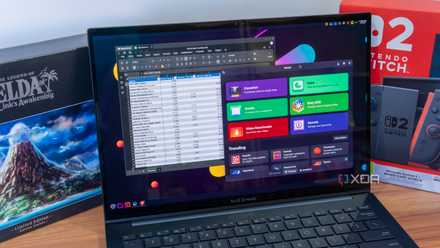
11 Linux apps Windows refugees need to know about
Scared of ditching Windows? These Linux apps make things so much easier
Universal Blue is the Linux experience for the masses
One of the things you hear the most about Linux is how flexible and customizable it is in almost every way, so this idea may seem antithetical to some long-time Linux users. However, if you're new to Linux, the comfort of an operating system that can't be broken, that you can easily rollback, and that allows for experiments with different images without sacrificing your data makes a lot of sense. For a lot of people coming from Windows, this is an easy way to ensure you have a reliable experience without needing a lot of knowledge on how to keep things running smoothly.