
USB-C was meant to be the cable that finally replaced everything, and for the most part, it really has. The reversible connector is now everywhere. The original promise was rather simple: one port that could — though not necessarily would — handle data, charging, displays, and peripherals, effectively replacing USB-A, HDMI, DisplayPort, and the old barrel chargers that used to clutter our desks.
USB4 even doubled down on that promise. When Thunderbolt 3 was opened up and folded into the USB specification, it seemed like the industry had finally agreed on a single, unified future. But of course, there's a catch. USB-C is just the connector, and USB4 is just the protocol. What actually works depends entirely on what the manufacturer chooses. What we now have is a port that technically unified the industry, but in practice, left consumers more confused than ever.
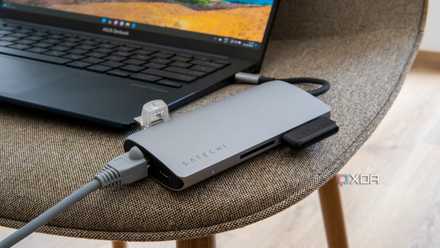
Please stop treating your USB hubs as port replicators
It's not quite the same
USB4's biggest problem is that so much of it is optional
Flexibility sounds good on paper, but it leads to wild inconsistencies
On paper, USB4 can deliver incredibly capable connectivity, but whether those capabilities actually exist depends entirely on how the manufacturer implements the standard. Features like 40Gbps bandwidth, PCIe tunneling, dual 4K display support, and DMA protection are all optional in USB4. That means a laptop with a USB4 port might only support 20Gbps speeds instead of the full 40Gbps bandwidth, a single display output, no external GPU support, and limited access to high-speed storage devices, but the manufacturer will still get to slap the USB4 logo on the device and call it a day.
Thunderbolt 4, on the other hand, takes the opposite approach. It mandates those capabilities as minimum requirements. Every Thunderbolt 4 port guarantees the features that USB4 considers optional. This difference then becomes obvious in real-world usage. Two laptops with USB4 ports may behave completely differently when plugged into the same dock. One might run multiple displays and high-speed storage without breaking a sweat, while the other struggles to drive a single monitor.
That inconsistency is exactly why Thunderbolt 4 remains the more reliable standard. USB4 allows flexibility, but Thunderbolt absolutely guarantees performance.

4 peripherals you're probably plugging into the wrong USB port
Don't let the wrong port hold your peripherals back
USB's naming problem has only made things worse
A decade of renaming has turned USB specifications into a hot mess
If USB hardware capabilities weren't already confusing enough, the naming conventions surrounding them have only added to the chaos. I've personally pulled a few strands of hair trying to explain this to people I know. USB 3.0 eventually became USB 3.1 Gen 1, while USB 3.1 became USB 3.2 Gen 2. Then, to make matters worse, USB 3.2 introduced Gen 2x2, which doubled bandwidth as well as confusion. By the time USB4 arrived, we were already drowning in a sea of confusing labels.
Today, you'll see laptops advertised with combinations like USB-C, USB 3.2, USB4, USB4 Gen 2, or USB4 Gen3. The worst part is that none of these names actually tell you what the port can do. They don't indicate display output capabilities, charging limits, or docking compatibility.
Meanwhile, Thunderbolt kept things refreshingly simple. Thunderbolt 1, 2, 3, 4, and now 5 each introduced clear generational upgrades with mandatory minimum capabilities. That clarity is exactly why OEMs continue to proudly advertise Thunderbolt ports. Even on machines that support USB4, manufacturers still lean heavily on Thunderbolt branding because it actually communicates what the port can do.
USB-C cables and docks expose the ecosystem's biggest frustrations
The same connector supports dozens of different capabilities
The real confusion surrounding USB4 becomes painfully obvious when you start dealing with cables and docking stations. Not all USB-C cables are created equal, after all. Some only support USB 2.0 data speeds, while others support 10Gbps, 20Gbps, or the full 40Gbps bandwidth. Certain cables carry DP signals, some support 240W charging, and not all of them work with Thunderbolt devices. Active Thunderbolt cables even include internal electronics to maintain full speeds over longer distances.
To the average user, however, they all look identical. This is where things start breaking down in real-world scenarios. Someone buys a USB-C dock expecting it to power their laptop, drive multiple monitors, and connect storage and Ethernet. They plug everything in using a random cable they already own, and then find out that the display doesn't work, the storage speeds are crawling, or the Ethernet connection drops with a mind of its own.
Thunderbolt ecosystems, thankfully, manage to avoid much of this confusion because TB4-certified cables and accessories must meet strict requirements. With USB4, everything depends on how the hardware is implemented. Thunderbolt 4, however, makes sure everything is done right from end to end.
Intel certainly has a home-field advantage here
The hardware gap comes from the silicon itself
The hardware gap isn't just a matter of branding, either. After all, it's baked into the literal silicon. Intel has the distinct advantage of baking Thunderbolt controllers directly into its CPUs, making high-performance I/O a "free" guaranteed baseline for any Evo-certified laptop. On the other hand, AMD users are often left at the mercy of third-party controllers from vendors like ASMedia or Realtek.
Sure, these chips have closed the gap, but they lack the seamless, "it just works" integration of Intel's stack. This is what creates such a fragmented landscape where two seemingly identical premium laptops offer wildly different peripheral stability, simply because one manufacturer took the path of least resistance while the other had to bridge a technical chasm. Thankfully, modern AMD laptops do feature USB4 with Thunderbolt 3 compatibility.
HP Spectre x360 16
The HP Spectre x360 16 is a premium laptop with top-tier specs and an absolutely stunning screen.
It's not like USB4 is downright terrible
It still has a place, but it is not the universal solution it promised
None of this means USB4 is useless. In fact, it plays a crucial role in modern connectivity, particularly on AMD systems that don’t integrate Thunderbolt controllers by default. USB4 still enables faster external storage, display output through DisplayPort Alt Mode, and high-power charging across a single cable. We can't pretend that for many everyday devices, those capabilities are more than enough.
The problem is that USB4 never truly delivered on the promise of a universal standard that behaves the same everywhere. The continued confusion surrounding port capabilities and cable compatibility has led to countless wrong purchases around the world. People buy docks that don't fully work with their laptops, cables that limit their speeds, or accessories that rely on features their devices simply don't support.
USB-C successfully unified the physical connector, but the experience behind that connector remains fragmented, inconsistent, and often frustrating.

A single Thunderbolt cable is my desktop's secret weapon, not the PC
A full setup using just one port
History seems to be repeating itself, and I hate it
The cycle of chaos continues even in "the big 26"
Even in 2026, we're unfortunately watching history repeat itself with Thunderbolt 5 and USB4 v2.0. Thunderbolt 5 has already planted its flag with a mandatory 80Gbps floor, and a 120Gbps "Bandwidth Boost" for high-end displays. Thus, TB5 has ensured that the "pro" moniker actually means something.
Meanwhile, USB4 v2.0 is doubling down on the same "optional" philosophy, further pushing us into a new generation where a "Version 2.0" sticker could mean anything from a world-class workstation port to a glorified charging hole. In the race for faster speeds, the industry has prioritized the ceiling of what's possible over the floor of what's promised, which has left consumers right back where they started: clutching a cable, crossing their fingers, and pulling their hair out.

I expected Thunderbolt 5 to replace OCuLink for eGPU setups, but it didn't
Higher bandwidth doesn't automatically mean better eGPU performance.
A unified USB protocol continues to elude us
This is how Thunderbolt succeeded — by enforcing strict guarantees.
The tangled mess of ports that once cluttered our devices may have been replaced wholly by USB-C, but the dream of a truly universal cable still remains unfinished. The connector unified the industry's hardware design, yes, but the capabilities behind it remain scattered across different standards, optional features, and inconsistent implementations.
Thunderbolt succeeded by enforcing strict guarantees. USB4 succeeded by offering flexibility. In a world where consumers just want things to work when they plug them in, those guarantees still matter far more than flexibility ever will.