
Building a personal website used to be a marathon of manual coding, but the promise of ‘one-shot’ AI generation has completely changed the game. To see if the leading models could actually deliver on that promise, I pitted Claude, Gemini, and ChatGPT against each other in a high-pressure execution test.
I bypassed the usual back-and-forth chatting and instead fed each tool the same exhaustive, multi-page project prompt to see which one could translate complex requirements into a functional, aesthetic site on the first try.
By spinning up the results in a live web view immediately, the difference in code quality, layout logic, and reliability became undeniable — and one model clearly outpaced the rest.

I used Claude Code, Antigravity, and Perplexity Computer to build a portfolio — there was a clear winner
The results were surprising.
Setting up the stage
Running the same prompt on advanced models
To make this a true battle, I bypassed the free tiers and went straight to the paid, most advanced versions of Gemini, Claude, and ChatGPT.
My goal was simple but demanding: act as a senior web developer and UI/UX designer to build a high-end, multi-page portfolio that reflects my specific brand as a tech analyst and productivity expert.
I didn’t want a generic template; I fed each model a precise design brief, requiring everything from Tailwind CSS integration and Lucide icons to specific mesh gradients and a dedicated section for my Docker-based home lab. I even shared my author profiles on XDA, AndroidPolice, and Muck Rack.
I took the raw HTML output from each AI and immediately opened it in a browser to see which model could actually translate a complex vision into reality.
I wanted a clean base that I could then pull into VS Code for the final fine-tuning that makes a site truly personal.
Google Gemini
The weakest of the three
I kicked off with Gemini 3.1 Pro, and the initial visual impression was a wow moment. It nailed the aesthetic I was looking for and delivered a stunning, airy design with those gradients that looked like they came straight out of a premium design deck.
However, once I started clicking around the live web view, the cracks in the foundation became hard to ignore. While the wrapper was beautiful, it lacked many details.
The portfolio section was the biggest letdown; instead of a detailed showcase of my work, it felt like an afterthought with very little depth. The multi-page logic was where things really fell apart — the navigation was patchy at best.
For instance, when I tried to jump specifically to my Android articles, the link just looped me back to the home page. Even the contact section felt like a placeholder rather than a finished product.
Overall, Gemini still has a lot to catch up here. I can’t wait to see how Google improves its coding capabilities with the rumored 4.0 model.
ChatGPT
Almost there
Next, I moved on to ChatGPT, and the experience started with a major convenience win: the built-in previewer. Being able to render the code directly in the chat box without jumping back and forth to a browser made the iteration process fluid.
Visually, ChatGPT was right on the money. It leaned into the minimalist aesthetic I wanted with sharp typography, perfectly rounded corners, and gradient themes that gave the site a high-end, polished feel.
What impressed me most was how it handled my professional footprint. It didn’t just give me placeholders; it actually parsed my MuckRack and publication links to retrieve my top articles and showcased them right at the top.
The ‘Editorial Focus’ menu was a clever touch as well. However, it wasn’t a perfect execution. While it found my work, the navigation logic was slightly off. It directed users to my general author page rather than the specific articles themselves.
The ‘About’ section was missing entirely. That said, the ‘Contact’ section was a standout — it used a bold black box that provided a fantastic contrast against the light theme. It felt like a very strong ‘Version 1.0’ that was just a few logic fixes away from being perfect.
Claude
The clear winner
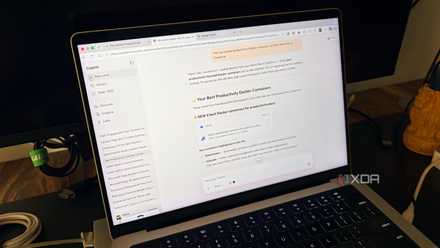
Then came Claude, and it didn’t take long to realize I had found the clear winner of this showdown. Like ChatGPT, Claude offers a built-in preview, which allowed me to watch the site come to life in real-time.
But where Claude pulled ahead was in the depth of its execution. It didn’t just follow my prompt; it acted like a researcher. It pulled my publication history and generated a professional overview that felt personalized. Claude highlighted milestones like 6+ years in the industry and a catalog of over 2000 articles.
The ‘Recent Articles’ section was functional. It built a robust filtering system for my core niches: Android, AI, self-hosting, and productivity. Unlike the other models, when I clicked on an article, Claude actually sent me to the specific piece of content instead of just opening the author's page.
The About and Contact sections were polished and production-ready, and it even included a professional footer for my X and LinkedIn profiles.
I had one minor gripe, though. The space management on the homepage could have been better. There was too much wasted space on the sides. However, in terms of logic, accuracy, and one-shot reliability, Claude was in a league of its own.
I tried Gemini, ChatGPT, and Copilot for a month and I have a clear winner for you
Don’t buy the hype.
From prompt to production
This experiment proved that while all three models can code, there is a massive difference in executing a vision. Gemini 3.1 Pro is your designer, but it lacks functional depth.
ChatGPT is your fast-moving prototype, but it still misses the finer details of navigation and structure. But for this specific project, Claude was the clear champion.
It was the only model that truly understood the ‘why’ behind the prompt and acted as a researcher and developer simultaneously. It gave me a working product that I can pull into VS Code to tweak the margins and perfect the spacing.
- OS
- Windows, macOS
- Individual pricing
- Free plan available; $17/month Pro plan
Claude is an AI assistant and LLM developed by Anthropic.
- Group pricing
- $100/month per person for the Max plan