
As a freelancer, I have to file taxes three times a year. Each time another filing is due, I dread the process. I've gotten better at knowing what to do over the years, but it's still time-consuming and causes a lot of stress.
Since I've been looking at ways AI assistants can make me more productive, I decided to try them out to help speed up the process. To see which tool did it best, I sent the same documents and prompts through Gemini, Lumo AI, and Claude.

I use ChatGPT, Claude, Perplexity, and Gemini daily — here's the only one worth paying for
One stands above the rest.
Why I decided to try out AI assistants for my taxes
Spreadsheets are a literal headache
The longest part of my tax filing is not filling in the forms, but the process of sorting out all the data beforehand. This includes my income, medical expenses, and home office expenses. It involves exporting a year's worth of transactions into a spreadsheet and then creating multiple sheets focusing on different categories.
I have never been a fan of spreadsheets, but after developing chronic migraines, it's even more difficult to spend long periods of time looking at them. Using dark mode in tools like LibreOffice Calc is inconsistent, sometimes making text illegible. Meanwhile, Google Docs and Proton Sheets don't play nicely with my dark mode flags or extensions.
I did enjoy the benefits of Excel's dark mode, but without a Microsoft 365 subscription I can't use the desktop app — and I don't want to subscribe to an office suite I barely use just for a single feature in a single app.
When my tax filing came around again this year, spending hours starting at a spreadsheet triggered yet another migraine attack that lasted days. Copilot helped speed things up (as I still had a subscription at that point), but it still required me to copy over formulas to create new sheets.
Since I'd ruled out Copilot as an option, I wanted to see if other chatbots could do a better job when the next filing came around. For my test, I started my spreadsheets from scratch — just a year's worth of transactions from my bank and credit card. I also used each assistant's free plan to see what the experience for most users would be.
Lumo AI: The most secure, but with one big problem
It made the most mistakes
I first started with Lumo AI, as it is a tool I'm excited about. Lumo is Proton's privacy-focused AI assistant, however my first impression of the tool was not positive. Nevertheless, I wanted to see how well it performed when working with my files.
I'm not a fan of sharing my financial transactions with companies, so the fact that Lumo AI is encrypted and doesn't use your conversations for training made it my preferred tool. Even though I was using its free plan, I also didn't run into issues with limits.
Using the Projects feature, I uploaded my bank and credit card transactions. I then asked the chatbot to identify trends, create checklists, as well as create tables that I could copy over to spreadsheets.
During the process though, I realized that the chatbot wasn't accurately fetching all transactions. For example, when I asked it to pull all transactions related to my migraine medication, it missed one month. When I asked it to check November, it said there wasn't a payment that month. However, when I gave it an exact date, it could find the transaction it missed.
This issue came up again when I asked it to fetch all my positive transactions to create a table for my income, while excluding transactions with certain terms. Its final result missed about a third of my income, which would result in a huge penalty if I submitted it as the final total.
Trying to get the chatbot to figure out why such a significant chunk of income was missing also resulted in a loop where it just kept calculating and recalculating results. Eventually, I figured out where some of the discrepancy was, but I could never get it to land on the same total as my own spreadsheet.
Gemini: The best balance
Its free plan offers useful features
Things went much more smoothly with Gemini. Unfortunately, the chatbot lacks a projects feature, but I was able to upload my files to a conversation and keep referring to these throughout.
It handled tasks well, though it does lean heavily towards creating files in Google Drive. For each table it generated, it saved a copy to Google Sheets. This is handy, but might be annoying if you don't want to use Google's cloud documents.
I did face a limitation when trying to get the chatbot to create a checklist I could copy. Unlike the tables, I couldn't simply click a copy icon. Rather, it wanted me to connect to Google Workspace, presumably to create a checklist in Google Keep. Since I don't use Google Keep anymore, I would've preferred a checklist I could just copy over to my note-taking software.
I couldn't spot any striking errors from Gemini, and I found some of its observations helpful for items I forgot to include or exclude from tables. However, I still couldn't get its total for my income to match up with the one I had manually sorted. But it at least came very close, within $100. The filtered data would also be much easier to sort rather than dealing with a completely unfiltered spreadsheet.
Claude: The best assistant, but with limits
Limit issues affected my usage considerably
I've heard great things about Claude's features, so I wanted to see how I could use its Projects feature to analyze my documents. But within two prompts, I was met by a message that I had reached my limit. When the limit refreshed after five hours, I used up my quota within two prompts again.
This meant that what took a few minutes in the other chatbots was spread out over hours with Claude. However, when I revisited the tool on the weekend (outside of peak hours), I was able to get through the rest of my prompts without issue.
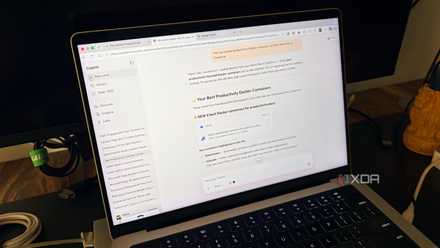
As annoying as the initial limits were, Claude's results were impressive. It created an interactive checklist that I could download for my tax documents. Each spreadsheet it generated was available to download and use with the apps on my computer. For more complex spreadsheets, the chatbot even color-coded different items to make it easier to visually distinguish them.
It impressed me the most when it came to identifying my income. It suggested additional items to exclude which I had not included in my prompt, and asked follow-up questions about whether to include certain items. As a result, it was the only chatbot that managed to match my total income for the year with my own manually filtered spreadsheet.
Its responsiveness made it feel like a collaboration and genuinely helped me filter out data more easily rather than simply relying on my memory.
I tried Gemini, ChatGPT, and Copilot for a month and I have a clear winner for you
Don’t buy the hype.
AI can be a useful partner, but still makes mistakes
Testing the different tools revealed their strengths and weaknesses, as well as my own blind spots while sorting through data. However, the experience also reminded me why these tools are imperfect and should always be checked.
I'll still most likely do most of my taxes manually, since I worry too much about potential errors from AI. But the chatbots did turn out to be useful tools in finding transactions I had forgotten about, or making it easier to filter data that's easy for me to confirm.