
My laptop is nearing retirement, and I need a replacement. The most obvious alternative is the hardware I already own, and while a Raspberry Pi 5 might be a smart and affordable option, it lacks grunt on the media production side of things.
So, I’ve recently started using my Steam Deck to handle video editing and uploading, and so far, the results have been superb.
What’s wrong with my laptop?
I mean it’s old, but...
Despite a recent history of using a series of laptops with Linux pre-installed, downsizing has left me with a budget buy, a used Lenovo ThinkPad T480. While I’ve added more RAM and an additional NVMe drive, this is a 2018 model, only a year younger than the laptop it replaced.
I have it set up with a USB-C dock, which means I can easily unplug and take it with me. Unfortunately, it has a dodgy external battery connector, so while I can enjoy 8 hours of portable power, it sometimes restarts if you look at it the wrong way. Oh, and while I use a wireless keyboard, the keys on the laptop are falling apart.
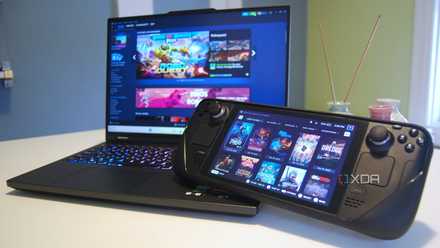
6 ways your Steam Deck can replace your laptop
You may be impressed by the many ways your Steam Deck can actually replace your laptop
By comparison, the Steam Deck is between 35% and 70% better in benchmarking tests (depending on which equivalent processor you use). While it isn’t the most flexible form factor for desktop use, that USB-C port can handle a lot.
How I turned the Steam Deck into a desktop PC
More than just a mouse and keyboard
This is the easiest thing, and I don’t know why more people don’t do this. I think it might be because the Steam Deck is seen purely as a gaming device – the thumbsticks kind of give it away — but it has all the grunt you need for desktop productivity, from browsing to media production.
The number one thing you need for the Steam Deck to become a PC is a desktop environment, and, as you probably know, this is built into SteamOS. You just need to hit the Steam menu button, select Power > Switch to Desktop, then wait while the system boots into the desktop environment.
You can also rely on the Steam Deck’s nested desktop mode, although file browsing options are restricted, so it might not be a good fit.
The Steam Deck’s 7-inch (or 7.4-inch on the OLED models) display isn’t big enough for a productive workspace, which is where HDMI out over USB-C comes in useful. I’ve tried a ton of options for this, from the handy dongle I use with my Nintendo Switch for hotel stays to a wealth of Steam Deck docks. The only one I trust to work without fail is the Valve Dock — I’ve returned too many third-party docks to risk anything else.
Of course, you need a keyboard and mouse. I prefer Bluetooth, but with a Steam Deck dock, USB ports are available if required for cables or dongles.
How I installed apps on Steam Deck
Flatpaks are more convenient
You probably know this, but if you don’t, you should. Standard software installation cannot be done on the Steam Deck without risk of deletion. The operating system, SteamOS, employs an immutable (read-only) file system, which means you cannot install software using Package Manager. It is possible to unlock the file system and install apps, but subsequent updates — and as you may know, the Steam Deck is updated a lot — can remove these.
Instead, Flatpaks are the answer. Like games, these install within the user data partition, so they are not overwritten with updates. I just open the Discover app library (SteamOS is based on Arch Linux) and find the software I want.
I’ve used these apps on the Steam Deck
It doesn’t only play games
The very first game I installed on Steam Deck was Zool: Redimensioned, an updated version of the classic 16-bit Amiga title. I wasn’t interested in it being a AAA gaming machine, just a gaming machine.
Looking at the device in a completely new way, it can do anything my laptop does, and more. Abiword is there for word processing; the entire LibreOffice suite can also be installed. I can get media playback with VLC, and pull up my online music library in Spotify. The web browser, Ungoogled Chromium, works perfectly, although I’m a die-hard Firefox user, so I used the included installation script.
I built a Steam Machine out of spare PC parts and you can, too
If you have old PC hardware lying around or an aging Windows laptop, you might be able to breathe new life into it with SteamOS
Most importantly, I’ve been using the Steam Deck for media production. It is pretty good with audio, although my original Rodecaster doesn’t play well for direct recording in Audacity. However, I’ve found it to be superb (as expected) for video editing in Shotcut (and more recently, Kdenlive). I can’t say exactly how much quicker it is, but the lag my laptop introduces when moving clips around is gone, and files render about 30% faster.
The main challenge I’ve found is ensuring there is enough space for games and work. Relying on cloud storage is an option, but I’ve also added an external USB drive for documents. A USB mic and webcam later, and I’ve got a fully functional desktop workstation, in the guise of my Steam Deck.
And as for gaming? Well, certain strategy titles are just easier to play on a big screen, and the mouse input is slicker than the Steam Deck's trackpads, however much I might like them.
Great desktop replacement, not so much a laptop
We’re going to need a bigger screen
With a keyboard and mouse and a docking station, the Steam Deck makes a great desktop system, but its use as a laptop is severely restricted. However, it has a decent battery, and thanks to Power Delivery charging support, it doesn’t need plugging in for long. Which leaves me with one problem: a display.

5 mods and upgrades you can make to your Steam Deck
Some essential, and not-so-essential upgrades.
The solution, I think, is a portable display. They’re ridiculously affordable these days, although rechargeable monitors are a little more expensive – enough to break my meager budget. A decent rechargeable display is the price of a Steam Deck or a new laptop, so that’s out. But a $100 display and a $30 portable charger? That’s definitely an option.
I’m making the most out of the Steam Deck
For years, my Steam Deck has sat on its dock for weekly or bi-weekly gaming sessions, depending on family commitments. It’s been on holiday to Portugal and the Czech Republic, but it’s never really done any (what you might call) “proper work.”
Until now.
With external storage set up, the console docked and running in desktop mode most of the time, I have a great desktop PC. I may not be able to upgrade the 16GB of RAM, but I can replace the NVMe SSD as required. And with Bluetooth and the Steam Deck dock, I can connect anything I need to use.