
Despite staying on top of everything happening in the AI world, I admittedly took longer than I should have to hop on the vibe coding bandwagon. I did give it a shot during the early days of the AI boom, but the experience was disappointing. I often found myself spending more time debugging code that I could have written and tested faster on my own, and there just wasn’t much of a payoff for the extra effort.
Then Claude Code kept showing up in my feed, and the things people were building with it looked different. Naturally, my next move was setting Claude Code up. Between that moment and now, I've spent hours vibe-coding completely random stuff. Given that I’ve spent the better part of the last two years testing AI tools, and that NotebookLM has been the one I’ve used (and written) about the most, it was only a matter of time before I tried building my own version of it.
Why build something that already exists?
The goal isn’t to ship a new app
If there's a tool you don't like, and you want to build an improved version of it, that makes sense. But if you've read any of my work before, you'd know I've only ever had good things to say about NotebookLM. Naturally, that might make you wonder why I'd even bother vibe-coding a tool I know I won't actually replace. The answer is simple: I just wanted to put Claude Code to the test on something I knew inside out.
The goal here wasn't to build a NotebookLM alternative I'd ship out to the world at all. It felt like the perfect project to see how far a beginner vibe coder could get with Claude Code and a free Gemini API key. Having a local RAG tool didn't sound half bad either — something I could run in my browser, chat with my documents, and close the tab when I'm done. Worst case scenario, I'd end up with a rough prototype and a better understanding of what Claude Code is capable of. Best case, I'd walk away with a small tool that actually works.
How I built a mini NotebookLM with vibe coding
Claude Code, a Gemini API key, and a step-by-step plan
I've learned that the best way to approach vibe coding is to have very clear goals. If you have a vague goal and don’t take the time to flesh it out completely, chances are you'll be left disappointed. It’s also always a good idea to take vibe-coded projects step by step, just as you would with actual coding without AI. Begin with the base of the idea, and then add on as you go, rather than trying to build everything at once.
For this project, I decided to use Claude Code. Given that I’m still a beginner and hadn’t worked in a terminal before this, I decided to run Claude Code from the integrated terminal. I’ve been using Claude Code and vibe-coding to help me learn how to code, so this felt like a natural next step.
The very first step was using Plan mode to map out exactly what I wanted to build. I described my goal to Claude Code — a local NotebookLM alternative that lets me upload documents and chat with them using RAG, without needing persistent memory or saved sessions. I also mentioned that I was a bit confused about which AI should power this project. I was comfortable using either a local or cloud-based LLM, so I asked Claude Code to walk me through both options and help me choose. I settled on using the Gemini API via Google AI Studio.
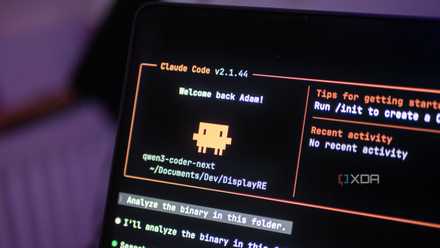
I finally found a local LLM I actually want to use for coding
Qwen3-Coder-Next is a great model, and it's even better with Claude Code as a harness.
Once we had the direction locked in, Claude Code laid out a step-by-step plan for the entire project including setting up the file structure to handling document uploads, chunking, embedding, and the actual chat interface. Before creating the plan, it also asked me several questions, like the types of documents I wanted the project to support and how the user interface should look. From here on, the rest was pretty much all Claude. It did all the magic while I wrote another article in a separate window.
It then asked me to set up the Gemini API key, but I was a bit confused, so I asked Claude Code to guide me through the process. Step by step, it helped me configure the key, integrate it into the project, and test that the API calls were working correctly. Once that was done, everything was finally connected, and the local RAG tool was ready to start interacting with my documents.
The project works relatively well
I improved it as I went along
As soon as the Gemini API was set up, I just had to open up the project in my browser, upload a few documents or links, and start chatting. I tested it by asking questions I knew were answered within my documents, as well as questions I knew weren’t, to see how well it could handle both relevant retrieval and gaps in knowledge. It worked exactly as I wanted — right on the first try! I frankly wasn't a fan of the UI, but that didn’t really matter to me since I didn’t want to push this tool out publicly.
Then, I started asking Claude to add improvements based on what I wanted. For instance, something I wish NotebookLM had is the ability to view PDFs while you're chatting with them. I also noticed citations were missing, so I asked Claude to add that too.
If I wanted to, I could have also added other NotebookLM features I love, like mind maps and quizzes, but I decided against it as I didn’t want to overcomplicate things. I wanted a simple RAG tool that captured my favorite thing about NotebookLM well — letting me chat with my documents while keeping hallucinations to a minimum.
I'm not ditching NotebookLM, but this was a fun experiment
Before everyone comes at me for vibe-coding a tool that already exists, let me be clear: this was never about replacing NotebookLM. I still use it regularly, and for most people, the real thing is going to be far more polished and feature-rich than anything you could quickly put together with a few prompts.
This experiment was more about seeing what vibe coding actually looks like in practice. Could I take a tool I know well, describe the core idea, and end up with something that works without writing most of the code myself? Surprisingly, the answer was yes. In just a short amount of time, I ended up with a simple local RAG tool that does exactly what I wanted it to do. AI-assisted coding is already here, and it's time we start thinking about it a little differently.