
PC components are delicate, sensitive electronics that are easily broken if mishandled. I'm not referring to the disastrous mistakes during PC building that could virtually break your precious components. Instead, I'm about to focus on ways you could unintentionally endanger your PC or even break it beyond repair.
What I consider irreparable is something that needs a replacement; hence, I'm excluding stuff like deleting crucial system files, corrupting your storage drives, or otherwise damaging your OS. These mess-ups are relatively easier to recover from, unlike the doozies we'll get into below. Obviously, the point is for you to avoid these unintentional mistakes, so your hardware stays alive.
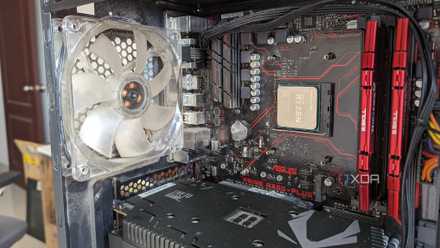
6 ways to extend the life of your PC components
All PC components will die eventually, but you can do your bit to extend their lifespan
7 Ignoring overheating for a long time
Heat can eventually kill your PC components
You might already know that heat and PC components don't mix well. Every PC component emits heat when operational, and if that heat is dissipated sufficiently, it remains a non-issue. However, if your CPU, GPU, or SSD are constantly running at higher-than-optimal temperatures for a sustained period, they might eventually die.
If you disregard overheating hardware and hope for the best, you might also need to prepare for the worst.
This could be due to dust build-up, insufficient airflow, a poor or failing CPU/GPU cooler, or a missing SSD heatsink. Whatever the reason, if you disregard overheating hardware and hope for the best, you might also need to prepare for the worst. It's not easy to kill a CPU or GPU, but sustained operation under high temperatures might do it.

How to stop your computer from overheating
An overheating computer can really dampen performance. Luckily, it's easy to fix with this simple guide.
6 Not using surge protection
Better to be safe than sorry
Too much power is never a good thing, and it applies to your PC, too. An unchecked power surge or overload can instantly fry your PC components, leaving them usable only as paperweights. It might be rare, but there's little reason to take a risk when a surge protector or UPS is a fraction of the cost of your entire build.
It's good practice to have some power safety for your thousand-dollar PC.
To be fair, a surge protector will most likely be useless against a severe overload, but it will still save your hardware from minor spikes. A UPS will not only give you power backup in case of an outage, but also protect against momentary low or high voltage from the mains. Hence, it's good practice to have some power safety for your thousand-dollar PC.

5 things you do regularly that could damage your SSD’s lifespan
These things might not seem serious but could be reducing your SSD's remaining life
5 Relying on an off-brand power supply
Speaking of unreliable power...
The power supply is still one of the most ignored components of a PC. The thing is, your PSU is responsible for supplying clean and reliable power to each of your components, and the extremely demanding power requirements of modern CPUs and GPUs warrant a high-quality power supply. Saving a few dollars by getting a cheap PSU probably won't end well for your PC.
Using an off-brand power supply with questionable credentials is an invitation to PSU failure that might take your expensive hardware down with it.
A PSU with a sufficient wattage, efficiency rating, and top-notch construction will not only supply enough juice to your PC, but also protect it against momentary spikes. Using an off-brand power supply with questionable credentials is an invitation to PSU failure that might take your expensive hardware down with it. Saving $50 in the short term might cost you hundreds or thousands of dollars in the long term.

How do I select the right PSU for my PC?
Choosing the right PSU for your PC will save you a lot of wasted time and money
4 Accidentally shorting your PC with ESD
Electrostatic discharge (ESD) is a silent killer
An electrical short is another way to kill your PC, if it's potent enough. If you open your PC case for some reason (cleaning, diagnosing, or plain curiosity), and don't ground yourself before touching the components, you might end up transferring ESD to the PC. The ESD could, in some situations, be enough to permanently kill your hardware.
You could also use an anti-static wrist strap, although that's mostly overkill if you're already following the other steps.
Grounding yourself is pretty straightforward — keep the PC disconnected from the mains, go barefoot to transfer any built-up ESD to the ground, and avoid static-friendly clothes like silk, wool, and polyester. You could also use an anti-static wrist strap, although that's mostly overkill if you're already following the other steps.
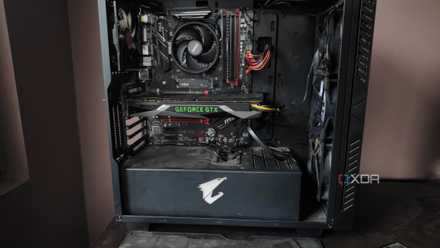
How to clean the dust out of your PC tower
Dust buildup is bad for your system, so you should regularly clean your PC tower to keep it free of dirt and grime
3 Messing around inside the PC
Control your foolhardy shenanigans
A related mistake that can damage your PC, if you're not careful, is physically interacting with the components. Yes, touching your PC components can kill them if you don't handle them carefully. You might think nothing could go wrong as long as the PC is turned off, but an inexperienced or careless user might actually damage the PC beyond repair.
You might even cause undue pressure on the radiator tubes of your AIO, bending them to a point where it kills the cooler's performance.
You could accidentally break a fan, cable, or motherboard connector. You might even cause undue pressure on the radiator tubes of your AIO, bending them to a point where it kills the cooler's performance. A particularly careless user might unknowingly apply downward pressure on the graphics card, damaging both its PCIe connector and the PCIe slot on the motherboard.

You wouldn't believe these 7 PC building blunders I've made in the past
These PC building mistakes from my past almost became PC breaking blunders
2 Overclocking like a madman
"Unlimited powaaa" is not the right attitude here
Overclocking is something every user dabbles in at least once. After all, it's free performance. However, overclocking your CPU or GPU isn't risk-free, hence it always comes with precautions and detailed instructions. You should always increase frequency and voltage in small increments, test the waters, and gradually progress forward.
Modern hardware comes with many fail-safes that prevent accidental damage due to careless overclocking, but the risk is always there.
Instead, if you rush the process by simply entering whatever values suit your fancy, you might permanently break your CPU or GPU. Modern hardware comes with many fail-safes that prevent accidental damage due to careless overclocking, but the risk is always there.
Another way to kill your CPU or GPU is to overclock without adequate cooling. Overclocking inevitability increases the heat output from your components, and that heat needs to be properly dissipated to avoid thermal throttling, or worse, permanent failure.

Why overclocking isn't as relevant as it used to be
Overclocking isn't nearly as popular as it used to be, and modern technology is to thank for that.
1 Bricking your motherboard during a BIOS update
You might never recover from this ordeal
Fortunately, this has never happened to me, but I still shudder at the thought of a failed BIOS update. You might have to update your motherboard's BIOS/UEFI for better performance, processor compatibility, or just to keep your CPU from crashing (looking at you, Intel). During a BIOS update, it's imperative that you don't interrupt the process for any reason; otherwise, you could brick your motherboard.
You could salvage the situation with a motherboard that has a dual BIOS, recovery jumper, or removable CMOS battery.
Whether it's an unexpected power outage or a misplaced hope of completing the update without a cooler on the CPU (like one Reddit user did), a failed BIOS update could render your motherboard unusable. You could salvage the situation with a motherboard that has a dual BIOS, recovery jumper, or removable CMOS battery, but in other cases, the only option might be to replace the motherboard.

5 PC building mistakes that are extremely annoying to fix
PC building mistakes can sometimes be fatal. Other times, you'll just really wish you didn't have to fix them.
It doesn't happen often, but breaking your PC is possible
Having a dead component in your hands is one of the worst feelings as a PC user, and I wouldn't wish it on my worst enemy. The circumstances described above might sound rare or implausible, but many users have actually gone through them. You might be a cautious person, but even you could end up in a similar situation on a bad day.
Fortunately, knowing the things that could damage your PC beyond repair will at least minimize the chances of something going wrong. And, hey, you might even prevent a friend or family member from committing these same blunders.