
I've been daily driving OLED monitors since 2022. First, I got the Alienware AW3423DW ultrawide panel, and then later in 2024, I picked up the AW2725DF purely for competitive gaming. I didn't ditch the ultrawide, though. I ended up using both depending on what I was playing, because each monitor scratched a different itch. The AW3423DW's 21:9 aspect ratio made single-player AAA games look incredible, whereas the AW2725DF gave me near-perfect motion clarity and responsiveness for esports titles.
But recently, I've been wanting to game at 4K again, and since both my OLEDs are 1440p, I decided to hook up my old LG 27GN950 IPS monitor. I was curious to see how it would feel after spending years on OLED, and whether resolution alone would make me want to keep it around. Besides the obvious drawbacks like IPS glow and worse black levels, what surprised me was how quickly I started noticing the things OLED had trained me to tolerate over the years.
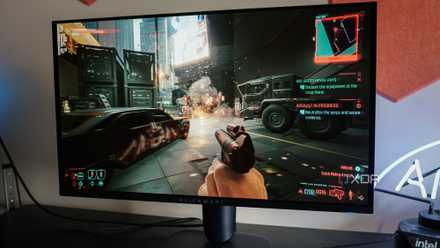
4 things no one tells you about owning an OLED monitor
OLED monitors come with their own set of quirks.
Text clarity and brightness stood out immediately
Going back to IPS reminded me that OLEDs aren't great for desktop use
Even though OLED monitors get really bright for HDR content, regular desktop use is a completely different story. Peak brightness is only part of the equation, so while 1,000 nits in a 1-3% window sounds impressive for gaming or watching Netflix, that's not how you normally use a monitor. For regular desktop use, full-screen brightness matters more, and honestly, I could immediately tell the difference the moment I opened the web browser on my LG 27GN950. I did a side-by-side comparison, and to put it into perspective, I had to lower my LG's brightness to around 50% just to match the maximum brightness of my AW3423DW.
Text clarity has also been one of OLED's biggest weaknesses for years, even though I had gotten accustomed to it over time. Switching to IPS showed me what I was missing out on, and with the Alienware mounted on a monitor arm right above it, the slightly fuzzy text on white backgrounds instantly stood out. This is largely due to Microsoft's outdated subpixel rendering on Windows, which was designed for traditional LCDs with the standard RGB subpixel arrangement. OLEDs use unique RGWB and triangular RGB layouts, which ClearType still doesn't handle well. While newer OLEDs have mostly addressed this issue, text clarity on my AW2725DF still isn't as good as IPS, even though it's a 3rd-gen QD-OLED panel.
It's nice not having to babysit my monitor
OLED care features and other steps to avoid burn-in always felt like a chore
Screen burn-in is something that's always on your mind when you live with an OLED monitor. It doesn't matter how long you've had one or how much manufacturers reassure you with burn-in warranties, because the possibility of that happening is still there. As you probably already know, OLED monitors come with panel care features to mitigate screen burn-in, but I've always felt that's not enough. Sure, pixel refresh does help, but even after four years, I still don't feel comfortable leaving static wallpapers, desktop icons, or the taskbar sitting on-screen for hours.
In fact, it's been so long since I've used an actual wallpaper on my OLED monitors. I always stick to a black background with no desktop icons to minimize static elements as much as possible. The same goes for the taskbar, which I've set to hide automatically on Windows. I didn't realize how much these habits had become part of my normal routine until I switched back to the LG 27GN950 and stopped thinking about burn-in prevention entirely. Looking back, I think I slowly trained myself to work around OLED's limitations.
OLED makes up for all its flaws while gaming
But that's the problem because I'm not gaming on my monitor most of the time
Going back to IPS after a long time did feel refreshing at first, but the moment I started gaming on it, I suddenly remembered why I didn't mind dealing with those trade-offs and got a second OLED, anyway. Sure, games did look crisper on my IPS because it's a 4K panel, but that wasn't enough to make me forget about OLED's contrast, near-perfect black levels, and superior HDR performance. The same goes for motion clarity. Even though the LG 27GN950 is a fast Nano IPS, its 1ms gray-to-gray response time is simply no match for OLED's 0.03ms response times. The motion clarity on it is in a different league.
That said, I'm not gaming in front of my computer nearly as much as I used to. Most of the time, I'm writing articles for XDA, browsing the web, researching, or watching videos on YouTube. For this kind of use, though, the IPS still has the edge unless I'm watching HDR content. Even then, the LG 27GN950 is still DisplayHDR 600 certified, so content still looks decent enough. And it's not a bad gaming monitor by any means. If anything, it's still one of the best 4K LCD monitors you can get unless you're chasing ultra-high refresh rates or OLED-level motion clarity.
I still love OLED, but IPS reminded me what I was missing
OLEDs are still far better than LCDs for gaming, and they've only gotten better in recent years. Some of the things I pointed out, like text clarity and brightness, aren't major issues on newer tandem OLED monitors that started shipping this year. Honestly, I'm still excited about the future of OLEDs, but going back to IPS reminded me that the monitor experience isn't just about gaming alone. With LCDs, I don't feel like I have to work around the monitor, and that's something I appreciate far more now after years of using OLEDs.
MPG 272URX QD-OLED
- Resolution
- 3840x2160 (UHD)
- Refresh Rate
- 240Hz
- Screen Size
- 26.5"
- Ports
- 2x HDMI™ 2.1 (UHD@240Hz) 1x DisplayPort 2.1a (UHBR20) 1x Type-C (DP alt.) w/ 98W PD
The MPG 272URX QD-OLED is among the first 27" 4K OLED monitors on the market. Built with Samsung's new 27" 4K QD-OLED panel, this monitor boasts a blazing fast response time, a 240Hz refresh rate, and gorgeous HDR performance.

3 mistakes OLED owners should never make
Stop making these mistakes if you want your OLED to last