
Your old PC can be a useful tool for creating some seriously powerful systems and one such example is a media streaming box. Sure, your "smart" TV and dongles such as Amazon's Fire TV range are perfect for connecting to your favorite streaming services, but you could do this and a whole lot more by using a PC. With a full PC, you can also use it for playing modern games through Steam or classics using emulation. Then there's the ability to throw a few more hard drives inside the PC and create a home server. There's plenty you can do with a media streaming system.
4 It's a jack-of-all-trades
Your PC is a versatile device
A home theatre PC (HTPC) can be used for almost anything. So long as the OS you choose to use supports it, you can do it on the PC. Windows 11 can be used as the foundation for the HTPC, which can provide many benefits, including a user experience familiar to other PCs you may use. You can always make the switch to Linux, which can handle Docker containers for anything else you wish to run on the PC. Steam will run well on both operating systems, so it's entirely down to you what you'd prefer to use.

10 things to use your old desktop PC for
If you're wondering what to use your old desktop for after upgrading, we've got a few ideas...
3 You can set up a media center in no time
1, 2, 3, and you're done!
What's the best software to use for your HTPC? That depends on what you plan to use the system for. Typically, for media streaming, we'd recommend Plex, Jellyfin, or some other backend for cataloging all your purchased media. Streaming apps can also be installed or integrations configured to handle Netflix, Amazon Priem Video, and other online sources. This would allow the HTPC to handle everything you need streaming to almost any device on your home network.
2 It's modular and can be upgraded
Swap out the NIC or GPU
One of the best benefits of using a desktop PC you built yourself (or ordered through a system integrator) is the ability to swap out components and perform upgrades without having to purchase an entirely new system. If your GPU isn't quite powerful enough, you can replace it with a beefier card. The same goes for your CPU and should you reach the point where no further upgrades are possible, the motherboard can be recycled for one with a newer chipset.
Another great feature of a desktop PC is the reliable PCI slot. Motherboards can have a few of these and they can be used for everything from graphics cards to USB ports and speedy ethernet connections. Depending on where you set up the PC and how your house is wired, you could hook everything up without congestion the wireless network.
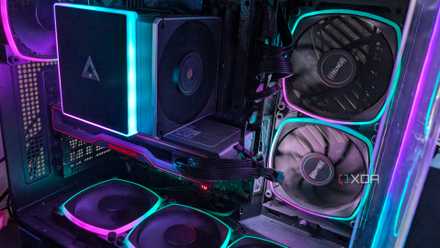
6 of the best upgrades to boost your PC's performance
Upgrading your PC doesn't need to be hard, and the performance gains can help give your PC a new lease on life
1 Save money on new hardware
No need to buy anything else
Your old system likely has everything you require for a media streaming box and a centralized hub for running services and other home lab stuff. CPU? Check! Motherboard? You bet. GPU? An added bonus. All you need is storage if you're planning to stash countless files. Most PC builds, even more affordable ones, will be overkill for handling media streaming and other minor services, making it a great platform for self-hosting loads of content too.
Getting started is easy
All you need to do is connect your desktop PC to the big screen in your living room and you're already halfway there. A HTPC needs an OS and some software to start streaming some video and because we're using a HDMI or DisplayPort cable for the link between the PC and TV, this frees up vital processor capacity for other tasks. If you're only familiar with Windows, I'd recommend starting with Windows 11 to see how you fare with Docker containers, software, and using the PC for other things.