
These days, home lab is a bit of a misnomer because your infrastructure could very well be spread out between devices in different locations, or even in the cloud. This provides challenges for traditional networking configurations but tools using modern protocols like WireGuard can help. One such tool is Tailscale, which sets up peer-to-peer (p2p) VPNs between your devices, so they can communicate securely, at scale, and at distance. One other software tool well worth your time is ZeroTier, which looks similar from the outside, but accomplishes the networking between your devices in a different way. It's like having a virtual network switch with no geographical restrictions, and it's perfect for home lab use.

4 reasons you need to use WireGuard instead of OpenVPN for connecting to your home lab remotely
If you have a home lab and want to connect to it remotely, WireGuard is much better than OpenVPN.
5 It allows for self-hosting
We love being in control of our own software packages
Tailscale is still one of the easiest ways to connect multiple locations or devices together, while still being able to browse as if you're on your home lab network. But it has one big restriction that some home labbers don't like—it always needs Tailscale's servers to handle the initial handoffs between devices. After that stage, it's a pure p2p VPN, but that crucial stage is handled by servers in the control of a VC-backed company. Kinda against the reasons of self-hosting home labs in the first place. You can, however, set up your own control server using the open-source alternative, headscale, which enables you to self-host for one tailnet, which is all most home labs need.
ZeroTier also uses a similar arrangement with a control plane server that handles the initial connections. The difference is that ZeroTier gives you the tools to self-host both the network controller that tracks each device, and the private root servers that handle the initial connections before hand-offs are done. And because the protocol doesn't need to deal with NAT transversal or firewall rules, it's easy to set up for your home lab once the initial self-hosting steps are done.

Docker vs. Podman: Which one's better for your self-hosting needs?
Can Podman dethrone Docker to become the king of containerization platforms?
4 Uses its own protocol
Think of ZeroTier as a virtual network switch, rather than a traditional VPN
Tailscale is built on top of WireGuard, a speedy, secure VPN tunneling protocol that uses modern cryptography standards. This approach has a lot to like, and using an open-source protocol makes privacy advocates happy while keeping users safe.
ZeroTier uses its own protocol, because it handles the networking between devices in a very different way. Instead of p2p VPNs between clients, ZeroTier essentially creates a virtual network cabinet, with virtual switches and virtual Ethernet cables between your client devices. It uses two parts: VL1, which is the "underlying peer-to-peer transport layer," while VL2 is the "emulated Ethernet layer that provides operating systems and apps with a familiar communication medium."
The end result is one transport layer, but a second layer to create the digital equivalent of VLANs on a physical managed switch. To my mind, this makes ZeroTier easier to deal with conceptually, as each segment of code corresponds to the physical network appliances that I'm plugging things into in my home lab.
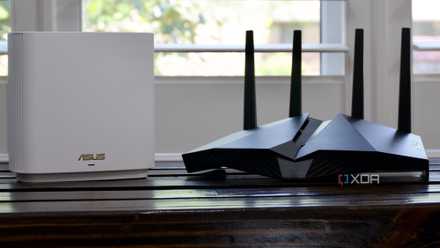
Here's why you should install a VPN on your router
Configure your router to run a VPN to easily protect and manage all the connected devices.
3 You can create multiple networks
Run VLANs on your VLAN so you can segregate your devices wherever they are
When you set up a Tailscale system for your devices, every one of them behaves as if it's on the same network. It's like taking your home network and stretching it over a larger geographical area, which is incredible but comes with the same issues around segmentation that your home network suffers from. One of the essential parts of any home lab is multiple VLANs to segment devices with different security concerns away from each other, and that's not possible with Tailscale.
ZeroTier, on the other hand, lets you create multiple virtual networks and have your devices be members of as many networks as you need. It's like building a virtual managed network switch worldwide that you can create VLANs on, group your devices according to your security and sharing needs, and still have everything work together with the minimum of setup time. The dashboard shows your networks, devices, and the relationships between them, and you can run custom routes or DNS configurations if you desire.

Best VPN providers in 2025
VPNs have become extremely common these days, and there are almost too many options for both free and paid VPNs.
2 It lets you control more options
ZeroTier supports multiple networks, broadcast/multicast and more
Because Tailscale uses the WireGuard protocol for connections, it's limited in what data can be transmitted. In essence, it creates lightweight and encrypted tunnels between your devices, containers, or VMs. These are limited because VPN traffic can't pass some aspects of routing, but ZeroTier's protocol can. You can use multicast, ARP, NDP, and various special addressing modes, including Ethernet bridging to physical hardware, Ad-hoc, or Public networks. This gives you more options for connectivity, and makes ZeroTier a natural extension of the physical architecture of your home lab network. On the flip side, more options means more things to configure and more complexity, so Tailscale could be more useful for less experienced users.

How to set up remote game streaming using Moonlight and Sunshine
Here's how you can create a personal video game streaming server with the help of Moonlight and Sunshine
1 Simplified setup that's handled with device IDs
Managing authentication methods is a pain on other services, but not here
Both of these services handle adding devices to the network differently. Tailscale offloads authentication to other SSO (Single Sign-On) or identity providers, like Google, Microsoft, GitHub, Apple, Okta, OneLogin, or custom OIDC providers. This is the only way to access or sign up for Tailscale, and is a decent way of doing things, although some devices don't like you using SSO on them.
ZeroTier does things another way. When you sign up and create a network, you get a unique 16-digit network ID. Downloading and installing the client on any device gives you a unique 10-digit node address. Put the 16-digit network ID into the client app, and a request gets sent to the Admin pages for approval. No passwords, no emails, and still complete control over what joins the network. Plus, those device IDs are immutable, so that the device can always join any network using it. Plus, that device can be a member of several networks, where Tailscale devices can only be added to one at a time.

4 reasons to use dynamic DNS for remote access
DDNS is a great way to access your external services without worrying about IP changes
ZeroTier lets you turn the WAN into your LAN
If you've used Tailscale and found you run into its limitations when you tried to do something more complex than send data between two devices, you're not alone. ZeroTier's virtual networking chops make it a far better match for home lab use, especially if you're starting out and only have a few devices that need adding. It's worth remembering that instead of setting up a peer-to-peer VPN network, ZeroTier essentially turns the internet into your LAN, so you have more customizability and flexibility as a result. That gives you more things to experiment with, and that's what the home lab life is all about.