
Wi-Fi 7 promised many things, from speed improvements to better security, but those promises have fallen flat. You probably don't need Wi-Fi 7 at home, as Wi-Fi 6 or 6E is enough for most devices, but if you've already upgraded to a Wi-Fi 7 router, you might have noticed it's not quite the improvement you expected.
That's down to a multitude of factors, from setting mismatches to incomplete manufacturer support, with a touch of downgrading your network speed, so the older devices on your network can connect. It only takes one device with an older Wi-Fi version or the wrong Wi-Fi 7 settings to limit advanced features like Multi-Link Operation, and it's a bit of a nightmare to fix.

We need to talk about Wi-Fi 7
This is not the speedy wireless future I envisioned.
How do you know your devices will connect at Wi-Fi 7 speeds?
Wi-Fi 7 needs multiple things for the best connectivity and those conditions are tricky to meet
If you've upgraded to a Wi-Fi 7 router, your network might not be using it to its full potential. That's because you also need two other things: Wi-Fi 7 client devices and every device to be compliant with the Wi-Fi 7 security requirements defined by the Wi-Fi Alliance in the specifications.
Adding Wi-Fi 7 clients is relatively easy, after all, most smartphones and laptops now come with Wi-Fi 7 radios. But the security requirements could be a little more complicated. Wi-Fi 7 requires WPA3-Enterprise or WPA3-Personal for the cipher suite; otherwise, it won't connect at Wi-Fi 7 speeds and will drop back to Wi-Fi 6 speeds.
That means if you're using WPA2 devices on your network, you won't get Wi-Fi 7 speeds. And if you're using a mesh network, every router or node needs to be the same hardware, so it supports the same features. And the 6GHz band isn't available in every country, so even if you have Wi-Fi 7-compatible hardware, you won't get the benefits of the fastest band.
The only way to use devices that can only support the older cipher suites is to either have them connect to a dedicated SSID or to have more expensive access points that let you create virtual SSIDs so that you can segregate your older Wi-Fi variants from the Wi-Fi 7 clients. That will give you the best chance of achieving the speeds you expect from Wi-Fi 7 devices without breaking compatibility.
And that's before firmware issues
Early Wi-Fi 7 routers were loaded with firmware bugs that required constant reboots to clear, or issues with the number of devices they could support at any given time. Wi-Fi signal dropouts were common, or mDNS floods caused by Matter/Thread connectivity that made the entire network unusable.
While some of these issues have been resolved, others are still ongoing, and the official word from router manufacturers like Asus includes disabling Wi-Fi 7 mode, switching MLO off, or changing the cipher from GCMP-256 to AES, all of which functionally make your router a Wi-Fi 6 one, and not the advanced Wi-Fi 7 model you purchased.
Or client devices with incomplete feature support
Wi-Fi 7's big selling point is Multi-Link Operation (MLO), which allows simultaneous connections to multiple bands, similar to link aggregation in wired networking. It promises lower latency even if one band gets congested, and looks fantastic on paper for overcoming many of the annoyances and slowdowns of wireless connectivity.
There are two versions of Multi-Link Operation:
- Enhanced Multi-Link Multi-Radio (EMLMR): Aggregates all available bands to deliver higher throughput, lower latency, and better reliability
- Multi-Link Single Radio (MLSR): Uses dynamic band switching between 5GHz and 6GHz to improve latency and load balancing
You need support from both the router and the client to use either of these modes, and no client currently supports the EMLMR aggregator, which is the flagship selling point for Wi-Fi 7 with many router manufacturers.
Manufacturers are also artificially limiting the performance of Wi-Fi 7 devices, like Apple capping it at 160MHz channel width instead of the full 320MHz, likely for regulatory compliance in other countries. Intel-based Wi-Fi adapters support only some of the security ciphers for WPA3-Enterprise and others for WPA3-Personal, which adds another layer of complexity to the setup required for Wi-Fi 7 routers in the home.

Wi-Fi 7 is exciting, but here's why you shouldn't buy a new router (yet)
You can afford to wait a little longer to upgrade your router
Your smart home is not ready
And won't be for quite some time
Most IoT devices used in smart homes still use the 2.4GHz band, but even those that use 5GHz aren't built to meet Wi-Fi 7's requirements, and none of them will be for quite some time. It's simply unreasonable to expect anyone to upgrade their entire smart home to Wi-Fi 7 devices when they upgrade their router, yet that's what networking manufacturers seem to think you will do.
For the sake of argument, let's say you were willing to shell out hundreds or thousands of dollars to upgrade your smart home devices. Even then, you still can't, because the smart home device makers aren't building devices with Wi-Fi 7 support.
They're barely building devices with Wi-Fi 5 support for dual-band, and the suggested fixes from router manufacturers like TP-Link include "turning off advanced features" or using a dedicated IoT network that isn't Wi-Fi 7. Okay, it's a good idea to have a dedicated VLAN or SSID for your IoT devices anyway, from a security perspective, but it goes to show how Wi-Fi 7 has been rolled out with little consideration for what it means for existing devices on your home networks.
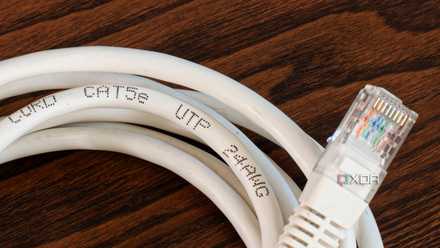
6 reasons I prefer a wired smart home backbone
It's simply better than wireless-only.
Wi-Fi 7 might need to be back compatible, but that means you're not able to use it fully
For years now, upgrading your router to the latest Wi-Fi standard has been a hedge against "future proofing" your network, as client devices with the latest wireless standard were released. With Wi-Fi 7, that no longer applies, and buying a new router is only one part of the equation; adding new Wi-Fi 7 clients isn't enough — you also need to upgrade devices with older Wi-Fi support or move them onto a second network.
It's a perfect storm of compatibility issues, and technological advances in communications should be about fixing them, not introducing more. Wi-Fi 8 is too far into the future to decide if that will fix these issues or not, and until then, it's hard for me to recommend upgrading to a Wi-Fi 7 router unless the rest of your home is also using Wi-Fi 7, or if you don't mind running a second wireless network for older Wi-Fi.