
The best laptops use Windows as their standard operating system because of its stability, universal compatibility, and impressive overall ability. However, there’s always room for improvement, and customization apps like PowerToys and Windhawk are popular because they enhance functionality and allow users to personalize their experience.
Both are free and offer a variety of custom mods, but they approach their business differently. Windhawk is excellent for tweaking your Windows desktop, and PowerToys includes handy features to maximize productivity. In this post, I’ll compare them to see what they offer and determine which has the best interface, security, and other features.
8 reasons you should be using PowerToys on your Windows PC
Take your productivity to the next level
Interface
Night and day
Windhawk's basic, all-black interface with a simple grid layout is a breath of fresh air compared to apps with overwhelming, cluttered home screens and brightly colored icons.
Using Windhawk is as simple as scrolling through the extensive mod list and clicking on the details of each one you’d like to add. You can then click on install to add it to your system. After that, all the mod settings will be easily accessible in its interface, and you can play around with them to see what works best for you. Every mod you install will appear on the home screen, and you can use a handy slider to enable or disable them at any time.
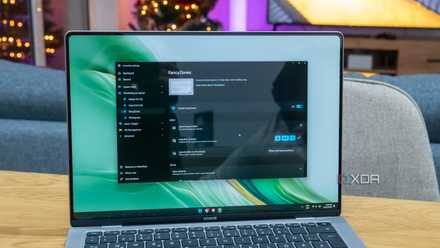
The PowerToys interface matches Windows with similarly styled icons and fonts. The welcome window offers a short introduction to the app and includes the modules list on the left side. Clicking on a module from the list opens its description and displays its quick-access keyboard shortcuts and instructions.
The modules you enable will appear on the Dashboard with sliders to enable or disable them. The enabled modules appear together at the top of the dashboard, and the disabled ones are grouped at the bottom for easier navigation.
Modules
Quantity and quality
Windhawk features countless user-created mods. The massive variety includes mainstream and niche options, so there’s something for everyone. Modules like Per-app Language Preferences and Disable Taskbar Thumbnails will appeal to the masses. Others, like Flight Simulator window, focus helper and Enable VMPlayer’s VNC, are targeted toward a smaller group of enthusiasts.
One of the best things about Windhawk is that every mod displays the number of users and a rating to give you an idea of its performance. You can then make an informed decision about whether it’s for you or not.
PowerToys has 26 modules organized into five groups, making them easier to find and use. The groups are System Tools, Windowing and Layouts, Input and Output, File Management, and Advanced. There are no ratings or user numbers to indicate their popularity or performance, but you can rest assured that they all function well and boost productivity.
PowerToys has fewer modules than Windhawk, but they are more focused, with each offering practical upgrades to appeal to most users. Modules like Color Picker and Image Resizer become indispensable once you start using them, and you’ll wonder why they weren’t standard Windows features in the first place.

Windhawk is one of the coolest Windows customization tools I've ever seen
Lightweight and powerful customization
Security
Safety is critical to performance
Security is a top priority when modifying your OS because you can afford to have data corruption or malicious threats in your system.
Windhawk is free and open-source; anyone with C++ knowledge can make a mod. The app offers some transparency by displaying the source code for each module. It displays a changelog with a list of updates showing the features that have been added or removed from the mod. You also get a warning to only install mods from trusted authors because malicious mods can damage your computer or violate your privacy.
Microsoft's PowerToys is also a free, open-source set of utilities for customizing Windows operating systems. Its development is more rigid than Windhawk, and creating mods involves writing a tech spec, submitting a design concept, and taking other steps to conform to Microsoft’s standards. You also need to collaborate with the PowerToys development team to get approval. As a Microsoft product with stringent testing measures, PowerToys is the more trustworthy of the two, and you should use caution when adding Windhawk mods.
User experience
How do they work?
I installed the Windhawk Taskbar Clock Customization tool. The settings to change the date and time format, line spacing, clock height, and more were straightforward and worked without a hitch. On the other hand, the Windows 11 Taskbar styler instantly added the blue Windows XP theme, but its other settings weren’t as easy to configure. The mod lets you add advanced styling via the Control Styles and Resource Variables dialogue boxes, but some coding knowledge is necessary.
Scrolling through the Windhawk mods list, I found many simple and practical tools, like the Taskbar Volume Control and Chrome/Edge scroll tab with the mouse wheel, to improve my Windows experience. However, certain mods, like the Taskbar Volume Control and Cycle taskbar buttons with the mouse wheel, are incompatible, and you can only use one or the other, not both simultaneously. I only found a fraction of Windhawk's many mods suitable for my needs, but I still appreciate having so many choices available.
I’ve been using PowerToys features like Image Resizer, Text Extractor, Find My Mouse, and others for a while now, because they are user-friendly and make my life easier. Uploading pictures is part of my job, and the Image Resizer tool saves time and adds convenience because I can easily adjust their sizes without requiring a photo editing app.
Text Extractor has a disclaimer that recommends the Snipping Tool instead. However, it still does a brilliant job of capturing text from images and videos and letting me paste it into Google Docs or other apps. I don’t use all the PowerToys modules, but the ones I do perform flawlessly. I won’t hesitate to recommend them to anyone wanting useful tools to maximize their efficiency.
Why you should use Windhawk
Abundant opportunities
Windhawk is free and has an intuitive interface that's easy to navigate. It's packed with mods, and you'll inevitably find some you like with the abundance of available options. Most modules are user-friendly, although some require coding knowledge. Their user scores give you an idea of their quality, and the included source code and changelog provide peace of mind about their safety.
Why you should use PowerToys
Safety and practicality
PowerToys is Microsoft-certified, so you won’t have to worry about security or performance issues. Its modules offer genuine upgrades to improve Windows functionality, and most are practical for everyday use. They are also easily accessible with keyboard shortcuts and are worth trying for the enhancements they bring to Windows.
They’re both worth considering
It’s a tie because both Windows customization apps perform well and are packed with modules to perform different functions. Windhawk offers a broader module selection covering many bases, but generally focuses on aesthetics and visual enhancements. PowerToys' limited offerings have a more utilitarian appeal to improve productivity and optimize workflow. Fortunately, you don’t have to choose between them and can simultaneously use mods from both without any issues.
-
- OS
- Windows 10/11
Microsoft PowerToys is a collection of free, open-source tools that can improve Windows productivity.
-
Windhawk