
The first time I ever used an operating system on a USB disk was when installing Ubuntu. It was fascinating to try out the OS and available tools without even installing it on the system drive. Windows didn't support such a feature, and the concept of creating a portable OS was distant until Windows to Go arrived. It's still not possible to try Windows 11 before installation, but you can create a portable installation of the OS on a USB drive or SSD/HDD.
My SSD didn't work, so I used a SanDisk USB drive to create a portable Windows 11 installation with Rufus. I tested it on my main system and a couple of other machines, and the results were wildly different from my expectations.
Building the portable Windows drive wasn't easy
Not every USB drive works
A couple of years back, I tried creating a portable Windows 11 drive with the WinToUSB tool. It took like 4–5 hours only to end up in despair. Ever since Rufus started offering Windows to Go features, I have been curious to build one again. I have a spare SATA SSD that I wanted to employ for this project. In Rufus, you must check the “Show USB drives” option to select the USB SSD as the portable Windows 11 installation drive.
However, Rufus couldn't write the file to the disk, and after repeated attempts, I gave up. I even switched Windows 11 versions to 24H2, but it didn't work either. I had a 32GB SanDisk USB drive lying around, and Rufus didn't throw up any errors while creating a portable Windows 11 installation on it. The next step was to boot up the drive for the first time.
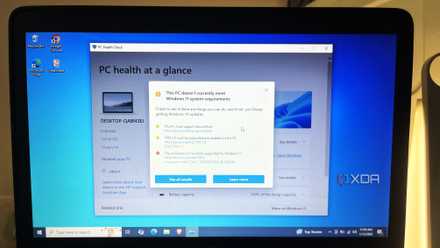
Microsoft says I can’t use my old CPU/laptop with Windows 11, but it’s actually fine
All those warnings turned out to be exaggerated
Setting up Windows takes a while
OOBE setup delays everything
Since it's not the default boot drive, I needed to open the boot menu and select the USB drive from there. The Windows 11 icon appeared after a while, and for about 20 minutes, the progress icon just kept spinning. I signed in to my Microsoft account and set it up as a new system. After a short tussle with the endless pop-ups that Microsoft injects into the OOBE setup page, I completed the steps. The USB drive took its time to prepare the PC for the first desktop boot.
When you load up an operating system from a USB drive, it's wise to keep your expectations modest. I knew that the OS wouldn't load as it does on my NVMe drive, and it took around 3–4 minutes to load the lock screen. The initial animations when you enter the PIN felt unresponsive, but not unusable. It didn't look visually bad or grainy at low resolution, which was a good start.
The portable Windows experience
It's a mixed bag
After the desktop loaded and the taskbar appeared (yes, there's a minor delay), my first impulse was to launch File Explorer. The portable system recognized my internal drive, and I could access the files inside it. Sadly, the portable Windows install occupied almost 98 percent of the available 28GB, leaving no room for apps or games. The only option is to install software on a separate drive or the internal one.
I decided to give the native apps a try. Since the CPU is quite powerful, apps like video players, photo viewers, paint, and other tools ran without noticeable hiccups. I tried using the Edge browser for a while, and it involved random surfing, YouTube playback, and downloads. It wasn't unpleasant, but the video playback suffered some lag at high resolution.
I didn't need to download and install wireless drivers to set up an internet connection, which is commendable. Windows includes the necessary drivers by default, but even with the basic Microsoft display driver installed, playback suffered delays.
It's not hard to see that drivers are a big issue when you try to use Windows 11 in portable mode. I tried installing the Nvidia driver for my laptop’s RTX GPU, and that was another uphill task. My USB drive barely had 1.5GB of free storage space, and Nvidia refused to install the driver on it. I tried using Win11bloat to remove most of the preinstalled apps and features, which took a while, but I still couldn't free up the required space.
I tried running a game from my NVMe drive folder, and it clearly showed that GPU drivers were the bottleneck behind visual performance. But a surprising thing happened. Windows automatically found and downloaded the latest AMD Radeon drivers, and suddenly, my external monitor and game-load problems went away. It can run small games fine if you have an integrated GPU, like the one in my laptop’s Ryzen 7 5800H processor. But don't expect near native performance or the ability to run AAA titles without the correct driver for the discrete GPU.
Swapping systems is unpredictable
An uphill battle
Managing a portable Windows 11 installation on a single system is fine, but the real trouble begins when you plug it into different systems. Old system drivers are hard to find, and Windows will use the basic display driver in such cases. You also have to find drivers for additional components on different systems.
Save on portable storage deals for faster USB/SSD setups
On my old laptop, USB performance was slow due to the older USB 2.0 port. There were no display drivers for the 13-year-old processor, and I had to dig one out from the DVD ISO archive I made a long time ago. When you swap systems, you have to be ready for such challenges because, without appropriate drivers, the OS GUI runs at a snail's pace.
Windows 11 portable edition is challenging
Even if you have an SSD for installing the OS and a capable system, the drivers still play a big role in the Windows 11 portable experience. If you try swapping systems, there is no guarantee that it will work properly. Hunting the web for old drivers is another headache, and while it's good from an enthusiast standpoint, the bliss of truly portable Windows 11 comes at the cost of your mental peace. I don’t hate the performance, but the idea of adjusting drivers and settings for a different system each time sounds like a chore.
Rufus
A tool to create bootable USB drives for OS installation and can create a portable Windows 11 disk.