
I keep a Windows 11 PowerShell window open most of the day, and sometimes I need a break that temporarily distracts me from what I’m doing. That’s where I enter some commands into PowerShell and have some fun. I can change the background and foreground colors and play a cmdlet-guessing game.
I like playing these games or watching certain ASCII animations because they don’t turn into accidental doom-scrolling sessions on social media. The Star Wars, Party Parrot, the quiz, changing text colors, and popcorn animations are simple yet entertaining.
I theme PowerShell to match my mood
Colors make it feel new
Looking at the same colors every day can get boring. So, to keep things interesting, I like to change the text and background colors as often as I can in PowerShell. Depending on my mood, I choose the colors the PowerShell wears that day. One day, I wanted to mix a black background with magenta text, so I added the necessary code and got the results I wanted with this code:
$Host.UI.RawUI.BackgroundColor = 'Black'
$Host.UI.RawUI.ForegroundColor = 'Magenta'
Clear-Host
There are days when I go back to the classic PowerShell colors, and other days I like to use a mix of colors. There is something about doing this that makes the experience feel fresh again, even when I’m using the same commands. I use colors as a cue, too. Magenta means I’m doing something important, so I slow down and double-check. Green is for non-important things. That color-switch reminds me of what I’m working on, so I can either concentrate or relax.
I watch Star Wars in ASCII from PowerShell
A quick break that stays in the same window
There are times when I need a break, but I don’t want to leave my desk because walking away usually costs me more time than it saves. That’s why I like to watch the Star Wars ASCII animation right on my PowerShell.
- If Telnet isn’t installed, run this once in an admin PowerShell as an administrator: dism /online /Enable-Feature /FeatureName:TelnetClient
- Then run: telnet towel.blinkenlights.nl.
It’s quick to start and saves me from doomscrolling on social media, which only makes me waste more time than I should. It’s a great distraction because I can stop them at any time and get back to work. The Star Wars animation is remembered as a classic that never goes out of style and lasts about 20 minutes. Whenever I’m ready to stop it, I only need to press Ctrl + C.
The Windows 11 PowerShell trick that snaps me out of a slump
Party Parrot animation turns a boring moment into a fun break
When I need a quick break, one of my favorite things to do is use the terminal for a quick laugh. One thing that always makes me smile is the Party Parrot animation. It doesn’t keep you entertained for long, but it’s worth a try. I can activate it by simply typing:
- Curl.exe parrot.live
It doesn’t have the best graphics, but the bouncing bird and the bright colors are great for a laugh. Once I’m done, I press Ctrl + C to stop it. I look at it for a minute or two, then stop and get back to work before I forget I was working on something important. I like how PowerShell can display colored text, which makes the animation fun to watch. It would be nice if you could choose the colors the animation uses, but the ones it currently uses aren’t too bad.
PowerShell popcorn animation is my coffee-break timer
A quick reset I can stop anytime
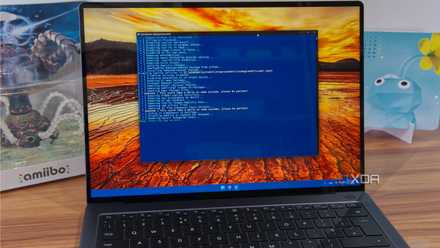
The popcorn animation is another ASCII show I like to look at while I have my coffee. I like to guess where the next pop will appear and then see the whole line filled with it. I watch it for a bit, laugh, and let it run until I’m ready to stop.
The backstory of the popcorn animation is also what makes it more fun to watch, since honorary Scripting Guy Sean D. Kearney created it in 2013 to fill in for Ed Wilson (the Scripting Guy), who had a craving for popcorn. That inside joke makes it more watchable. The original script even includes a random “POP” beep, but I can go without it, so I simply turn the volume down. When I’m done, I press Ctrl + C to stop it instantly and get back to work.
PowerShell cmdlet quiz is my favorite coffee-break game
I guess the cmdlet and it tells me if I’m right
It’s easy to remember the name of a cmdlet when it’s one you’re familiar with. However, that’s not the case when you come across one you rarely use. That’s what I like about the cmdlet quiz, because it puts to the test the number of how many you know. You also have to be very careful about typos, since you can get a wrong answer by mistyping one character.
The quiz prints a cmdlet with a missing character and asks, “What is the cmdlet name? I type my guess right after the colon, and it responds with “Sorry…is not right,” plus the full cmdlet name, so I can see what it was. I have to admit that it can be pretty addictive, especially when I get the answer wrong and want to redeem myself.
A break that doesn’t derail me
The distraction I choose depends on how much time I have to waste. But one thing is for sure, I use one of these whenever I can to have some fun between projects without wasting too much. That way, I don’t have to rush to meet a deadline.
PowerShell
PowerShell is Windows' built-in command-line tool for running commands and scripts to automate tasks, manage settings, and troubleshoot your PC or network rather than clicking through menus.