
Windows 11 is a very complete operating system that includes a lot of features out of the box. Whether you want to look at your photos and videos, edit said videos, or listen to music, Windows 11 likely has you covered without having to install extra apps.
However, all those included apps and tools are rarely the cream of the crop. You can usually improve your experience significantly by using third- party alternatives. So let's take a look at some windows features you're better off replacing.
8 File Explorer
It's still not great
I've covered quite a few potential file Explorer replacements here at XDA, and there's a good reason for it. There's a generalized sense of discontent with File Explorer, even after some of the improvements Microsoft has made, like adding tab support. There are a lot of features people still wish for, such as dual-pane support, and on top of that, File Explorer isn't particularly fast.

You've never heard of these programs, but you'll never want to use Windows Explorer again after using them
OneCommander and Everything to the rescue
If you're looking for a great free alternative, I'd highly recommend One Commander. It does have a premium version, but the free version is already fantastic and a very big improvement. If you have deeper pockets, then the upcoming File Pilot is my highest recommendation. It's extremely fast and lightweight.
-
OneCommander
-
File Pilot
7 Start menu
It's so restrictive
The Start menu on Windows 11 is another common point of contention, and it too has some great third-party alternatives. While the Start menu is fairly restrictive by itself, free apps like Windhawk and Explorer Patcher can help tweak it for example, you can remove the Recommended section entirely and add the list of all apps like how it was on Windows 10.

4 reasons Windhawk is the ultimate tool for tweaking your Windows desktop
Windhawk is one of the greats, even if it's recent
If you want the ultimate Start menu, though, I'd have to recommend spending some money on Stardock's Start11. This program unleashes the full potential of the Start menu with tons of features like folders, groups, tabs, and the ability to browse File Explorer folders directly in the Start menu. It's truly another level.
-
Windhawk
-
Stardock Start11 v2
- OS
- Windows 11/10
6 Nearby Sharing
Why limit yourself?
One of the cool features in Windows 11 is the option to easily share files with a nearby computer using Bluetooth and a local Wi-Fi network with nearby sharing. Well, it would be a lot cooler if Microsoft was one of the first or the best to do it. Unfortunately, this feature only works with Windows PCs, which makes its appeal a bit more limited.
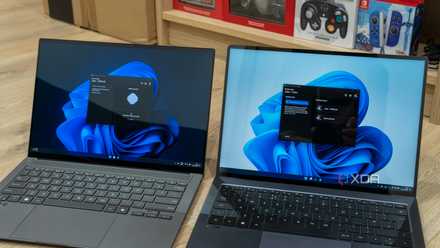
Thankfully, there's no shortage of solutions that deliver a better experience. LocalSend is a great no-frills solution that works on basically any device, whether it's Windows, Android, macOS, Linux, or iOS. It's fast and simple, just how it should be, without any accounts required. Other options such as Feem also exist. Another option is Quick Share from Google, if you only care about sharing files with an Android phone.
-
LocalSend
-
Quick Share
5 Notepad
It's not bad, but...
If you're writing down simple notes on your PC, Notepad is probably one of the best ways to do it. It's not a bad app at all, and many would argue its lightweight nature makes it ideal for this purpose. But many others will say Notepad is not an amazing text editor.

5 reasons why you should use Notepad++ instead of Notepad on Windows 11
The stock Notepad just doesn't cut it.
It doesn't always handle mixed encoding as well as options like Notepad++ do. Plus, Microsoft keeps forcing unnecessary AI features onto it, bloating the app. Notepad++ is a simple, but extremely effective replacement, and I recommend checking it out. Other options also exist, but this is arguably the most popular option out there, and you can't go wrong with it.
-
Notepad++
4 Edge
You knew it was coming
Arguably the part of Windows everyone replaces, Microsoft Edge is not as bad as you might think, and certainly not as bad as its predecessor, but that's not to say it's great, either. Edge suffers from an absolutely terrible home page that makes anyone want to run away, paired with pushy marketing tactics to try and get your data, and a bunch of useless tools that live on its sidebar.

5 reasons Vivaldi should be your web browser
You may not have heard of it, but Vivaldi is the best web browser for a few reasons. Here are some of my favorites.
There are a ton of browsers that could easily replace Edge, but if you're looking for my personal favorite, it would have to be Vivaldi. It's a productivity-focused browser packed with features that are actually useful like reliable syncing and a built-in email client.
3 Windows Search
Slow and frustrating
Search might be the worst part about using Windows. I can't tell you how many times I've started typing something, saw the right result, and pressed Enter just in time for Windows to move the search results around, causing me to open the wrong app — or worse, a Bing search in Microsoft Edge.
Replacing Windows Search is a two-step process. If you just want a more reliable way to search for and launch apps, then Flow Launcher is the app for you. It's a snappy and versatile launcher that can be enhanced by a ton of plugins.

Flow Launcher will make you forget all about the Windows Start Menu
Open everything you need with just your keyboard
If you're looking for better file search too, then Everything is a lightweight and super-fast search engine that can instantly locate any file on your PC. Everything can actually plug into Flow Launcher, so getting both apps may be the way to go.
-
Flow Launcher
-
Everything
- Individual pricing
- Free
- Platforms
- Windows
2 Clipchamp
It's too basic and clunky
In the age of online content creation, having an easy way to edit your videos is very important, and the inclusion of Clipchamp in Windows 11 was long overdue. It's definitely a huge upgrade from what Windows 10 had. But being a web app that's clearly designed for less experienced users, Clipchamp falls short on performance and capabilities.

5 reasons why DaVinci Resolve is the best video editor on Windows
DaVinci Resolve has everything you'll need to edit videos like a pro — and it doesn't cost an arm and a leg!
It's not like free alternatives don't exist. DaVinci Resolve is a terrific video editing program that can be used for free, with much more advanced functionality and support for 4K output. And there are other options, too. There's no reason to reason Clipchamp instead.
-
DaVinci Resolve
1 Media Player
VLC is right there
The modern Windows Media Player is a fine enough app for consuming media. It supports most common formats for audio and video, and it has a modern, clean UI. But why bother with it when VLC is still around and far better than any competition?

Why you should use VLC Media Player on your PC
VLC is the most popular cross-platform media player for a reason (or a few).
VLC is still the king of media players, supporting pretty much every format under the sun, subtitles (including the ability to download them), online videos, and more. It's also a fast lightweight app. Why would you want anything else?
-
VLC
Why not have a better experience?
It's great that Windows 11 provides as many tools as it does out of the box, as it makes it easier for anyone to get started. But it's impossible to ignore the much better alternatives to many of these apps. You can make your Windows experience much better, so why not just do it? I highly recommend checking out the apps above to improve your experience.