
The Windows Forecast is a look at the future of Windows that comments on the latest news for Windows Insiders, as well as other major announcements in the Windows space each and every week.
Welcome to the first edition of The Windows Forecast, a weekly column that takes a look at the latest Windows news and infuses them with some personal commentary from yours truly. This is a pretty big week to start with, since we just saw the release of the big annual update for Windows 11 with version 24H2. But there's a bit more to dive into, so let's get right into it.
The big...ish update for 2024
Windows 11 version 24H2 is an odd one
Just as we've seen for the past couple of years, Microsoft released its big annual update for Windows 11 on October 1st, and it's... kind of one the biggest ones yet? Windows 11 version 24H2 sounds like a pretty big update on paper when you consider all the big AI features, but then you have to remember that all these big AI features require new hardware. If you don't have a Qualcomm Snapdragon X series processor, you don't get most of these right now. Some Intel and AMD PCs will support these AI features, but most of them won't so this whole update is kind of a wash for most people. But it's not like you're missing out on much with Copilot+ since most of these AI features are pretty useless if you ask me.
Heck, even outside of AI features, another notable addition in Windows 11 version 24H2 is Wi-Fi 7 support, but there have been very few PCs with Wi-Fi 7 cards launched before this update became available anyway, so even that is kind of iffy.

The Windows 11 2024 Update is now available — here's what's new and why it's not Windows 12
The Windows 11 2024 Update will bring a ton of changes to the operating system, including better support for Arm devices.
That being said, there is some cool stuff in here. I think the addition of sudo support to Windows Terminal is a pretty big deal. I always hate that I have to specifically open a Terminal window with admin privileges if I want to run commands that require them, so to be able to just write sudo before each command to elevate it will be very useful for sure. Also, users are apparently finding this new version of Windows 11 a bit snappier, which is... interesting. It reminds me of the "seems faster" meme that came up almost a decade ago when everyone would leave comments like this after every new build released for Windows phones. Those were fun times.
Otherwise, there's some cool stuff in this update, but nothing I'm really chomping at the bit to try out. I think the architectural improvements for Arm PCs are very exciting, but I don't actually ahve any Arm PCs myself, so I'm just hoping I might get one at some point.
By the way, did you know that if you want to force your PC to upgrade to version 24H2, even if you're already running Windows 11, you still need the PC Health Check app to make sure your PC is compatible? This was used to make sure Windows 10 PCs supported Windows 11, so there's no reason for it to be required anymore, but here we are.
Copilot+ is finally becoming useful
Soon, AI might not be as pointless
While AI in Windows 11 is very much useless right now, Microsoft has done something revolutionary and actually tried to come up with interesting uses for AI. You can't use them right now, but they will be coming to Insiders over the next few months, which should make for an exciting testing period.
The big one for me is still Recall. I've always believed that the Timeline concept from Windows 10 was a very cool idea, but it was implemented very poorly since it required each app to support it. Thankfully, Recall seems to work with just about anything you do, and I'm super curious to try it out when it comes to the Insider program later this month. The idea of quickly jumping back into a previous task is the kind of thing that can really boost your productivity, or at least it seems that way right now. I don't exactly have absolute confidence that Microsoft will deliver, but I'm optimistic.
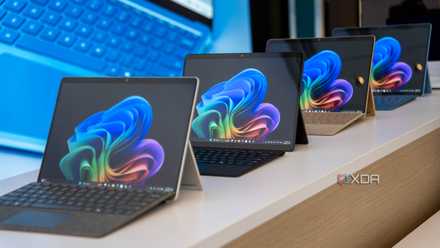
Microsoft details the second wave of Copilot+ — 5 new features that are coming
Recall is finally arriving, plus a lot more
The other big thing I'm curious about is Click to Do. This feature will allow you to basically click anything on your screen and let AI present you with a variety of actions you might be able to take on what you're seeing. Looking at a photo? Windows can recommend removing the background using Paint, or blurring it in the Photos app. I think this idea has a ton of potential, so hopefully it actually the works I'm envisioning it in my head.
On the other hand, the Super Resolution feature in the Photos app is just kind of whatever. It's very rare that my problem with a given photo is its resolution, so I don't really know who's going to benefit from this. If anything, I think Microsoft should really have taken a page from Google's playbook and introduced some kind of tool for removing motion blur from photos. I have shaky hands and far too often I've gotten photos with smudged details because of it. Please help me here. Otherwise, object removal is cool, and improvements to Windows search are welcome, though I don't think I'm going to be abandoning Flow Launcher anytime soon.
What Insiders can actually try
There isn't a ton, but it's something
Sadly, none of this is available just yet, but Insiders did get some news this week. The Canary, Dev, and Beta channels all received updates, and out of these, I think the Dev channel got the most interesting bits. If you use Wi-Fi hotspots, you can now create a hotspot on the 6GHz band if your PC supports it. 6GHz Wi-Fi is great for low-latency tasks like gaming, and while I don't have much use for it, I think it's nice to have in general.
Arguably more interesting is the build that Microsoft released just as the week ended on Friday. Insiders in the Dev channel can now configure the useless Copilot key that Microsoft has been pushing onto every laptop. You can set it to open any packaged MSIX app, which is definitely an upgrade from the pointless Copilot app.
Fun fact, this was actually already available in the Insider program two weeks ago, but only in the Beta channel. You know, the channel where new features get tested after the Dev channel. Yes, Microsoft is still doing this extremely annoying thing where features get added to channels at random rather than following the proper order of the Insider program, and this column is the perfect opportunity to call it out. Stop making the Insider program so confusing, Microsoft, I beg of you.

After ten years, the Windows Insider Program needs a reboot
It's been 10 years since Microsoft introduced the Insider program for Windows 10. But is it all it was meant to be?
There were a few more builds in the Insider program this week, but nothing here was overly exciting for me. I do like that Microsoft is making better use of the Widgets panel with a couple of new widgets for the Clock app, though, so that's nice to see. These are available to all Insiders, and I imagine they'll come to everyone soon, so you can set timers and countdowns directly from the Widgets board. I don't really understand why focus sessions were ever such a big focus that they were the only feature to deserve its own widget. It was the same with Copilot integration, you could start a focus session, but not a timer using Copilot, and that was always weird (of course took the funny route there and just removed all integrations instead).
Wrapping up
It was a pretty big week for Insiders, but also for Windows users in general, so we had a lot of ground to cover. I'm happy to have more weeks like this, where there's more to be excited about but also more to criticize and make fun of. Stay tuned for next week as we're sure to have more fun (and frustrating) things to comment on, and let me know what your thoughts are on this week's Windows news. See you next time!