
Internet debates can get intense no matter the topic, and talking about operating systems is no different. There will always be people defending either Windows 11 or Linux (maybe even macOS), and sometimes it may sound like people hate one or the other.
But many times, proficient Windows users (or power users, as you might call them) don't hate Linux itself. They just hate the way behaves by default and becomes a hindrance to the way they're used to work. A lot of the annoying things about Linux can be fixed with minimal work, but first impressions are hard to overcome.
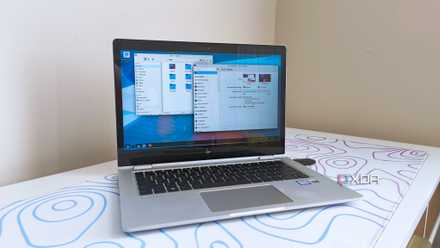
Here's why I recommend Linux's KDE Plasma for Windows escapees
Bring a little Windows with you.
The desktop layout is too different
Ubuntu does a lot of damage here
Frankly, so much of the negative perception of Linux, in my view, can be owed to Ubuntu and its default desktop environment, GNOME. As a lifelong Windows user, I simply did not enjoy the way Ubuntu laid out its interface in so many ways, starting with the Dock on the left side of the screen. Interestingly, I don't think this is a GNOME default, it's just Ubuntu that does it, and I never liked how it looks. You can move it, but it's just a jarring experience to be welcomed into as a new user.
It doesn't help that there's also a panel along the top of the screen for things like the power menu, notifications, and calendar. This is most similar to macOS, and after a while, I actually like having a top bar on my computer, but compounded with the side dock, it was a little frustrating.
GNOME has other aspects that feel antagonistic as a newcomer, such as the full-screen app launcher, which is always very jarring to use, even after being more accustomed to it. I also hate the hot corner gestures that are enabled by default, which caused me to accidentally trigger the workspaces view more times than I can count.
All that to say that if your first experience with Linux is Ubuntu, you're going to feel a lot of friction, and it's no wonder it will drive people away. A more knowledgeable user may know to use something like Linux Mint or a distro with KDE Plasma as the desktop, but for most of us, Ubuntu is the biggest name in the Linux world, and it makes a bad first impression.

I tried out these 5 Linux desktop environments that aren't GNOME or KDE, and they're surprisingly decent
But KDE Plasma is still the king of desktop environments
Password management can be frustrating
Kwallet gets in the way
Unfortunately, if you turn away from Ubuntu and try KDE Plasma, there's something else that can be pretty annoying: the credentials manager, Kwallet. Linux distributions all use something called a Keyring to store your credentials securely, but in a distro like Ubuntu, it usually stays out of the way, much like Windows.
KDE Plasma can be a bit annoying in that it asks you to create a "wallet" during the first-time setup, and you need to choose an encryption style, something you're never really bothered with on Windows. What's more, the "recommended" encryption method (GPG) requires some more advanced setup, meaning I always just stick with classic Blowfish encryption so I don't have to deal with that.
Even then, you need to set a password to protect the wallet, and while you can make a wallet unlock automatically when you sign into your desktop, this isn't always the default behavior, so it just gets in the way much more than simply having your PC remember your passwords, as we see on Windows. Even as a KDE Plasma user, I still don't get why it defaults to this behavior, but it's another point of friction that really didn't need to be here.
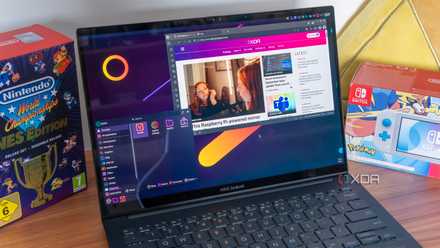
6 things I loved and hated when I switched from GNOME to KDE Plasma
After years on GNOME, I switched to KDE Plasma and found equal parts freedom and frustration. Here are the most significant things I loved and hated.
"Natural" scrolling feels weird
How did this ever become the default?
Funnily enough, this one isn't just a complaint I have with Linux, but with macOS as well, and it makes me feel a little crazy. The Linux desktops I've tried tend to enable "natural scrolling" by default for touchpads, which means that when you swipe up on the touchpad, the content on screen scrolls up, and swiping down scrolls down.
Reading that in text may make sense, but it's infuriating. Think about your phone's screen — when you move your finger up the screen, pages scroll down, so that the content follows the movement of your finger. To me, that's what's "natural", but here, it's the reverse. It may seem like a minor nitpick, but after using Windows and smartphones for decades, I simply can't get used to this behavior.

10 things that drove me mad using macOS for the first time
macOS is a learning experience
Missing media codecs
Playing videos can be a challenge
Another issue with some Linux distros, though it's been getting better, is the lack of media codecs out of the box, meaning you may not be able to play certain file type without some additional downloads. Sure, to some extent, that's true on Windows as well, but many Linux distros miss basic codecs like H.264, which is one of the most popular video formats these days.
In some cases, like Ubuntu, codecs are an optional add-on you can select during setup, which is already more work than it probably should be to get functional media playback, but others may not even offer that much.
Thankfully, again, this has been getting better, so it's much less of a problem these days.

Which video codec should you use for rendering and why
Choosing the correct video codec for your final file is important so you get the right balance of file size and quality for your needs
Package managers are a mess
Linux is split
Package managers as a concept were popularized by Linux, but with so many distributions over the years, it's become a very divided landscape. Lots of distros have their own package managers and don't include others, which can make it hard to find the app you want if your distro just doesn't have it.
There is an attempt to create a more universal package manager with Flatpak, which is supported by basically every distro out there, but most offerings still don't ship with it. And to make it worse, Ubuntu is one of the distros seemingly fighting it, choosing to promote its own Snap format instead, despite the restrictions it imposes on certain apps.
All of this can be fixed, and you can add Flatpak and other package managers to most distros, but things are much simpler on Windows, where winget is the de facto package manager for most users, since it's included by default.

I've used loads of Linux packagers, but this is by far the best one
Pacman isn't just a video game character, but it's also one of the best Linux package managers.
Linux is great, but the transition is a challenge
At the end of the day, none of these things are deal-breakers if you just give yourself some time to get used to how Linux works and configure it to your liking. But as someone who avoided Linux like the plague for many years, I can clearly see why there are big hurdles to overcome for most people. Hopefully, these are things that can be improved, but from a user perspective, I also recommend having just a bit more patience, and you'll see it pays off with a better experience in the long run.