
The Windows 11 handheld gaming experience is still a bit of a mess, especially on the ROG Xbox Ally X, a device Microsoft positions as a portable Xbox — even though that really isn't true.
For example, with the Xbox Ally X, you're forced to install updates through Xbox Mode, Asus' Armory Crate, and Windows 11, creating a confusing mishmash of ways to make sure your handheld features the latest software. Xbox Mode is also still a bit glitchy and prone to occasional crashes, especially when you pull up the overlay menu with the Xbox button.
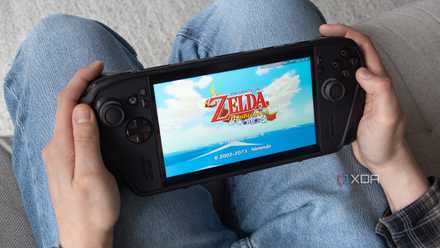
To be fair to Microsoft, Xbox Mode has gotten a lot better over the past few months. New features include the ability to add third-party launchers like EA's and Ubisoft's app, along with pretty much any app, including all-in-one emulation platforms like EmuDeck and Emulation Station, and retro PC ports like The Legend of Zelda: Ocarina of Time's Ship of Harkinian, Twilight Princess' Dusklight, and more. Xbox Mode is also just generally far more stable and reliable than it was at launch.
Though the stripped-back approach to Windows 11 has been slowly getting better, it's not quite 100% there yet. Still, I've grown to rely on it a lot. In fact, I rarely switch to the full version of Windows 11 when I'm using my Xbox Ally X, which is exactly the experience Xbox Mode should have offered when it first launched.
With that in mind, Winhanced, a third-party Windows 11 handheld-focused launcher that provides a unified platform for pretty much every game store and app, has a lot to live up to (you can also use it on regular Windows 11 PCs, too, of course). Given how much I've heard about it lately, I wanted to give it a shot, because, at least on paper, the app sounds great.
Xbox Mode has caught up with Winhanced in a lot of ways
I appreciate the app's more unique features, but Xbox Mode is more stable
Winhanced features a slick, highly customizable user interface that, in some ways, looks better than both the Xbox Mode app and Armory Crate. Additionally, Winhanced lets you launch cloud games on platforms like GeForce Now and Xbox Game Streaming, and it even adds its own technical overlay to the Xbox Game Bar Widget (if you want it to), offering streamlined access to features such as automatic TDP adjustment, frame cap, resolution scaling, and more. Recently, the team behind Winhanced even added direct emulator support for its Patreon supporters, making it easier to add retro game platforms to the launcher and to integrate with PlayStation's ecosystem, letting you launch titles on your PS5 directly from the handheld.
But after using Winhanced for the past few days, I don't think I'd recommend it to most people, especially if you're looking for a pick-up-and-play Xbox Mode replacement. While the setup process is mostly streamlined, I've found that the app often can't automatically find art when you add your own games to the platform. You can add images manually, but this takes extra work and isn't something I've needed to do with the third-party apps I've added to Xbox Mode. I already have so little time to play games; I don't want to spend 30 minutes hunting down artwork and renaming apps to make the launcher usable. On the other hand, Winhanced added Steam and Xbox titles during setup through a quick auto-scan, complete with flashy images for each title, which was great to see.
You'll need to be willing to put in a bit of extra work to use Winhanced's better features, too. For example, if you want to take advantage of the app's sleep/wake feature, which lets you reliably put your Windows 11 handheld to sleep, you need to make sure your device is set to Sleep rather than Hibernate in Windows 11's settings. This feature works great, though, and in my brief time with Winhanced, I've found it better than the stock Windows 11 version of Hibernate or Sleep. Winhanced also claims this feature can save your battery by up to 80 percent when the handheld is in sleep mode. Based on my experience, this seems like a pretty accurate estimate.
If you want Winhanced to be your main Windows 11 launcher and not an app you need to open after booting up your Windows 11 handheld, navigate to Settings > Gaming > Choose Home App, then set Winhanced as the default app that loads when you turn on your device. Above everything, my biggest issue is reliability. During my time using Winhanced as the main way to launch and manage games on my Xbox Ally X, I encountered several instances where the launcher locked up and was unresponsive, forcing me to restart my handheld in a few situations because I couldn't get back into Windows 11 again. When it comes to handhelds, reliability is very important to me, so in some ways, this issue alone convinced me that I can't replace Xbox Mode with Winhanced — at least not yet.
I turned my Windows 11 handheld into a retro gaming beast with this app
EmuDeck works great for more than just the Steam Deck.
For a front-end made by a small team, Winhanced is still impressive
Its unreliability makes it difficult to recommend
Winhanced definitely isn't all bad. I appreciated the HUD that's accessible through the Game Bar because it gives you more straightforward access to power profiles, TDP settings, your display refresh rate, resolution, frame limiter, and more. These are all the features you can already access through Xbox Mode, Armory Crate, and AMD's Windows 11 app, but it's great to have them all in one simple, more accessible location. Being able to update my ROG Xbox Ally X's drivers directly through Winhanced has been useful, too, though I obviously still need to install other updates through their respective apps.
Score Gaming Gear Deals: Discounts on Handhelds & Accessories
Winhanced is being made by a small team, not a trillion-dollar company like Microsoft's Xbox Mode, so it's impressive in that sense and has improved a lot over a short period. But I often see Winhanced recommended as the only launcher you need, whether it's by users on Reddit, other tech websites, or by handheld-focused YouTubers, and in my experience, it isn't quite there yet. I can definitely see Winhanced becoming my go-to launcher on the Xbox Ally X once it's more stable. Until then, I plan to stick with Xbox Mode.