
Summary
- Overclocking a Raspberry Pi 5 to 3.4GHz can achieve world record speeds, but the gains in performance may not be worth the extra power consumption.
- Pushing a Pi to its limits with cooling systems and modifications like Jeff Geerling did can result in impressive benchmark scores, but minimal practical benefits.
- While overclocking a Raspberry Pi 5 is not necessary for it to perform well, enthusiasts like Jeff pursue these feats "because they can," even if the results may not be entirely practical in everyday use.
The Raspberry Pi 5 may not be the most powerful unit in the world, but that doesn't stop people from wanting to crank up its clock and achieve the fastest speeds possible. For instance, one SBC enthusiast has been working hard trying to achieve world record glory by getting the highest score on Geekbench 6. Now, they've finally taken the crown by pushing the little chip to 3.4GHz, but it's not something you should so readily do at home.
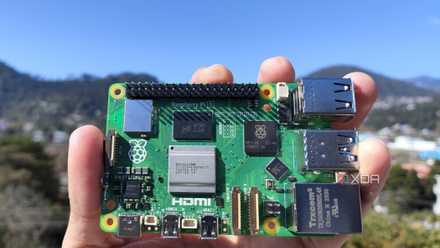
Raspberry Pi 5 review: The holy grail of DIY projects got even better (and rarer)
The Raspberry Pi 5 is one of the most powerful consumer-grade SBCs out there. Sadly, its limited stock means you'll have a hard time finding one.
Jeff Geerling takes the world record with his Raspberry Pi 5
Jeff Geerling achieved this feat using his Raspberry Pi 5 and a bit of engineering. The last time we checked in on him, he resurrected a broken Game Gear using a Raspberry Pi, and now he's trying to squeeze every drop of performance out of his Pi 5.
You can see how he performed this feat in the video above. Jeff takes a good amount of time explaining the importance of overclocking a Raspberry Pi, so it's worth reciting here, too. You do not need to overclock your Raspberry Pi 5 for it to perform well; even Jeff states that overclocking it gives you minimal gains for the amount of power pumped into the chip.
So, why is he doing this? Easy; because he can. If you hang around the Raspberry Pi community for long enough, you'll soon learn that "because I can" is a good reason to do anything. Just ask the guy who stuck water cooling with hard pipes on their Raspberry Pi 5. That guy stated that the entire project was just to prove that he could and that air cooling would be totally fine for a Pi. In the same vein, Jeff states that you really, really don't need to overclock your Pi, so don't worry about keeping it at its base clock unless you really want to push it.
Hitting 3.4GHz took a lot of cooling, including a special CPU heatsink that uses electricity to cool things down, a heatsink underneath the Pi, and a 3D-printed fan blowing over everything. And after a few botched tests, he finally got the Geekbench benchmark tester to complete on his Pi. At the time of writing, his Geekbench score holds the world record, with a single-core score of 1121 and a multi-core score of 2219.
So, was it worth the effort? Jeff states that, despite doubling the amount of power the Pi guzzled during operating, he only managed to score a 14% increase in performance over stock settings, so it wasn't worth it for the sake of getting more performance from the board. However, for the sakes of getting a cool world record, he thinks it was a great achievement - as do we.