
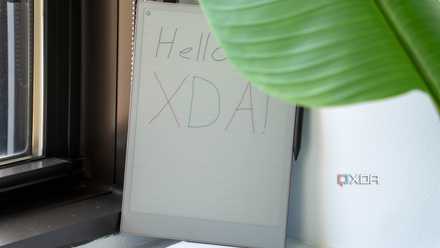
Yes, you read that title right. This text you're reading right now? I'm writing it on the Remarkable 2 in its entirety. And I don't mean typing it using the keyboard cover. I'm writing everything by hand.
How is it going? Well, I'll have to give you full impressions as I write, but I will say it feels a lot better than a typical tablet. So far, most of my problems stem from my poor handwriting.

I thought I'd hate it, but the ReMarkable Paper Pro has changed everything about how I take notes
I never thought I'd use a pen again
Handwriting recognition is cool — but not perfect
I'm a nervous writer
The reason I'm able to write this entire article by hand is the fact that ReMarkable tablets offer handwriting recognition and can convert it to typed text. This is a cool feature, but just looking at what I've written so far, I can already see where this process is going to struggle. In fact, I'll try converting what I have right now, and...
Well, that went a lot worse than I expected. Somehow, the word ReMarkable from the title ended up in the intro text and there's a bit of a mess in terms of formatting the converted text. Of course, you won't see that since I have to clean the text up for publishing, but I'll have a picture above. It's very obvious that recognizing formatting based on my handwriting is not going to work terribly well. An em dash was suppressed, and a period was turned into a bullet point somehow.
While some problems may be the fault of the conversion in itself, I know I'm not making things easy, either. Growing up, I was always told my handwriting is very hard to read, and apparently I didn't even know how to hold a pen properly for writing. One time, I struggled to read my own handwriting in front of the class. I'm just a bit of a nervous writer, I think. Sometimes I'll add pen strokes I don't need because I don't fully process what I'm about to write before I write. Other times I just don't properly finish a stroke or draw a weird shape. Just making this text semi-usable is requiring a lot of erasing and rewriting.
I also just realized that part of the problem with the text conversion may be my misaligned writing, so I've now enabled grid lines that will hopefully help with that (it's not doing much for my other flaws, though). That is a cool thing about this tablet, though! I can easily erase text and change the template to improve my notes, which a real paper notebook can't do.
Oh, look at that, the grid lines seem to be helping.

6 reasons a ReMarkable tablet might be the best productivity assistant I own
I never thought an E Ink notetaking pad would be my best tool against procrastination.
Writing feels great
The paper feel is real
One thing I really have to commend about the Remarkable tablets is how writing feels. The company describes the feel of the Remarkable 2 as being similar to pen on paper, while the Paper Pro is more like a pencil on paper. Having used both, I certainly feel the difference, but the most important takeaway is that both of these are vastly better than writing on a typical tablet with a smooth glass screen. This just feels so much more natural, and it doesn't feel like I have to adapt to the technology. Instead, the technology is adapted to me.
I believe the more textured and rougher feel of the Remarkable Paper Pro is supposed to be a benefit, but personally, I was never a big fan of writing with a pencil, so the pen-like feel of the Remarkable 2 is actually a bit better to me. I'm really enjoying writing this way. I also like that this really looks like paper, too. The E Ink panel works perfectly under natural light, and it's easy on the eyes since there's no backlight.
Before I move on, I just converted the text above and for some reason, the word "me" was recognized as quotation marks for the following sentence, despite being on a different line. Like I said, handwriting conversion isn't perfect.

5 reasons I moved to an E Ink tablet for notetaking and I'm not going back
E Ink makes notetaking feel natural while bringing all the creature comforts of a digital device.
I don't write as much as I think I do
Handwriting is big
One interesting thing I'm noticing as I write this article is that handwriting makes me feel like I'm writing a lot more than I actually am. Of course, it's not really surprising that written text takes up more space than typed text, but it's interesting to see how big the difference is.
On my Remarkable 2, that paragraph has about five lines, and five lines on a PC screen where I usually write would be a very long paragraph. But here, while it looks long to me right now, and I feel productive, the end result you're seeing will feel oddly short in comparison.
It may seem like a silly thing to point out, but word count does matter at this job. Usually, one of my average articles has at least 1,000 words, but I'm not confident I'm close to that right now. I'll only know once I move this onto our CMS, so I'll be sure to mention it (editing note: there are 841 words up to this parenthesis, not including the title).
Wait, did the text conversion just change an I into a bullet point in that header? And why was the whole text converted to a larger font when my handwriting was so clearly different sizes? This is definitely an area that needs to improve.

5 ways an E Ink tablet may be better for you than an iPad
You need to use the right tool for the job
The problems and limitations
You can't do everything
Using the Remarkable 2 to write this article was mostly a good experience, barring any issues with converting handwriting to text. However, using this tablet isn't meant to be a replacement for a proper writing and publishing tool. As I've already touched on, any kind of text formatting seems to be a lost cause here, as many of the headers I've been writing just weren't always recognized as such; all the while some regular text has been converted to a larger font for some reason.
One smaller issue I noticed earlier while writing is that the screen refreshed once as I was writing a word, which caused me to mess up that word. It would have been more upsetting if I didn't make a ton of errors on my own, though. Plus, that has only happened once in my entire time using the tablet.
Of course, I also can't do anything like inserting images in an article, so all of that has to be done later in the CMS. Again, that's to be expected, but I figured full transparency would be best here.
Actually, I take that back. As I converted the paragraphs above, I noticed even more issues with converting text. Even while using lines to help me align the text, a lot of words have just jumped around and will require a lot of editing to fix. It's very frustrating to see how poorly some of my writing is recognized, even in situations where it should be easy to understand the context.
4 reasons a note-taking tablet is better than any software on your phone or tablet
It's a big investment, but it might be worth it
I'm probably not doing this again
After all that, all I can say is I wouldn't recommend using a ReMarkable tablet if your goal is to convert handwritten text, especially long articles, into typed text. At least, not, as a primary solution. But that's not to say it's totally invalid for this purpose. One thing I really did like is that writing by hand on a dedicated device helped me stay much more focused on writing. I wasn't tempted to open a new browser tab to distract myself, and didn't feel bored - Hand writing feels more active and purposeful, and paired with the fact that it's much easier to look at this screen, I can see myself returning to this when I need a bit of a detox from typical tech. I can definitely see the appeal of this kind of device now, despite its flaws.