
Summary
- The Pi Pico is great for mini devices, like a ZX Spectrum emulator with a portable shell.
- ZX Spectrum nostalgia-inspired project runs on Pi Pico with Wixflog's emulator and a Pimoroni display board.
- Check out GitHub for code, hardware list, installation tips, game add-ons, and keymap creation.
The Pi Pico is an even smaller variant of the already-tiny Raspberry Pi, which makes it fantastic for making miniature devices. With so little space on the motherboard, it's hard to run anything seriously intensive on it, but it does make for a great way to emulate your games. Now, someone has build a full ZX2040 emulator with their Pi Pico, complete with a portable shell so you can take it anywhere you please.
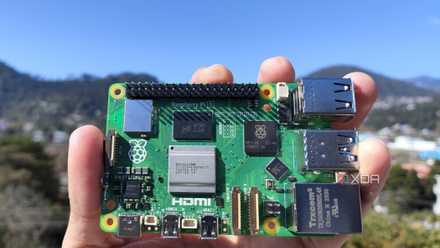
Raspberry Pi 5 review: The holy grail of DIY projects got even better (and rarer)
The Raspberry Pi 5 is one of the most powerful consumer-grade SBCs out there. Sadly, its limited stock means you'll have a hard time finding one.
A portable ZX Spectrum emulator running off a Pi Pico
As spotted by Hackaday, this amazing emulator runs off of a Pi Pico, featuring additional hardware that turns it into a portable gaming device. As you can see from the video below, this thing is really small, but it plays games just fine.
So, why a ZX Spectrum emulator? As the creator, antirez, puts it:
The ZX Spectrum was the computer where I learned to code when I was a child. Before owning the Spectrum, I used to play with my father's computer, a TI 99/4A, yet the Spectrum was my first real computer, and the one where I wrote my first decent programs. So part of this is nostalgia.
The device uses a port of Andre Weissflog's ZX Spectrum emulator to get the job done. For the rest of the hardware, antirez uses a Pimoroni Tufty RP2040 display board, but they note that if your Pico has any ST77x display with five buttons, it should run on that, too.
If you want to give this project a shot for yourself, you can head over to the GitHub page for this project. It features all the code used to get the project running, plus a guide on what hardware you need, how to install everything, how to add games, and creating the keymaps. If it's a bit too much for you, you can still try these Raspberry Pi projects for beginners to build your confidence.