
As PC gamers, many of us have gone down the path of upgrading one or two parts of our PC while leaving the rest untouched, hoping everything would just fall into place. In most cases, the one part we always focus on is the GPU. After all, it's responsible for rendering the visuals and pushing higher frame rates. Yes, a newer, more powerful GPU should significantly improve your frame rates, but that's not always guaranteed when your other parts are lagging behind, especially your CPU.
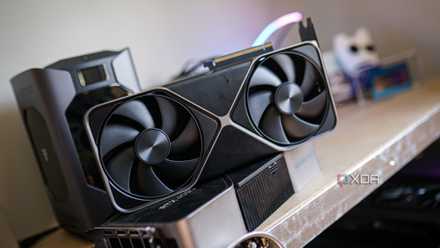
While your gaming performance is mostly dependent on your GPU, it doesn't operate on its own. Your CPU still has to feed it frames fast enough, your RAM has to keep up with that data, and even your storage can affect how smoothly assets load in open-world titles. If any one of these parts falls behind, your GPU ends up waiting instead of working, which is when the experience starts to feel inconsistent. That's exactly what I had to deal with after rushing to upgrade to the RTX 4090 without considering the rest of my build.
Don't buy a high-end GPU unless you have these parts dialed in
You can't cut corners if you're spending over $1,000 on a GPU.
The rest of your PC matters just as much as your GPU
Even a flagship GPU won't be able to brute-force its way out of a CPU bottleneck
Your GPU upgrade feels underwhelming compared to the numbers you saw on early reviews and benchmarks because those test systems had the GPU paired with some of the fastest CPUs available on the market. That already puts them in a completely different position than most real-world builds. Many people just upgrade their GPUs while sticking with their older CPU, so if you're one of them, you're not going to see the same level of improvement in your frame rates. Not all systems perform the same, even with similar specifications.
For instance, when I first upgraded to the RTX 4090 while sticking with my Ryzen 9 5900X, I didn't get anywhere close to the 70% FPS uplift that benchmarks suggested at 4K. In reality, it was around 40-50%. This was mainly a result of my GPU being underutilized, which is exactly what happens when your CPU struggles to keep up. This is the first sign your build is poorly balanced, and that you need a faster CPU to get the performance you expected. Likewise, if you have slower RAM, your CPU has less bandwidth to work with, also affecting how quickly it can feed frames to your GPU. This might not show up as low average FPS, but you'll still feel it in overall smoothness because of poor 1% lows.
Inconsistent performance is why your PC feels slow
Your 1% and 0.1% lows tell you what's actually wrong with your setup
We tend to focus too much on the average FPS metric when monitoring using tools like MSI Afterburner. While that gives you a general idea of performance, it doesn't tell you how your PC actually feels while gaming. You could be getting 100+FPS in a game, and still have a choppy overall experience. Your average FPS doesn't really show how often your frame rates dipped, or how severe those drops were in the moments that actually matter. It smooths everything out into a single number and makes your performance look better than it really is.
That's why 1% and 0.1% lows deserve more of your attention, especially when gameplay doesn't feel as smooth as it should. This metric, unlike average FPS, highlights the worst frame rates you experience. Usually, when there's a CPU or RAM bottleneck, it shows up clearly in your 1% and 0.1% lows. And if you really want to understand how smooth your PC actually feels, frametime consistency is what ties it all together, because that's what determines how evenly those frames are delivered in the first place.
Sometimes your GPU really is the problem
VRAM limits and thermals are genuine concerns, but they're rarely the culprit
I'm not going to pretend poor balance is always the reason your PC feels slower than it should. Sometimes, your new GPU is fully responsible for the sluggish performance you're dealing with. For example, you may have upgraded to a lower-end card like the RTX 5060, but it simply doesn't have enough VRAM to handle the settings you're trying to run, especially at higher resolutions like 1440p. The moment you run out of VRAM, you'll start to see stutters, texture pop-ins, and even outright crashes.
Thermal throttling is another factor you have to worry about, regardless of the GPU you get. If your card is running too hot or constantly hitting its power limits, it won't be able to sustain its boost clocks, and that's where performance starts to drop off. Again, the impact will be visible in your 1% and 0.1% lows more than in your average FPS. That said, these situations are far less common than people think. In the vast majority of cases, your GPU still has some headroom. So if your performance feels inconsistent or your GPU usage isn't close to 100%, the problem is almost always another component in your system holding things back, not your GPU.
A balanced PC will almost always outperform a GPU-heavy setup
Unless you're playing AAA titles exclusively at native 4K, blindly upgrading your GPU won't move the needle the way you hope. You can't simply throw in an Nvidia GeForce RTX 5090 and call it a day. The moment you switch to lighter, competitive games and start chasing triple-digit frame rates, your CPU and RAM start to matter just as much as your GPU, if not more. Sure, you can brute-force performance with a flagship GPU, but at the end of the day, you're spending thousands of dollars to end up limited by the rest of your hardware anyway. That's why I believe chasing a balanced PC is far more important than chasing the latest and greatest GPU.

Your gaming PC feels sluggish because you ignored these 3 upgrades
Your PC isn’t balanced if you're only upgrading your CPU and GPU.