
When most people think about mesh extenders, they think no cables, quick setup, and instant coverage. That’s how they are marketed. That assumption of no cables is exactly where the problem begins. When you avoid cables, the extender talks wirelessly to the main router. And without a wired backbone, performance depends entirely on the wireless link’s quality.
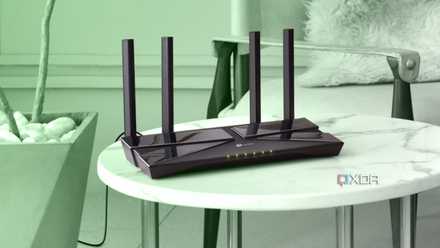
I had a similar assumption when I needed to extend Wi-Fi coverage at home. I had two options: either get a mesh extender or use my old TP-Link Archer C6. In the end, I decided to repurpose my old C6 router as a wired access point, and the results were surprising. I didn’t just get better coverage, but also lower latency, full control, and predictable performance.

6 myths you probably still believe about mesh networking
If you've been on the fence about getting a mesh network, or you're set on getting one, make sure you have all the details first.
My network layout: Infrastructure first, Wi-Fi second
Good Wi-Fi starts with good topology
I have a simple and organized network setup at home. Since I reside in the countryside, I have a limited number of internet connections, but they are generally stable. The issue arises when they go down. The outage typically lasts 12 to 24 hours, so I need two ISPs to keep the network reliable. I have a TP-Link ER605 as my gateway and router, and a TP-Link SG108E acts as the wired backbone.
Since the network was already properly structured, I needed a way to extend Wi-Fi coverage throughout the house. As mentioned earlier, I already had an old TP-Link Archer C6 router lying around, so I decided to use it as a wired access point. Each device had a dedicated role. The ER605 handled the routing, NAT, and DHCP, whereas the SG108E handled the switching. Finally, the C6 broadcast Wi-Fi and acted as an access point.
My goal was to build a stable wired backbone first and then add a wireless one on top to extend coverage for mobile and IoT devices. Once the backbone was wired, performance differences became obvious compared to wireless mesh extenders.
Why my Archer C6 outperforms most mesh extenders
Ethernet backhaul changes everything
Mesh extenders usually rely on wireless backhaul, which becomes the bottleneck of the system. Since the C6 is connected via a wired connection, it makes a difference. The performance difference comes from the wired backhaul, not the hardware itself. With mesh extenders, there are two wireless conversations happening, and with shared airtime, the throughput reduces. This interference affects both hops. As a result, latency is inconsistent under load.
The Archer C6 is connected over Ethernet, so there is no airtime competition for any backhaul traffic. As a result, the clients connected to the AP use the full radio bandwidth and can have more predictable latency. Ultimately, unlike mesh extenders, better performance is expected under heavy load. Also, since it is an access point, there is no extra load on the C6 to route or handle NAT or DHCP, and it can focus entirely on Wi-Fi broadcasting.
Wired access points remove hidden bottlenecks mesh systems introduce under real-world load.
Control is the real advantage
Mesh automates. AP mode optimizes.
Stock firmware comes with many limitations that restrict features modern network setups require. Advanced options are often restricted, and VLAN support, which is important in my setup, is mostly missing or unavailable in old routers like the Archer C6. On some routers, even with AP mode, it may still carry router-centric logic.
Flashing OpenWrt in my case, removed those artificial limitations. It unlocked many features, including proper AP mode, VLAN tagging, manual channel control, transmit power tuning, and advanced network segmentation. VLAN segments my home network into four separate sections. VLANs 10, 20, 30, and 40 are used for trusted devices, servers and a NAS, IoT devices, and guest devices, respectively. OpenWrt turned my old Archer C6 into a fully configurable network device.
Since the ER605 gateway handled the routing and DHCP, the C6 didn’t need any traditional features beyond Wi-Fi broadcasting. OpenWrt allowed me to strip those traditional features away, leaving a clean and dedicated access point.
Stock firmware simplifies, whereas open firmware empowers.
Roaming works — without mesh branding
Seamless handoff isn’t exclusive to mesh systems
Mesh extenders are often marketed as offering seamless roaming without any complex setup. Many assume that roaming only works out of the box in a mesh system. That isn’t necessarily true when you understand how roaming actually works. In simple terms, seamless roaming happens when a client device can look at the signal strength and internal thresholds to decide when to switch.
In my case, I added one more AP to the network, a router provided by my previous ISP (Jio). The key requirements for seamless roaming are the same SSID, the same security settings, and proper placement of both APs. Balancing transmit power between the C6 and the Jio AP also improves handoff behavior. With these simple methods, devices can transition naturally between APs without manual intervention.
Mesh branding didn't invent roaming; it's the packaging and automated configuration that helps achieve it. We can also get similar functionality with wired APs; the only constraint is proper configuration.
Roaming is about network design, not branding.
9 ways to bring networking dead zones in your home back to life
Networking dead zones are terrible but they're often easily fixed.
Convenience sells. Infrastructure performs.
The mesh system focuses on convenience, and the approach I followed focused on infrastructure. They prioritize easy deployment and minimal configuration. They solve coverage issues quickly, but they don't promise to solve performance issues.
But when Ethernet is available, the equation changes. Separating routing, switching, and wireless broadcasting made the real difference in my case. Roaming worked not because of the branding but because of proper configuration.
An old router isn’t outdated hardware; it’s underutilized infrastructure. If you can run it in access point mode over Ethernet, you already have the upgrade.