
Let's say you pay for a high-speed premium internet package that probably costs you a fair amount every month. Zoom calls should be flawless, and your online gaming sessions should be lag-free, yet somehow your network randomly falls apart. Your ping shoots into the hundreds, video streams buffer, and someone working from home drops off a call. You check your download speed, and it looks fine, so you might be unsure of what the issue is.
Really, you should be looking outside at your array of shiny consumer smart cameras. They are constantly monitoring the driveway, the porch, and the back garden, silently uploading pristine high-definition video packages to a server across the country. Realistically, cloud cameras are data vampires; they prey on the weakest part of consumer internet, asymmetric upload speeds. If you want to reclaim your network sanity, you have to break your dependence on subscription-based cloud video services and build a local-first surveillance infrastructure using RTSP (real-time streaming protocol).
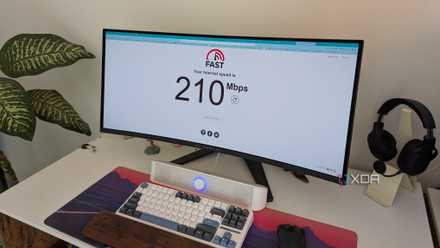
Stop blaming your ISP: most home networks are failing you in ways speed won't fix
The problem is actually within your walls
Why is your network choking?
You might think your plan can handle it, but this isn't always the case
Typically, internet plans are asymmetric. Unless you are on a specific symmetrical FTTP (otherwise called fiber to the home), then your internet plan is deeply lopsided. Cable internet frequently appears as a massive 500Mbps download stream with a tiny, fragile 20Mbps upload stream. When you're hunting for internet plans, you'll constantly see the download speeds being advertised to you. While these download speeds are great and typically very high, they don't tell you what your upload speeds will be.
When you do have one of these asymmetric internet plans, a single modern 2K cloud camera can require around 3 to 4Mbps of continuous upload bandwidth to analyze video frames for motion in the cloud. Stacking four of these cameras instantly devours 12 to 16Mbps of upload capacity. As a result, this can lead to a crash because your upload pipe is at 80% saturation from video traffic, and it can no longer rapidly send the tiny acknowledgment packets required to maintain your download streams. Your whole network grinds to a halt because it can't communicate with the internet.
Setting up a symmetrical internet plan might not be an option for everyone, so another alternative local remedy is to introduce RTSP (real-time streaming protocol). This is a foundational, unmetered networking protocol designed explicitly for streaming video directly over local networks. This will keep all of your data inside your walls. With an RTSP-capable camera, the camera strips away the cloud server destination; it streams its raw video feed directly to a local IP address in your home, drawing exactly 0 megabits from your public internet service provider's data plan. Essentially, you're getting the same level of security without any internet access.
How to make the switch
The software stack is fundamental
If you do want to set up an RTSP, one of the most important considerations before starting is the self-hosted backend. By picking up certain open-source software options, you can make local video feeds feel just as smart as a polished cloud application. Some of the heavy hitters of the self-hosted community include Frigate NVR or Scrypted.
You can also get local AI object detection because Frigate uses local processing via a cheap $40 Google Coral TPU USB accelerator or a mini PC's integrated graphics to execute lightning-fast machine learning object detection locally, completely bypassing the cloud. You no longer need the cloud to tell you if it's a person or a cat outside your door.
To get started, first audit your current hardware setup. Ditch those closed ecosystems like Ring or Nest and prioritize cameras that explicitly list RTSP, ONVIF, or local substream support in their engineering spec sheets.
Next, you have to isolate the video subnet. Assign your cameras to a static IP address range or a dedicated local VLAN. This can keep heavy local video traffic entirely contained on its own wireless or wired path, completely separate from your gaming rig or laptop. Having this network partition is mandatory.
After this, you should activate the stream URL. Log in to your cameras' local web GUI dashboard. Enable the RTSP toggle. Configure a secure local username and password. Copy the stream string. This should appear as a link with the first four characters as RTSP, but may differ based on your camera's manufacturer.
Save on smart-home camera deals and local NVR gear
The last step is to anchor the feed to Frigate or Home Assistant. Paste the RTSP URL string into your self-hosted NVR platform like Frigate running on a Docker stack or mini PC. Set up a storage pool on a local hard drive for continuous loop recording, and with that, you're ready to go.
Stop paying monthly fees
You can access all the same features for free
Big Tech designed smart home cameras to be convenient for their cloud storage business models, completely ignoring the structural limits of your residential network infrastructure. This means that it's time to stop paying monthly cloud subscription fees just to let a corporate server strangle your home network's upload capacity. Invest an evening into setting up a local RTSP camera loop. Anchor it to a private self-hosted storage hub and finally enjoy an ultra-secure surveillance system that lets your main Wi-Fi network run at full throttle.
Your home network isn't slow because of your download pipe. It's choking because your security cameras are treating your unshielded upload bandwidth like an infinite data dumpster. To save your Wi-Fi, you need to pull your video feeds off of public cloud and bottle them completely inside your local area network.
Frigate
If you want all of the features of Ring doorbell but without the monthly fees then Frigate is a great open source alternative.