
I test new productivity tools practically every day, and despite new software dropping every few days, very few of them actually feel meaningful. Despite just how many tools I tried out in 2025, the one tool I've been using since Google announced it during its annual conference in 2023 is the tool I still find myself using the most: NotebookLM.
Interestingly, it's also a tool most people continue to underestimate and use in ways that barely scratch the surface of what it can actually do. And frankly, that’s where people go wrong.
Most people still treat it like a basic summarizer
And I can’t blame them… but it’s still a waste
Unlike the vast majority of AI tools that rely on their training data or browse the web to find the answer to a question you asked, NotebookLM uses its AI capabilities to explore the data you've provided in the form of sources. It analyzes the data, finds relevant connections, and then builds responses entirely from those sources.
Unfortunately, based on what I've seen, this is how most people use NotebookLM: create a notebook, upload a single source (research paper, PDF, article, YouTube video — you get the idea), and either rely on the summary that's automatically generated or type "Summarize my source for me."
That's it. And while NotebookLM is an excellent tool for summarization (since you get citation-backed responses and don't need to worry about hallucinations as much), that's where most people stop. They don't upload multiple sources to a single notebook to take advantage of its cross-referencing capabilities, use the follow-up questions NotebookLM automatically generates based on the content of their uploaded sources, or even ask targeted questions.
For instance, something I do a lot is upload both the lecture slides provided by the professor and the corresponding textbook chapter. This lets me figure out exactly what content we haven't gone over in class, spot gaps in my understanding, and get concise, integrated explanations that draw from both the slides and the textbook. It’s a simple workflow, but it turns NotebookLM from a basic summarization tool into a powerful study and research assistant that adapts to how I actually learn.
While there isn't a “right” way to use the tool for summarizing sources, limiting it to that alone means you're missing the deeper workflows that make NotebookLM actually stand out. Any AI chatbot like ChatGPT or Gemini can summarize a document you upload. But what you'll find they fall short on is analyzing several sources together, identifying overlaps, contradictions, or themes, and then generating insights that actually move your research forward.
People stick to NotebookLM’s viral tricks
And miss everything else
While NotebookLM's core concept of letting users work with their own sources without missing out on the AI smarts is what has made it special from day one, that's not what pushed it into the spotlight. NotebookLM went viral because of its Audio Overview feature, which lets you turn sources you upload to a notebook into an engaging podcast. Instead of a robotic AI voice reading out the content you uploaded in the most boring, monotonous way ever, the Audio Overview feels like a real podcast.
Two hosts, a male and a female, discuss your sources in an engaging, conversational way, adding context, breaking things down, and making it feel like you're listening to a lightweight explainer show rather than an audio summary. Now, don't get me wrong. I absolutely love NotebookLM's Audio Overviews, and it's the feature that got me hooked on the tool.
But the downside is that this is also where most people stop. They don't explore the countless features Google has added to NotebookLM since launching Audio Overviews in September 2024, like Video Overviews (exactly like the Audio Overviews feature but for videos), Mind Maps, Flashcards, Quizzes, Reports, and more recently, Slide Decks and Infographics.
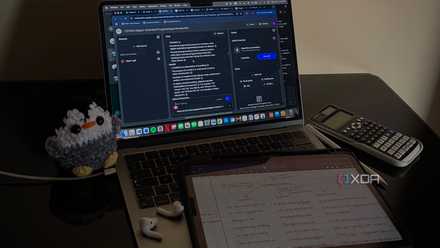
4 features in NotebookLM that changed how I study
At this point, I might just owe NotebookLM my degree.
All of these features are designed to make NotebookLM far more than a basic PDF summarizer or a flashy audio gimmick. Yet the disappointing part is that most users seem to never even try them, sticking instead to the viral basics that made NotebookLM famous in the first place.
Stop ignoring NotebookLM’s customization features
This is where NotebookLM actually becomes yours
While this wasn't always the case, practically every NotebookLM feature is now customizable. You can add custom prompts detailing exactly how you'd like NotebookLM to generate the output, and this gives you far more control over your research than most users realize. For instance, you can specify the direction you'd like to focus on for Audio Overviews, set a specific audience and tone, and even choose whether you'd like a shorter or longer podcast.
With the Slide Deck feature, which lets you generate full-fledged presentation decks, you can add prompts to specify the content, the structure of the presentation, and even the design. For instance, I used NotebookLM to generate a Spotify Wrapped-like "Financial Recap," and I gave it very detailed and specific instructions on how to structure each slide, both content- and design-wise.
NotebookLM did an incredible job on the first try!
Ignoring NotebookLM's customization features is simply a missed opportunity, as it can make or break the quality and usefulness of the outputs you generate using the tool. You can now even customize the way NotebookLM responds to you by shaping the AI into the kind of assistant you need. This can be done by adding a prompt in Custom mode, where you describe exactly how you'd like NotebookLM to respond.
For example, for notebooks I use for college where I want concise answers that focus on conceptual understanding, I give NotebookLM very specific instructions in Custom mode: to keep explanations short, highlight key principles, and avoid unnecessary examples.
If you aren’t using NotebookLM like this, you’re missing half the magic
While there's no right way to use NotebookLM, sticking to the basics keeps you stuck at the basics. Thankfully, if you're having trouble maximizing the tool to its full potential, we have hundreds of articles on how to get more out of it.