VOOZH about

URL: https://xceed.com/products/wpf/toolkit-plus-for-wpf/

⇱ WPF Toolkit Plus | Xceed


Toolkit plus for WPF

The number one WPF control toolkit for creating next-generation Windows applications is updated often, widely used, and backed by a responsive support and development team whose sole ambition is your complete satisfaction. It provides 103 UI controls, panels, and themes missing from WPF. With over 1 million downloads, the toolkit supports .NET 4.5, 5, 6, and 7+.

👁 Gallery Image
👁 Image
Features Product Updates Documentation
1-Year Priority
Support
Unlimited Installs
On Any Device
Satisfaction
Guarantee
Try For Free For 45 Days!
Download

No other WPF control toolkit is updated as often and as widely used.

The control toolkit that beautifully fills in the gaps in WPF. Provides 103 controls, panels, and themes that are needed by every WPF developer in the course of building an application’s UI. There are 9 themes, ensuring the toolkit’s controls are styled to fit right in with the rest of your application’s controls.

Equip yourself and your team with Toolkit Plus—and with the help of our technical support team—to improve the programming experience of WPF and to be able to produce software that is otherwise much more difficult and time-consuming to create.

Widely used, updated often

Based on our wildly popular CodePlex project, known as Extended WPF Toolkit Plus, it has benefitted from widespread use with over 1 million downloads on CodePlex and Nuget. The large user base has resulted in abundant comments, requests, and bug reports which the Xceed team has resolutely used to improve the toolkit. Xceed has made and released about 100 improvements and bug fixes a year. Welcome to the most solid and supported WPF toolkit.

  • Provides 60 controls, most that are not present in WPF and Microsoft’s own WPF Toolkit. The controls that are duplicated provide important capabilities and features missing from their standard WPF equivalent.
  • Provides 9 themes for all the toolkit’s controls, including Windows 10, Material Design (Light/Dark) & Fluent Design (Light/Dark). All the toolkit’s controls are designed to be themable.
  • Provides an additional 21 controls for building apps with the Material Design look, to give your WPF apps a look and feel that blends in with the latest modern Web applications.
  • Provides 14 layout panels for the SwitchPanel control.
  • Exponentially increases development momentum: no need to create the dozens of useful controls that the toolkit contains from scratch.
  • More feature-rich than the CodePlex project, with more controls and extra features in some controls, and released earlier.
  • Supported and updated by a seasoned team of WPF developers and designers.
  • AutoSelectTextBox: Control whose content is selected when it receives the focus; also performs automatic focus navigation when the caret reaches the extremities of the text range.
  • BusyIndicator: Lets users know when an application is busy performing an operation so they don’t think it has frozen.
  • ButtonSpinner: A two-button spinner control that can be added to any element.
  • ByteUpDown: A byte-based numerical up-down control.
  • Calculator: Provides basic math functions, memory operations (clear, store, recall, add, and subtract), and mouse and keyboard support.
  • CalculatorUpDown: Provides a TextBox with button spinners that allow incrementing/decrementing numeric values by button clicks, keyboard up/down arrows, or mouse wheel, and also provides a Calculator dropdown that allows you to perform mathematical calculations.
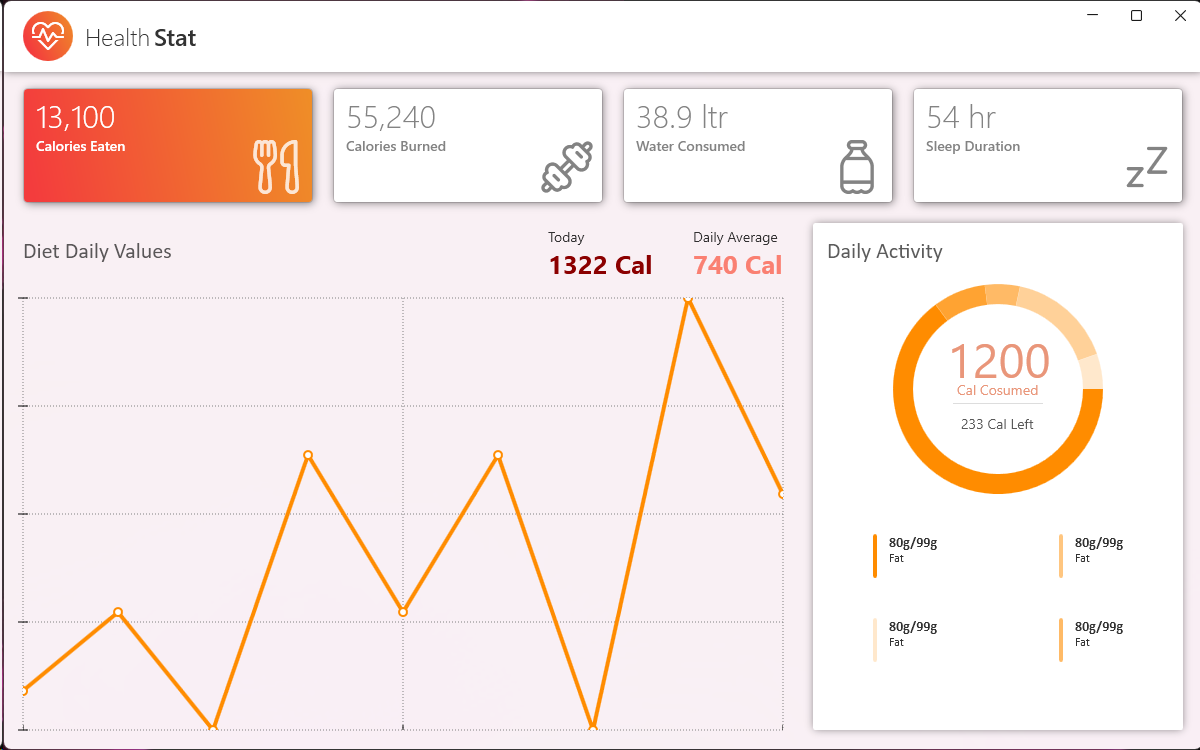
  • Chart: A 100% lookless charting control that displays rich, configurable charts and is able to display multiple areas with multiple charts at the same time. Supports area, column (bar), line, and pie charts, with the possibility of creating custom charts. Developers can use the built-in, flexible legend or provide their own.
  • CheckComboBox: A combo box whose dropdown items are preceded by a checkbox.
  • CheckListBox: A listbox control whose items are preceded by a checkbox.
  • ChildWindow: A modal content control that can be placed over sections of a view or over other content controls, locking out the rest. Displays within the bounds limits of a specific parent container. Several new properties in v2.0 allow the window chrome to be styled, and also allow it to be resized and maximized (Maximize button added).
  • CollectionControl: Allows for the editing of collections.
  • CollectionControlDialog: Provides a dialog containing a collection editor.
  • ColorCanvas: A color editor that provides sliders to control RGB and alpha values.
  • ColorPicker: A color editor that uses the ColorCanvas and also provides “palettes” of Available, Standard, and Recent colors.
  • DataGrid: Based on our industry-leading product, Xceed DataGrid for WPF. Delivers the same fluid user experience and uses asynchronous data virtualization (sometimes called “virtual mode” or “lazy loading”) for vastly improved performance and reduced memory usage, as well as many other features of our flagship product.
  • DateTimePicker: Combines a date and a time picker into one handy control.
  • DateTimeUpDown: Allows users to increase/decrease parts of date through mouse/keyboard. Ideal for situations where space is limited.
  • DecimalUpDown: A decimal-based numerical up-down control.
  • Docking windows control (AvalonDock): Allow developers to create customizable layouts using a dock system similar to what is found in many popular integrated development environments (IDEs). Also supports hosting Windows Forms controls.
  • DoubleUpDown: A double-based numerical up-down control.
  • DropDownButton: A button that when clicked displays a drop-down in which you can place any custom content.
  • ExtendedTabControl: Tab control that displays TabItems in a single line and offers right/left buttons to scroll and a comboBox to navigate to a specific TabItem.
  • FilePicker: Full featured file picker textbox that lets end users select one or more files and see selected files in textbox format.
  • IntegerUpDown: An integer based numerical up-down control.
  • IconButton: Lets you easily add an icon and some data to a button’s content. Also makes it easier to customize the “Background”, “BorderBrush” and “Foreground” properties on “MouseOver” and “MousePressed” events.
  • ListBox (Ultimate ListBox): Combines the streamlined form factor of a listbox—as well as unique “path” views—with lightning-fast remote data retrieval and absolute responsiveness. Supports smooth scrolling, grouping with sticky headers, search, and more.
  • LongUpDown: A long-based numerical up-down control.
  • Magnifier: Lets users magnify any part of an application using a circular, rectangular, or custom (templated) shape.
  • MaskedTextBox: An important control missing from WPF and WPF Toolkit!
  • MessageBox: Unlike the corresponding WPF control, this one is themable! Several new properties in v2.0 allow its chrome to be styled. It can now also be displayed in XBAP application when displayed in a WindowContainer.
  • MultiCalendar: Present and allow date selections on multiple calendars positioned in any number of rows and columns.
  • MultiColumnComboBox: Displays data in columns using Xceed’s DataGridControl.
  • MultiLineTextEditor: A resizable multi-line text editor that displays in a dropdown.
  • PieChart: An ideal way to display data, in an easily digestible way, in pie charts. Can also be used to create progress controls.
  • PrimitiveTypeCollectionEditor: A combo-box style dropdown list editor, that lets users edit a list of any type of primitive .NET collection (strings, integers, doubles, etc.)
  • PileFlowPanel: Contains PileFlowItem objects (“flow items”), which flow smoothly to the left and right of the central, selected element. The flow items can contain any FrameworkElement-derived class. An optional mirror-like reflection can be displayed in the PileFlowPanel beneath the content.
  • PropertyGrid: Mimics Microsoft’s property grid control. Comes with 14 built-in editors, and supports custom editors. Now supports multiple selected objects and lists.
  • RadialGauge: A beautiful, styleable, feature-rich radial gauge control.
  • RangeSlider: Lets users set a lower and upper value using a dual-thumb slider control.
  • RatingControl: A feature-rich, styleable, interactive rating control to display or edit ratings, with built-in icons.
  • RichTextBox: Similar to the Microsoft control, but with crucial differences—a property that can bind to the property of another object, which contains the formatted text; plain, RTF, XAML, or custom formatting.
  • RichTextBoxFormatBar: Similar to the contextual text formatting bar in Office 2007 and higher. Can be used with either the included RichTextBox or the standard Microsoft control.
  • ShortUpDown: A short-based up-down control.
  • SingleUpDown: A float-based up-down control.
  • SlideShow: Full featured slideshow control, with animated transitions and a variety of navigation options. Can display live WPF content.
  • SplitButton: Combines a button and a drop down in which you can place any custom content.
  • StyleableWindow: Lets you style the chrome of a window. This class possesses all of the typical features of a normal window, but its elements can all be styled.
  • TimelinePanel: A panel that arranges its children along a timeline, based on the date of each item.
  • TimePicker: Allows users to select a time. Mimics the one found in the Silverlight Toolkit, but is not a direct port.
  • TimeSpanUpDown: Allows easy +/- input of time spans over 24 hours.
  • ToggleSwitch: A highly customizable, and fully themed on/off switch.
  • Tokenized TextBox: A control that lets you display a series of values as tokens (like the way Microsoft Outlook transforms an email address into a name token, when you type in the “TO:” textbox)
  • ValueRangeTextBox: Limits the value extracted from the input text to be within configurable bounds.
  • WatermarkComboBox: A ComboBox that lets you display text, graphics or other content while nothing has yet been selected.
  • WatermarkPasswordBox: Lets users enter a password that gets stored in a SecureString, and displays a watermark if no password is defined.
  • WatermarkTextBox: Displays a configurable watermark in a textbox. Used by all input controls.
  • WindowContainer: Can contain more than one ChildWindow at the same time.
  • WindowControl: A control that contains the base properties for a window, but unlike the default WPF one, this one contains more properties for styling the window. Use it to make window-based controls. For example, it is used to create ChildWindow, StyleableWindow and MessageBox in this toolkit.
  • Wizard: A highly configurable ItemsControl-based wizard control whose content can be anything. Doesn’t use the navigation framework found in other controls.
  • Zoombox: Defines an area with zoom and pan functionality for its contents.
  • Provides switchable 2D layout panels for use with the SwitchPanel control. SwithPanel gives designers and developers a total of 14 layouts, and features smooth animation and transition of elements between different panels. Can make a UI truly pop.
  • RandomPanel: Ideal for constantly changing views. The panel offers a different view each time it is rendered by randomly laying out content within the panel.
  • RadialCanvas: Places content radially around a center using set angles, content rotation, and distance from the center.
  • AutoStretchStackPanel: Automatically fills a panel with content. Content stretches to accommodate the changing size of the panel.
  • RelativeCanvas: Arranges content in relation to a specific point within the canvas.
  • PerspectivePanel: Creates a unique and changing view, in perspective, on a set of items. Lets you specify angle of twist, scaling, shifting, and more to transform the view.
  • CameraPanel: Provides a virtual camera that moves within a panel to zoom in, out, and around content. Lets software creators deliver amazing 3D-like user experiences.
  • Carousel: Arranges items in a carousel, imitating a 3D layout without CPU-taxing true 3D.
  • AnimatedTimelinePanel: Content with time-based information is automatically placed along a timeline. Includes features to automatically visualize items with similar or overlapping time stamps.
  • StackedStackPanel: Lays out children in a series of stacked stackpanels.
  • Includes 5 SwitchPanel-compatible versions of stock WPF panels, letting you provide the traditional and familiar in a modern, animated context.
  • StackPanel: Arranges content in a horizontal or vertical layout, stacking or placing side by side based on the individual content dimensions.
  • Canvas: Used for directly placing content. Allows the user to set content in relation to the edges of the canvas.
  • WrapPanel: Performs content layout in a horizontal or vertical orientation. When content reaches the edge of the panel, it automatically wraps to the next row or column.
  • DockPanel: Arranges content to the edge of the application. Multiple pieces of content aligned to the same edge will stack in order.
  • Grid: Aligns elements according to Row and Column designations.
  • Lets designers and developers choose between three animation styles. Force and Resistance: Sets velocity and easing of animations using a physics-driven model. Penner Animations: Based on Robert Penner’s animation-easing algorithms, which are widely used in the design community. Customized: Total control for specifying animations with a user-defined model.
  • An additional set of 21 controls are included that are specifically designed for building apps with the Material Design look, to give your WPF apps a look and feel that blends in with the latest modern Web applications.
  • MaterialButton
  • MaterialCheckBox
  • MaterialComboBox and MaterialComboBoxItem
  • MaterialDropDown
  • MaterialFrame
  • MaterialHamburgerMenu and MaterialHamburgerMenuItem
  • MaterialHamburger
  • MaterialListBox and MaterialListBoxItem
  • MaterialProgressBar
  • MaterialProgressBarCircular
  • MaterialRadioButton
  • MaterialSlider
  • MaterialSwitch
  • MaterialTabControl and MaterialTabItem
  • MaterialTextField
  • MaterialToast
  • MaterialToolTip
  • The themes apply to all the toolkit’s controls. Get Xceed Pro Themes for WPF if you also want to theme all the base WPF controls, including Microsoft’s default datagrid in case you decide not to use the toolkit’s advanced datagrid.
  • Fluent Design (Light/Dark)
  • Material Design (Light/Dark)
  • Windows 10
  • Metro Light with accent color support.
  • Metro Dark with accent color support.
  • Windows 8 “Aero2”
  • Three Office 2007 themes (black, blue, silver) that can be used with any standard WPF control, as well as all of the toolkit’s controls.
  • Windows generic system theme.
  • You can build apps with Google’s Material Design look and feel as well
  • The docking windows control supports only Aero, Metro, Visual Studio 2010 themes.
  • The ultimate listbox control supports LiveExplorer, Metro, Windows Media Player 11.
  • Created entirely for WPF and built for all .NET 4.X versions and up, written in C# and XAML. A .NET 2.0/3.5 build of the main toolkit assembly is included in the download.
  • Complete C# and XAML source is available through a Blueprint subscription.
  • Supports UI virtualization.
  • Design-time support.
  • Includes several C# sample applications to demonstrate the controls and get you started
  • CLS compliant, uses no unsafe blocks. No special permissions are required, can run within limited permission sets.
  • Based on a flexible and extensible object model, with modular and reusable visual elements.
  • Supports the WPF command infrastructure.
  • Comprehensive documentation fully integrated into Visual Studio is provided.
  • Supports Right-To-Left and Inking.
  • Supports regional settings including numbers, money type, dates, etc.
  • All error handling works through .NET exception classes.
  • Can also be used in your Windows Forms applications.
  • Can be used in conjunction with the MVVM and MVC design and architectural patterns.
Is your subscription about to expire?

To continue enjoying our services without interruption, please contact our sales team to renew your subscription.

Contact Sales Team Close
Close

Try for 45 Days

Download for Free

If you already have a license, download this version and provide your license key.

Close
Need More Licenses?
Save on 8 or more

Please contact us for pricing and assistance.

Contact Us
Close

Product Updates

Here are all the latest updates to this product

Version 5.2

Release Date: June 22nd, 2026

Build Number: 5.2.26322.84340

Included in this release:
  • It is now possible to add a chat interface to your WPF applications via the new ChatControl-related classes.
  • Listbox now offers a new WrapPanel with full wrap support, as well as a new oriented view called WrapView.
  • Overall, this release implements 3 major features & fixes 5 bugs.

Version 5.1

Release Date: March 15th, 2026

Build Number: 5.1.26166.7861

Included in this release:
  • A new property, called AutoCloseCalendardOnTodaybutton, now allows to decide if the popup containing the DateTimePicker calendar will close automatically when a user click on the Today button.
  • Overall, this service release implements 1 new feature & fixes 5 bugs.

Version 5.1

Release Date: September 8th, 2025

Build Number: 5.1.25458.6288

Included in this release:
  • Xceed.Wpf.DataGrid.dll is now named Xceed.Wpf.DataGrid.Toolkit.dll to avoid conflicts with the assembly of the same name found in Xceed’s standalone DataGrid product. .
  • This version adds a new class called AppearanceProperties, which can be used to set the Radius, Margin, Foreground & FontWeight properties for controls that do not have those base properties.
  • This version adds the AlwaysVisible property to the RichTextBoxFormatBar which allows to keep the RichTextBoxFormatBar visible at all time.
  • This version also adds the Position property to the RichTextBoxFormatBar, which allows to set the position of the RichTextBoxFormatBar via the new FormatBarPosition enumeration.
  • The CheckListBox and CheckComboBox controls now offer a FilterBox that allows to filter the ListItems and easily find a target element so that it can be checked or unchecked.
  • This version adds two new converter class that are used to respectively adapt the underlines to their associated text-based inputs & the radius converter according to the radius of the associated parent element.
  • The MaskedTextBox control found in the Xceed.Wpf.Toolkit.Obselete namespace has been removed because a new control with the same name can now be found in the Xceed.Wpf.Toolkit namespace.
  • In total, 1 breaking change, 12 new features & 9 bug fixes were implemented in this release.

Version 5.0

Release Date: April 28th, 2025

Build Number: 5.0.25228.5738

Included in this release:
  • This new version introduces Doughnut charts to the Toolkit.
  • There are now more possibilities to stylize Charts in the Toolkit: angles can be smoothed out to give Charts a more modern look, gradients can now be used inside of Charts & some Charts can even be animated.
  • A new feature now allows the user to have visual feedback on the mouse cursor position & the values associated with said cursor’s current position.
  • In total, 8 new features and bug fixes were added to this release.

Version 4.7

Release Date: February 3rd, 2025

Build Number: 4.7.25103.5738

Included in this release:
  • Xceed Toolkit for WPF is now compatible with .NET9.
  • It is now possible to add Watermarks to the MaskedTextBox and CheckComboBox controls.
  • It is now possible to set the color of the caret brush used by the DateTimePicker, DateTimeUpDown, NumericUpDown, TimeSpanUpDown & TimePicker controls.
  • Aesthetic changes were made to the ExtendedTabControl buttons to improve their visibility.
  • 4 bug fixes were added to improve the AvalonDock control.
  • A total of 21 bug fixes and improvements were added with this release.

Version 4.6

Release Date: Released Mar. 4, 2024

Build Number: Build 4.6.24151.1544

Included in this release:
  • The assemblies which were named xxx.NET5 are now named xxx.NET and work with all NET5+ versions of the .NET technology.
  • A total of 7 bug fixes were added to this release.

Version 4.6

Release Date: Released Oct. 25, 2023

Build Number: Build 4.6.23520.14450

Included in this release:
  • A new FluentDesign theme is now available in the Toolkit. It can be used on all of the controls, either in dark or light mode, with an accent color.
  • To accompany the release of the FluentDesign theme, new examples & screenshots were added to the LiveExplorer.
  • A new property, called IsAllItemsSelectedContentActive, was added to CheckComboBox & can be used to display the value of the AllItemsSelectedContent property or a concatenation of the selected items.
  • The NETCore version of the component is no longer supported, but the NET Framework and NET5+ versions continue to be supported & updated.
  • Altogether, a total of 11 improvements and bug fixes were added to this release.

Version 4.5

Release Date: Released Apr. 3, 2023

Build Number: Build 4.5.23158.14510

Included in this release:
  • ExtendedTabControl now offers two new events : AddTabEvent, for when a new TabItem is added in the control, and RemoveTabEvent, which is raised when a TabItem is removed from the control.
  • ExtendedTabControl now supports adding items of a custom type using the ItemsSource.
  • Altogether, 16 bug fixes and improvements were added to this version.

Version 4.5

Release Date: Released Oct. 5, 2022

Build Number: Build 4.5.22477.12540

Included in this release:
  • The ExtendedTabControl now offers Add, Remove and Rename options as well as a drag’n’drop feature for TabItems.
  • The PropertyGrid has been reviewed and is now more reactive when using many SelectedItems.
  • Added 14 new improvements to the popular docking windows control (AvalonDock).
  • Altogether, 26 bug fixes and improvements were added to this version.

Version 4.4

Release Date: Released May. 14, 2022

Build Number: Build 4.4.22258.90000

Included in this release:
  • A new Today button can now bring you back to today’s date in the DateTimePicker.
  • Added more UI customization possibilities for WatermarkComboBox, WindowControls and the TimerPicker controls.
  • Made 8 improvements to the popular AvalonDock controls.
  • Added a total of 25 bug fixes and improvements.

Version 4.3.1

Release Date: Released Feb. 4, 2022

Build Number: Build 4.3.22108.21080

Included in this release:
  • Added a total of 5 bug fixes and improvements

Version 4.3

Release Date: Released Dec. 21, 2021

Build Number: Build 4.3.21617.11540

Included in this release:
  • Now available for Windows 11.
  • Brand new LiveExplorer, which allows Toolkit controls exploration.
  • Integration of the MaterialDesign theme.
  • Improved memory management in AvalonDock.
  • Added a total of 42 bug fixes and improvements.

Version 4.2

Release Date: Released Jul. 19, 2021

Build Number: Build 4.2.21354.9000

Included in this release:
  • Now available for .NET 5.
  • Added more styling options for controls with Spinner or DrowDown buttons.
  • Added 10 new improvements to the docking windows control (AvalonDock) and PropertyGrid.
  • Added a total of 23 improvements and bug fixes.

Version 4.1

Release Date: Released Jan. 25, 2021

Build Number: Build 4.1.20211.01251

Included in this release:
  • This release includes 15 specific improvements for 2 popular controls: the PropertyGrid and AvalonDock.
  • The Docking windows control(Avalon Dock) adds supports for moving floating windows behind the main Window of an application.
  • A total of 27 improvements and bug fixes are included in this release.

Version 4.0.1

Release Date: Released Aug. 17, 2020

Build Number: Build 4.0.20417.14530

Included in this release:
  • This release adds support for High contrast mode for all the Toolkit Controls.
  • The docking windows control (AvalonDock) continues to get our attention with 14 specific improvements.
  • A total of 31 improvements and bug fixes are included in this release.

Version 4.0

Release Date: Released Jan. 30, 2020

Build Number: Build 4.0.20076.12200

Included in this release:
  • This release adds support for .NET Core 3.0 and up.
  • Major upgrade to the docking windows control (AvalonDock) with 33 specific improvements. Increased performance for the CheckComboBox with large items source.
  • A total of 63 improvements and bug fixes are included in this release.
Version 3.8

Release Date: Released Jan. 30, 2019

Build Number: Build 3.8.19076.18510

Included in this release:
  • A lot of attention was put improving AvalonDock, including 15+ improvements
  • More than 45 improvements and bug fixes are included in this release.

Version 3.7

Release Date: Released Jun. 18, 2018

Build Number: Build 3.7.18312.21450

Included in this release:
  • Keyboard movements and selections improved for CheckComboBox, selections + incrementations + keyboard movements improved for TimeSpanUpDown, better reloading management for AvalonDock and PropertyGrid.
  • A total of 27 improvements and bug fixes are included in this release.
Try For Free For 45 Days!
Download

Check out Xceed’s Words and PDF Library bundle