
You'd think listening to podcasts on Windows 11 would be a straightforward experience, much like using Apple Podcasts on the best Macs — but that's not quite the case. Instead, you're left relying on third-party apps like Spotify or a web browser to listen to your favorite shows. Since their debut in the early 2000s, podcasts have become one of the most popular outlets for listening to talk shows, stories, and more. Creating a podcast is just as easy too, meaning there are thousands of shows to follow and listen to throughout your day.
When it comes to podcast apps on Windows, you can't simply fire up one of the best laptops, type 'Podcasts' in the Start menu search bar, and launch a dedicated app. However, you may be surprised to know that there are a bunch of alternatives with plenty of useful features which are similar to those found in apps such as Apple Podcasts and Google Podcasts. With that in mind, we've outlined three ways you can listen to podcasts on Windows 11.

Best podcast apps for Android
Want to be enlightened by podcasts but not sure what app to use? We've rounded up the best Podcast apps for Android in 2022 to help you!
3 Grover
Grover is one of the best podcast apps you can download on a Windows PC. It's available as a free download or a paid one for $2.99, which unlocks exclusive features such as Xbox support and automatic downloads. It has a similar visual style as Windows, so you'd be forgiven for thinking Grover is made by Microsoft. In fact, though, the app is the work of developer Matheus Inácio. Grover's design takes clear inspiration from earlier versions of Windows Media Player and Apple's iTunes, with listed options to the left, and your downloaded podcasts found to the right, where you can easily queue up any episodes you wish to listen to throughout the day. Grover is a straightforward podcast app that makes it easy to listen to your followed shows on a Windows PC — though it does leave us wondering why Microsoft hasn't launched its own podcast app yet.
2
Listen in your favorite web browser👁 Listening to a podcast via Podbay on Microsoft Edge
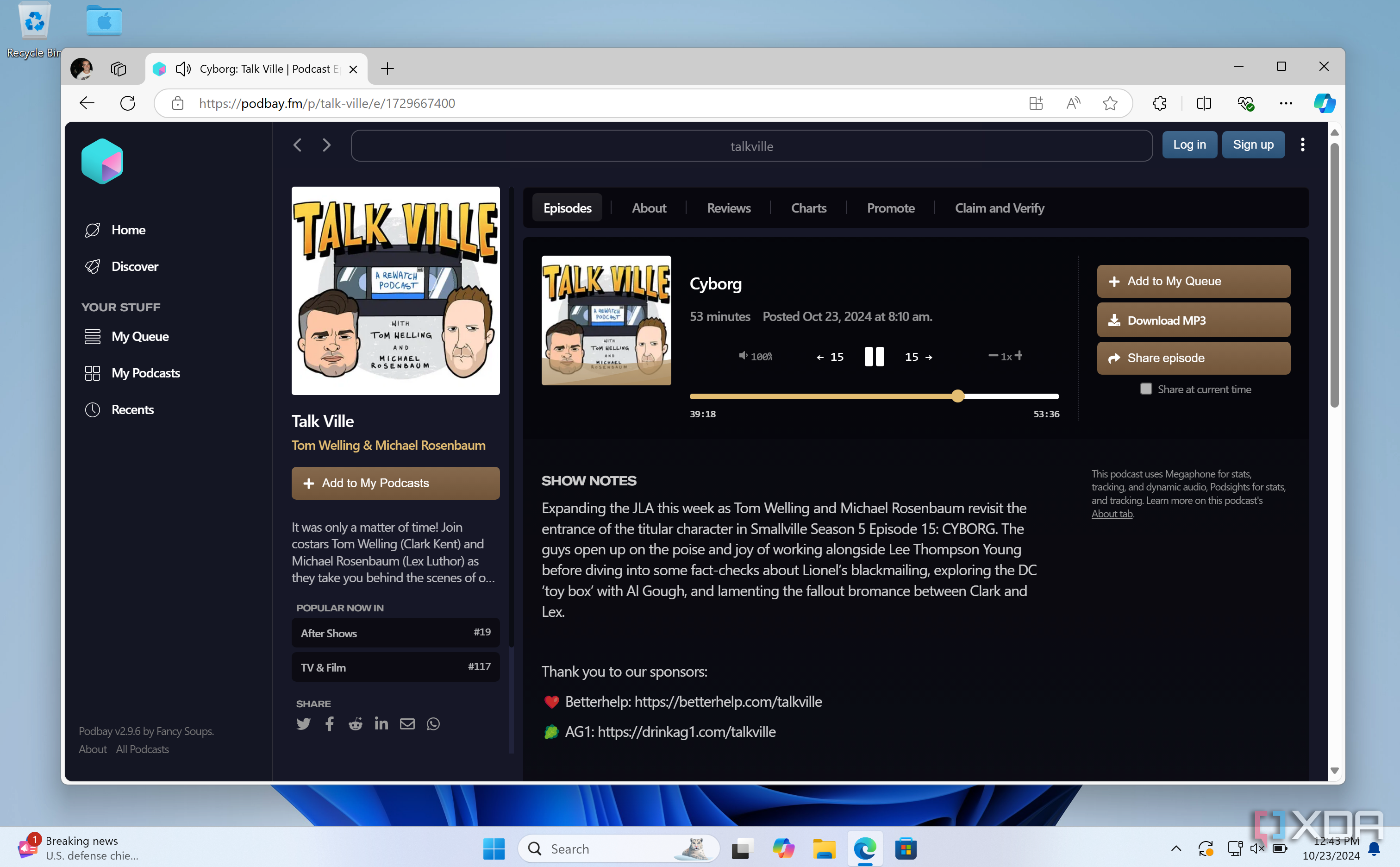
If you don't want to install a dedicated podcast app on your Windows PC, you can listen through your web browser. Sites such as PodBay provide easy access to shows without the need to subscribe. It could be a good option if you need to listen to a certain episode that's recently been made available. That said, it's also worth mentioning that Opera, an alternative web browser, offers a built-in feature to play podcasts directly from its sidebar. This can save you the hassle of listening to a podcast via a web page or a dedicated app.
1
Sync your podcasts through Spotify👁 Listening to a podcast on Spotify
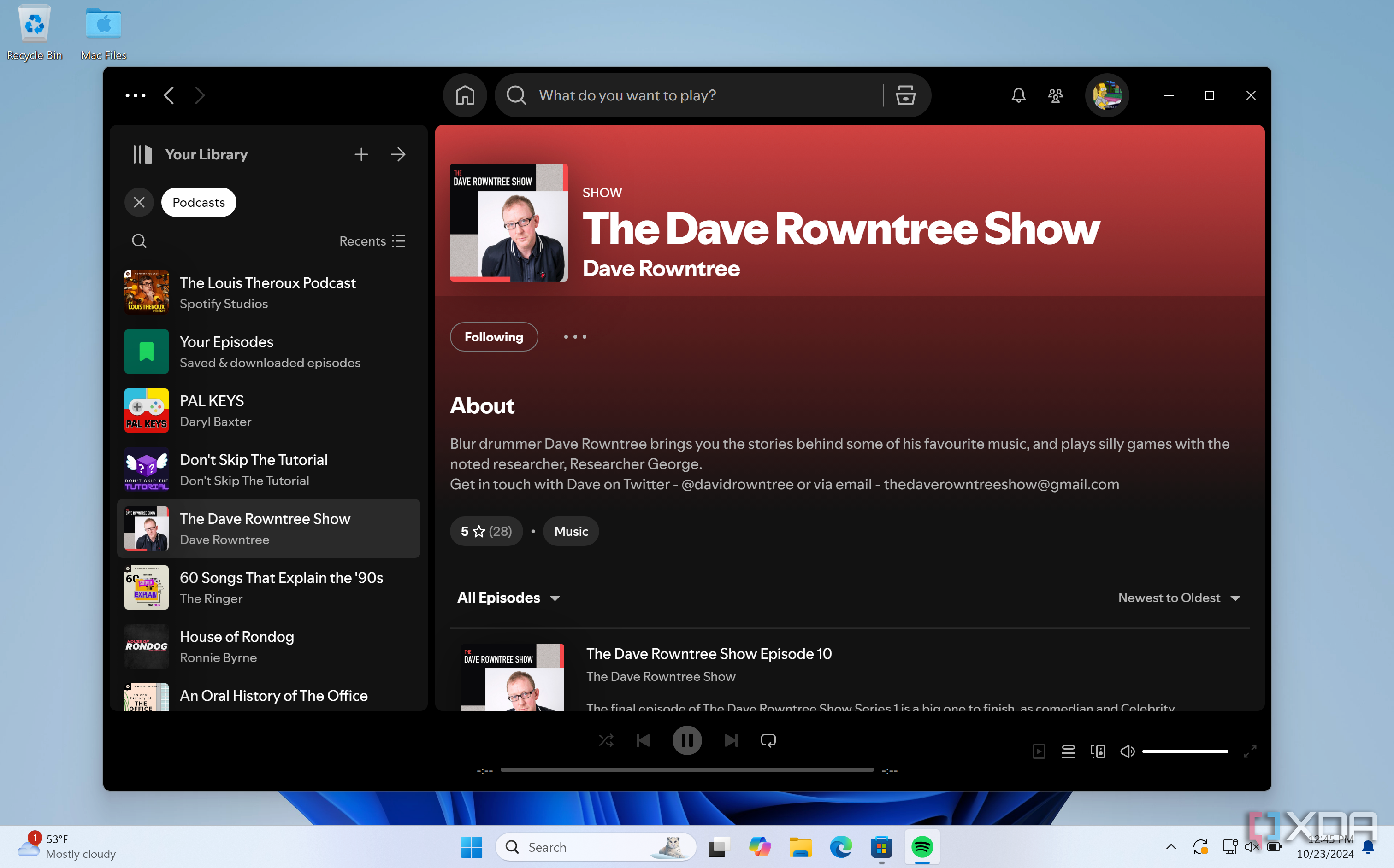
Spotify has been offering podcasts for free through its app for several years now. If you own several non-Windows devices, such as one of the best iPhone or Android devices, you can seamlessly continue listening to your podcast library across all of them. Spotify will keep track of every episode you've listened to while you've been away from your Windows PC, saving you the hassle of managing your podcasts when you next log on. The best part of this is that you don't need to pay for a Spotify subscription to do this — you can use Spotify's apps on all of your devices without paying a cent — you only need to sign up for a free account.
Listening to your podcasts has never been easier
Many people treat podcasts like radio shows from the past — enjoying them during their daily commute to work, at the gym, walking the dog, and otherwise. Podcasts are accessible from almost anywhere now - from your car to the smart speakers around your home, listening to your favorite shows is easier than ever, enabled by a variety of cross-platform listening options.
If you're new to using a smart speaker like the Amazon Echo, listening to your podcasts might not be a straightforward process. That's why we've also put together a guide below which can help you listen to your favorite shows on Apple Podcasts via a smart speaker.

How to listen to Apple Podcasts on the Amazon Echo
Listening to Apple Podcasts on an Amazon Echo device isn't as straightforward as doing so on a HomePod speaker.