If you work with gRPC services, you have probably hit the limits of generic API tools. Many clients treat gRPC as an afterthought. Kreya takes the opposite approach. It puts gRPC at the center and builds the rest of the protocols around it.
This guide explains what Kreya is, what it does well, how it stores your work, and who it suits. By the end, you will know whether it fits your workflow.
One quick note before we start. This article covers Kreya the API client, made by riok GmbH and found at kreya.app. It is not the fashion or beauty brand that shares the name. If you came here for clothing, you are in the wrong place.
What Is Kreya?
Kreya is a desktop GUI API client built by riok GmbH, a software company based in Switzerland. It gives you a graphical interface for calling and testing APIs across several protocols.
It supports gRPC, REST, GraphQL, WebSocket, and Server-Sent Events. That covers most of what a modern backend developer touches in a day. You install it once and call any of those protocols from a single window.
Kreya is proprietary software with a freemium model. The core client is free to use. Paid tiers add advanced features for individuals and teams. We cover the pricing structure later.
The product runs as a native desktop app on macOS, Windows, and Linux. There is no browser version and no required cloud account. You download it, install it, and start calling APIs.
The gRPC-First Positioning
Most API clients started life as REST tools. They added gRPC later, often as a thin layer. Kreya flips that order. Its gRPC support is deep, not bolted on.
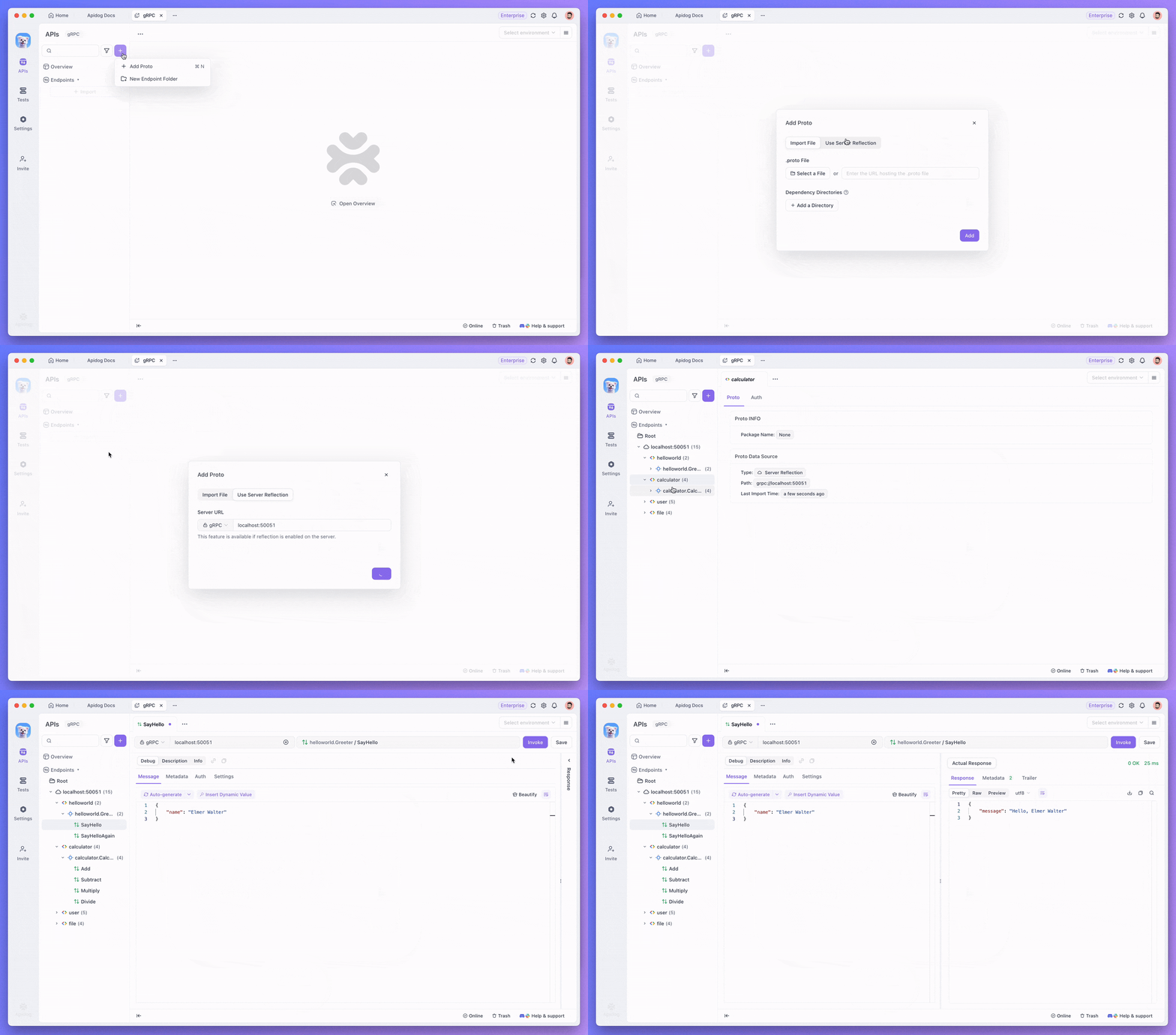
You can load a service two ways. Import a .proto file directly, or use gRPC server reflection to pull the service definition from a running server. Reflection means you do not always need the proto files on hand. If the server exposes them, Kreya reads them for you.
It handles every gRPC call type. That includes unary requests, client-streaming, server-streaming, and bidirectional (duplex) streaming. Many tools stop at unary calls. Kreya covers the full range, which matters when you build real streaming services.
Under the hood, it speaks HTTP/2, the transport gRPC depends on. It also supports HTTP/1.1 and HTTP/3. If you want a focused primer on the protocol itself, see our gRPC client guide and the walkthrough on how to test gRPC APIs.
Multi-Protocol Support
gRPC is the headline, but Kreya is not a single-protocol tool. It handles the common protocols you reach for during a normal build.
For REST, you compose requests with methods, headers, query parameters, and bodies, then inspect the response. This is the bread and butter of API work. Our overview of REST API clients explains the category if you are new to it.
For GraphQL, you send queries and mutations against a GraphQL endpoint and read the structured response. If GraphQL is your main protocol, our roundup of the best GraphQL clients gives you the wider landscape.
For real-time work, Kreya supports WebSocket and Server-Sent Events. WebSocket gives you a two-way channel. SSE gives you a one-way stream from server to client. Both are useful when you test live data feeds or chat-style services.
If you ever wonder which protocol to pick for a given job, our breakdown of REST vs GraphQL vs gRPC walks through the tradeoffs.
Offline, Privacy-First, and Git-Diffable Storage
Three design choices set Kreya apart from cloud-first tools. They tend to matter most to teams with strict data rules.
Runs fully offline
Kreya runs on your machine without an internet connection. Your requests, environments, and responses stay local. You do not need to sign in to a cloud service to send a request. For developers who work behind a firewall or on sensitive systems, this is a real advantage. See our guide to the best offline API client options for more on this category.
Privacy-first by default
Because everything stays on your device, your API data never leaves your control by default. There is no telemetry pulling request bodies to a vendor server. Kreya markets itself as privacy-first, and the offline-by-default design backs that up. An Enterprise offline license can remove the account requirement entirely for locked-down environments.
Git-diffable project storage
This is the feature that wins over engineering teams. Kreya stores each project as plain, structured JSON files on disk. Those files are git-diffable, so you commit them to your repository like any other code.
The payoff is real version control. You review API changes in pull requests. You see exactly what a teammate changed in a request. You roll back a bad edit with git revert. No proprietary sync format sits between you and your history.
This puts Kreya in the same family as other git-native API clients. If your team already lives in Git, your API definitions live there too.
Testing and Automation
Kreya is not only an exploration tool. It also helps you verify that your APIs behave correctly over time.
It supports automated tests. You write scripted tests in JavaScript to assert on responses. You can run data-driven tests that iterate over a set of inputs. This turns ad-hoc checks into repeatable suites.
It also offers snapshot testing. A snapshot captures a baseline response. On the next run, Kreya compares the live response against that baseline and flags any drift. This catches accidental changes to your API contract before they reach production.
For continuous integration, Kreya provides CLI automation with JUnit-style reporting. You run your saved tests in a pipeline and feed the results into your CI dashboard. That closes the loop between local testing and your build system.
The Freemium Model
Kreya uses a freemium pricing model with three tiers. The exact dollar amounts can change, so check the official Kreya pricing page before you commit.
The Free plan is free forever. It covers the core protocols, gRPC, REST, GraphQL, WebSocket, and the basic authentication methods. For solo exploration and everyday request work, the free tier goes a long way.
The Pro plan targets individuals. It adds the advanced features: scripting, snapshot testing, collections, request history, and email support. If you rely on automated testing, this is the tier you grow into.
The Enterprise plan targets companies. It adds priority support, a customer portal, flat-rate pricing for unlimited users, and the offline license option for environments that cannot use accounts.
Paid plans typically offer a short trial so you can test the advanced features before you buy.
Who Kreya Suits
Kreya fits a clear profile. It is a strong pick if you match one or more of these:
- gRPC-heavy developers. If your backend runs on gRPC, Kreya’s reflection support and full streaming coverage make it a natural home.
- Privacy-conscious teams. If your data cannot leave your machines, the offline, local-first design solves a real problem.
- Git-centric teams. If you want API definitions reviewed in pull requests, the git-diffable storage fits your workflow without friction.
- Multi-protocol shops. If a single day touches gRPC, REST, and a WebSocket feed, one tool that handles all three saves context switching.
It is a less obvious fit if you need a hosted, browser-based workspace, or if your whole team works across Mac, Windows, and the web and wants a shared cloud document. Kreya is desktop-first by design.
Where Apidog Fits
Kreya is a focused, privacy-first API client with genuine gRPC depth. If your needs stop at calling and testing APIs from a local desktop tool, it does that job well.
Some teams want more than a client, though. They want to design the API, mock it before the backend exists, document it for consumers, and collaborate in real time. That is a different scope.
Apidog is an all-in-one API platform built for that wider scope. Like Kreya, it handles gRPC, REST, GraphQL, and WebSocket (plus SOAP and Socket.IO). On top of the client, it adds a visual OpenAPI designer, automated test scenarios with CI/CD via the Apidog CLI, smart mocking, auto-generated interactive docs, and shared team workspaces. It ships as a desktop app for Windows, Mac, and Linux, plus a web app and a CLI.
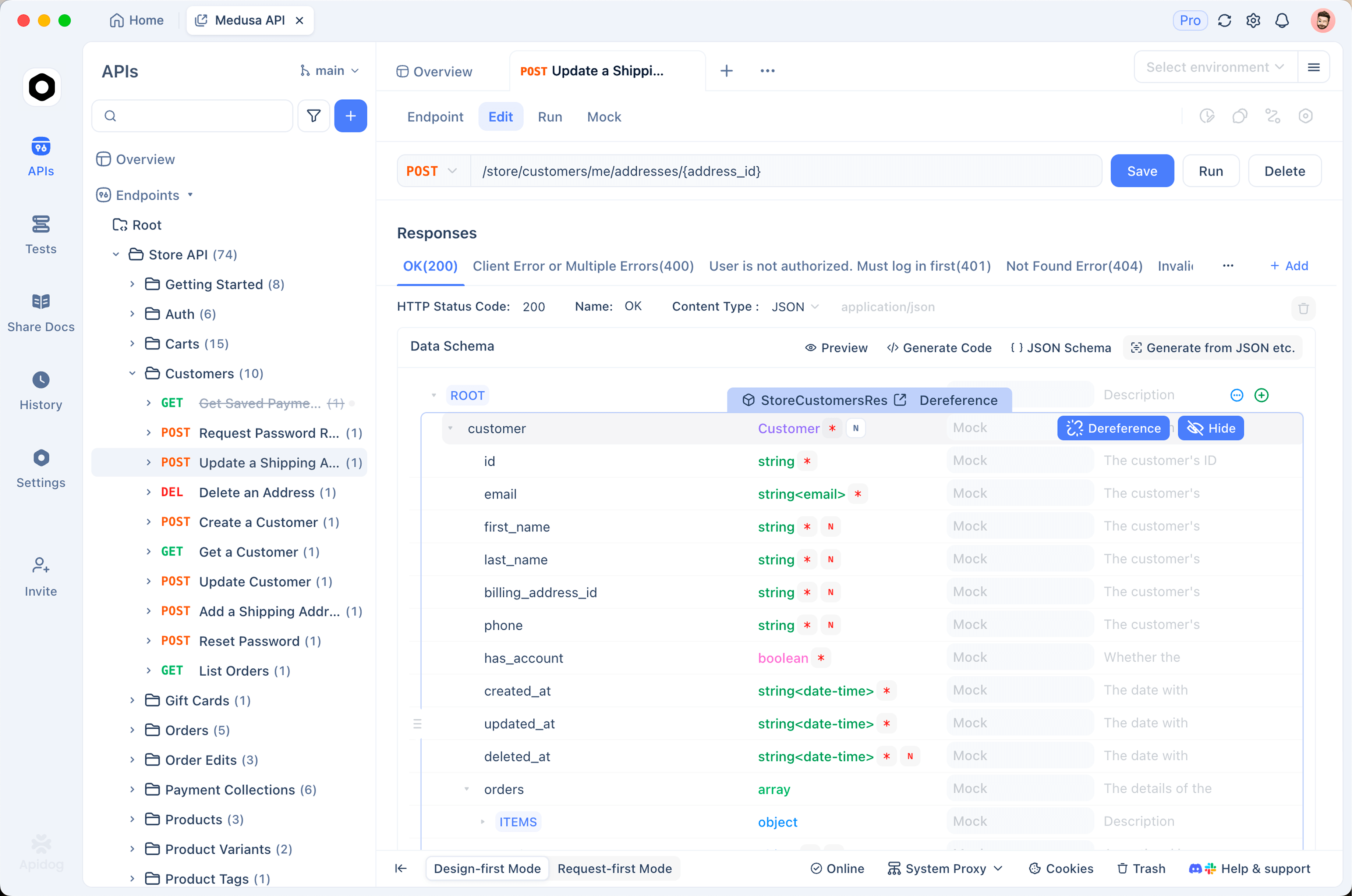
The honest tradeoff: Kreya is leaner and offline-first by default, which some teams prefer. Apidog covers the full API lifecycle in one place when you need design, mock, docs, and collaboration alongside the client. If you are weighing options, our roundup of Postman alternatives and the broader awesome API clients list put both in context.
FAQ
Is Kreya free?
Yes. Kreya has a free-forever plan that covers gRPC, REST, GraphQL, WebSocket, and basic authentication. Paid Pro and Enterprise tiers add scripting, snapshot testing, and team support.
Is Kreya open source?
No. Kreya is proprietary software made by riok GmbH. The free tier makes it accessible, but the source code is not open. If open source matters to you, look at free API client options that are also open.
Does Kreya work offline?
Yes. Kreya is a desktop app that runs fully offline. Your projects, environments, and responses stay on your machine. No cloud account is required to send a request.
What protocols does Kreya support?
Kreya supports gRPC, REST, GraphQL, WebSocket, and Server-Sent Events. Its gRPC support is the deepest, with proto import, server reflection, and all four streaming call types.
How does Kreya handle version control?
Kreya stores each project as git-diffable JSON files on disk. You commit them to your repository, review changes in pull requests, and roll back edits with standard Git commands.
Is the Kreya API client related to the Kreya fashion brand?
No. The Kreya covered here is the API client at kreya.app, made by riok GmbH. It has no connection to any fashion or beauty brand of the same name.