

Pricing
$25.00/month + usage
Go to Apify Store
Telegram scraper
Scrape group members from any telegram group. (⚠️ Warning: Auto adding feature is no longer available!)
Pricing
$25.00/month + usage
Rating
2.0
(6)
Developer

Actor stats
116
Bookmarked
7.1K
Total users
0
Monthly active users
a year ago
Last modified
Categories
Share
Features
- Scrape any telegram group members
NOTE: Auto add feature is no longer available!
Getting started
- Click on 'Try for free' button
- Go to 'Input' tab and select action you want to perform
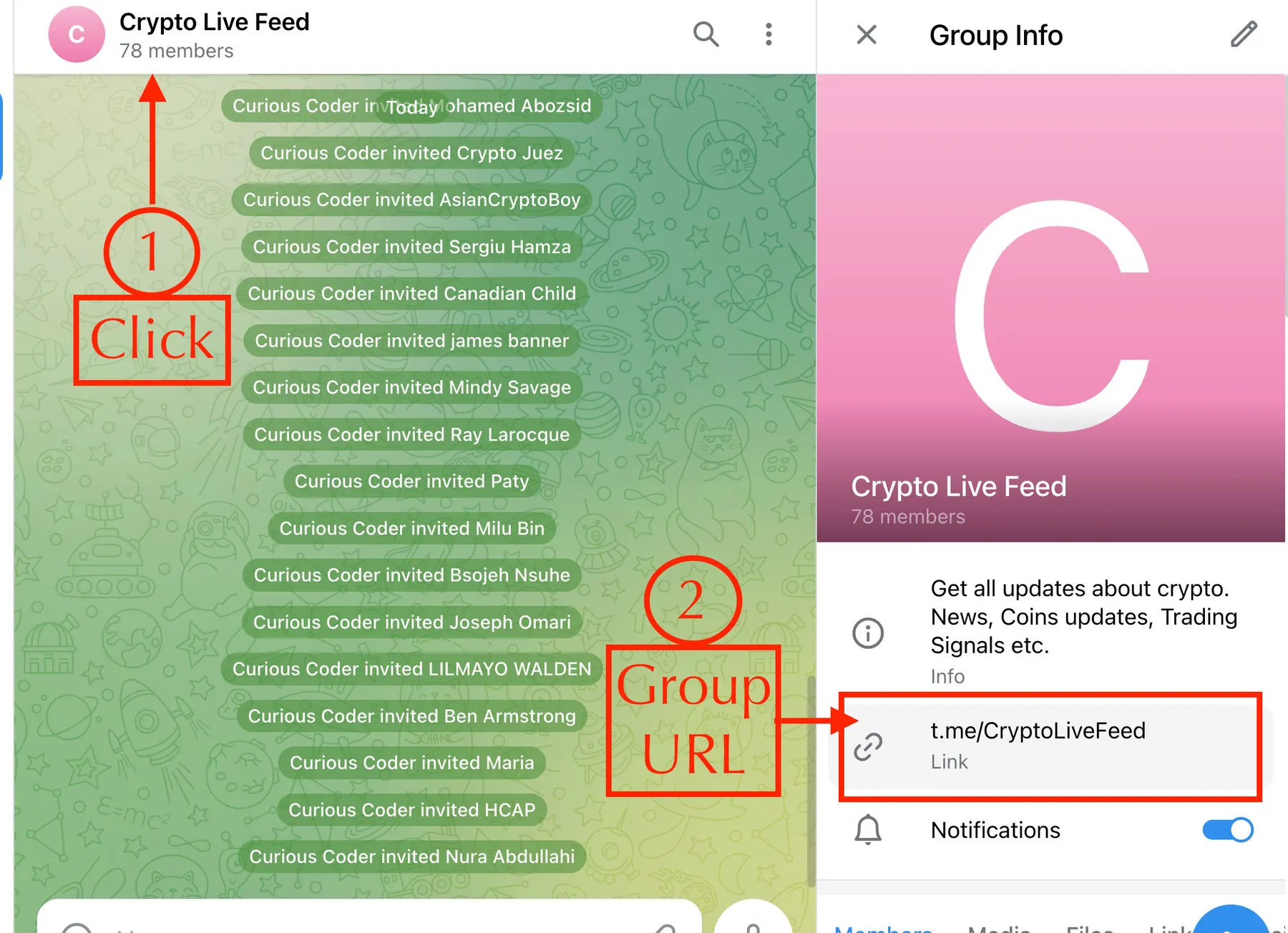
- Go to web.telegram.org and copy the group URL you want to use.
- Paste them in the 'Scrape group' input field
- Click on 'Save and start' button
The following steps required only for first time:
- Go to 'Live view' tab to scan the QR code to authenticate the actor with telegram (This step is only one time)
- Open telegram app on your device.
- Go to Telegram menu -> Settings -> Devices and click on 'Add device' button and scan the QR code
- Copy the auth code to use it in future runs by filling 'Auth code'. If you pass auth token, you can avoid scanning QR code
✳️ You might be interested in: Whatsapp scraper | Discord scraper | Facebook group members scraper | Other useful scrapers
How to get group URL
👁 Telegram group member scraper- how to get group url
Integrations
You can use Make to integrate telegram scraper data to any other SaaS platform by designing your own automation flows.
Group members output


