Pricing
from $4.00 / 1,000 file downloadeds
Universal Downloader
Powerful file downloader with proxy support, automatic retries, and cloud storage. Downloads any file type with streaming technology. Supports standby mode for instant API responses. Perfect for bulk downloads, geo-restricted content, and automation workflows.
Pricing
from $4.00 / 1,000 file downloadeds
Rating
5.0
(10)
Developer

Actor stats
13
Bookmarked
496
Total users
54
Monthly active users
12 days ago
Last modified
Categories
Share
📥 Universal Downloader
A powerful and reliable Apify Actor that downloads any type of file from the web with advanced proxy support, automatic retry mechanisms, and cloud storage integration. Perfect for downloading videos, documents, images, executables, and any other file format with enterprise-grade reliability.
⭐ Key Features
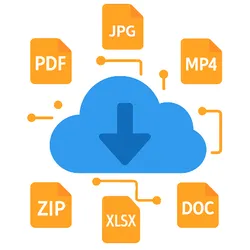
Universal File Support: Download any file type including videos, PDFs, executables, images, documents, archives, and more with automatic MIME type detection.
Unique Filename Generation: Smart hash-based naming prevents file overwrites when downloading multiple files with identical names (e.g., hqdefault.jpg from different YouTube videos becomes hqdefault-a3f5c2.jpg).
HLS Stream Conversion: Automatically detects and converts Zoom HLS streams (.m3u8) to MP4 format using FFmpeg with header preservation.
Advanced Proxy Integration: Full Apify proxy support with residential and datacenter options, country targeting, and session management for bypassing geo-restrictions and rate limits.
Memory Efficient Streaming: Uses streaming technology to handle large files without memory constraints, making it suitable for downloading files of any size.
Dual Execution Modes: Run as a standard Actor or deploy in standby mode as an HTTP API server for webhook integration and instant response times.
Smart Retry Logic: Intelligent retry mechanisms with multiple fallback strategies ensure maximum download success rates even with unreliable sources.
Real-time Monitoring: Live progress tracking, comprehensive statistics, and detailed error reporting for complete visibility into download operations.
⚙️ How It Works
The Actor processes your input URLs and downloads each file using optimized strategies. It first attempts downloads through your configured proxy settings (if enabled), then falls back to direct connections if needed. Each file is streamed directly to Apify's Key-Value Store, providing you with secure, publicly accessible URLs for immediate use.
Files are processed sequentially to ensure optimal performance and memory usage. The Actor continues processing even if individual downloads fail, providing detailed results for each URL including success status, file information, and download statistics.
🔧 Input Configuration
Basic Setup
Multiple Files with Same Name (Unique Naming)
Output:
hqdefault-a3f5c2.jpg← from first URLhqdefault-7b92d1.jpg← from second URLhqdefault-e4c8f9.jpg← from third URL
HLS Stream Conversion (Zoom Clips)
Advanced Configuration with Proxy
Input Parameters
URLItem (required): Array of file download specifications
- url (required): The URL to download
- method (optional): HTTP method, defaults to GET
- headers (optional): Custom HTTP headers for authentication or user agent spoofing
- fileName (optional): Custom filename for the saved file
uniqueFileNames (optional, default: true): Prevent filename conflicts by adding URL-based hash
- When
true: Files get unique names likehqdefault-a3f5c2.jpg - When
false: Files with same name will overwrite each other (legacy behavior) - Hash is a 6-character MD5 digest derived from the full URL
- Same URL always generates the same hash (deterministic)
proxyConfig (optional): Proxy configuration settings
- useApifyProxy: Enable Apify proxy service
- apifyProxyGroups: Choose between RESIDENTIAL or DATACENTER proxies
- apifyProxyCountry: Target specific countries using ISO codes (US, UK, DE, etc.)
- apifyProxySession: Maintain consistent IP addresses across requests
📤 Output Format
The Actor provides detailed results for each download attempt:
Successful Downloads: Includes file information, download statistics, secure storage URLs, and performance metrics.
Failed Downloads: Contains error details, retry information, and debugging data to help identify and resolve issues.
Summary Statistics: Overall success rates, total processing time, and batch performance metrics.
Each result includes the original URL, final status, file size, download speed, duration, content type, and a secure download URL for accessing the file.
🎯 Use Cases
Bulk Image Downloads: Download multiple images with the same filename (thumbnails, avatars, screenshots) without overwrites.
Content Archiving: Download and preserve web content, documents, and media files for long-term storage and offline access.
Zoom Recording Collection: Automatically convert Zoom HLS clips to downloadable MP4 files.
Media Collection: Bulk download videos, images, and audio files from various sources with proxy support for geo-restricted content.
Document Processing: Download PDFs, spreadsheets, and other documents for automated processing workflows.
Software Distribution: Download executables, installers, and software packages for deployment or analysis.
API Integration: Use standby mode to create download APIs for your applications with webhook support.
Backup Operations: Create automated backups of web-hosted files and resources.
🚀 Standby Mode (HTTP API)
Deploy the Actor in standby mode to create a persistent HTTP API server:
Instant Response: No cold start delays - the server stays warm and ready to process requests immediately.
Webhook Integration: Perfect for integrating with external systems, automation workflows, and third-party applications.
API Endpoints: RESTful endpoints for health checking, download processing, and status monitoring.
Scalable Architecture: Handle multiple concurrent requests with efficient resource management.
🌐 Using Standby Mode
The Actor can be deployed in standby mode to create a persistent HTTP API server that stays active and ready to process requests instantly.
Available API Endpoints
Health Check
GET /health- Returns server status and uptime informationGET /api/status- Detailed server configuration and statistics
File Download
POST /api/download- Process download requests with JSON payload
Landing Page
GET /- Serves a static HTML page with general information about the API
API Request Format
Send POST requests to /api/download with the same JSON structure as normal Actor input:
Important: Always use the /api/download endpoint for file download requests. Sending POST requests to the root path / will result in a "Cannot POST /" error.
Authentication
All API endpoints require authentication using your Apify API token, which can be provided as:
- URL parameter:
?token=YOUR_TOKEN - Authorization header:
Authorization: Bearer YOUR_TOKEN
Response Format
The API returns the same detailed JSON response as normal Actor execution, including download status, file information, and secure storage URLs.
Integration Benefits
Webhook Integration: Perfect for processing download requests from external systems and automation workflows.
Real-time Processing: No cold start delays - requests are processed immediately as the server stays warm.
Scalable API: Handle multiple requests efficiently with proper resource management and error isolation.
🌐 Proxy Benefits
Bypass Restrictions: Access geo-blocked content and overcome IP-based limitations using residential proxies.
Avoid Rate Limits: Distribute requests across multiple IP addresses to prevent rate limiting and blocking.
Enhanced Privacy: Mask your real IP address and location when downloading sensitive or restricted content.
Improved Reliability: Automatic proxy rotation and fallback mechanisms ensure consistent download success.
🔐 Unique Filename Feature
How It Works
The unique filename feature prevents file overwrites by appending a short hash to each filename:
- Hash Generation: Creates a 6-character MD5 hash from the full URL
- Deterministic: Same URL always produces the same hash
- Format:
{originalName}-{hash}.{extension} - Example:
hqdefault.jpg→hqdefault-a3f5c2.jpg
Why Use It?
Problem: Downloading multiple files with the same name causes overwrites
Solution: Each file gets a unique identifier
When to Disable
Set uniqueFileNames: false if:
- You're downloading a single file
- You want to overwrite existing files intentionally
- You're using custom
fileNamefor each URL - You need the exact original filename
🎬 HLS Stream Conversion
Automatically detects and converts Zoom HLS streams to MP4:
Detection: Checks for .m3u8 URLs with Origin: https://zoom.us header
Conversion: Uses FFmpeg with header preservation
Fallback: Falls back to normal download if conversion fails
Unique Names: Also supports unique filename generation for converted videos
⚡ Performance Optimization
Memory Efficient: Streaming architecture handles files of any size without memory constraints or buffer limitations.
Sequential Processing: Downloads are processed one at a time to optimize performance and prevent resource conflicts.
Smart Retry Logic: Multiple fallback strategies with exponential backoff maximize success rates for unreliable sources.
Automatic Cleanup: Proper resource management ensures optimal performance across long-running operations.
🔒 Security Features
Input Validation: Comprehensive validation of URLs and parameters to prevent malicious inputs.
Secure Storage: All downloaded files are stored securely in Apify's Key-Value Store with signed URLs.
Error Isolation: Individual download failures don't affect other operations in the batch.
Safe Filename Handling: Automatic sanitization prevents directory traversal and filename injection attacks.
Collision Prevention: URL-based hashing ensures no accidental filename conflicts.
📁 File Type Support
The Actor supports downloading any file type with automatic detection and appropriate handling:
Documents: PDF, Word, Excel, PowerPoint, text files, and more Media Files: Videos, images, audio files in all common formats Archives: ZIP, RAR, 7Z, TAR, and compressed file formats Executables: Software installers, applications, and binary files Web Assets: HTML, CSS, JavaScript, JSON, and web resources Specialized Formats: Any file type with proper MIME type detection
🚀 Getting Started
- Configure Input: Set up your URLs and any required headers or authentication
- Enable Unique Names: Keep
uniqueFileNames: trueto prevent overwrites (recommended) - Choose Proxy Settings: Enable proxy support if needed for geo-restrictions or rate limiting
- Run the Actor: Execute normally or deploy in standby mode for API access
- Access Results: Download files from the provided secure URLs in the Key-Value Store
💡 Best Practices
Use Unique Filenames: Keep uniqueFileNames: true when downloading multiple files (default behavior).
Batch Processing: Group multiple URLs in a single run for better efficiency and cost optimization.
Header Configuration: Include appropriate User-Agent and authentication headers for better compatibility.
Proxy Selection: Choose residential proxies for geo-restricted content, datacenter proxies for general use.
Error Handling: Review failed downloads and adjust configurations based on error messages.
Resource Monitoring: Monitor your Key-Value Store usage and clean up old files when no longer needed.
🔧 Common Issues and Solutions
Files Overwriting Each Other: Ensure uniqueFileNames: true is set in your input (it's the default).
Authentication Errors: Ensure proper headers and tokens are included for protected resources.
Geo-blocking: Enable proxy support with appropriate country targeting to bypass restrictions.
Large Files: The streaming architecture handles large files efficiently, but monitor timeout settings.
Rate Limiting: Use proxy rotation or reduce concurrent requests to avoid being blocked.
Format Issues: The Actor handles any file type, but verify URLs return actual file content.
📗 Integration Examples
Workflow Automation: Integrate with Apify workflows for automated content processing pipelines.
External APIs: Use standby mode to create download endpoints for your applications.
Scheduled Downloads: Set up scheduled runs to periodically download updated content.
Webhook Processing: Process download requests from external systems using the HTTP API.
📚 Support and Documentation
For detailed API documentation, troubleshooting guides, and integration examples, refer to the comprehensive documentation provided with the Actor.
Currently, the root endpoint (GET /) displays a static HTML overview. Interactive testing tools may be integrated in a future update.
This Actor is designed for reliability, efficiency, and ease of use, making it the perfect solution for any file downloading needs on the Apify platform.
🤝 Support & Resources
- 🌐 Website: flowextractapi.com
- 📧 Email: flowextractapi@outlook.com
- 🙋 Apify Profile: FlowExtract API
- 💬 GitHub Issues: FlowExtractAPI
Social Media
- 💼 LinkedIn: flowextract-api
- 🐦 Twitter: @FlowExtractAPI
- 📱 Facebook: flowextractapi
⚖️ Legal & Compliance
This Actor is provided as-is for lawful and ethical file downloading purposes. Users are solely responsible for ensuring their activities comply with all applicable laws, copyright regulations, and the terms of service of any target websites.
Downloading content without proper authorization may violate intellectual property rights or service agreements. Always respect robots.txt directives, content licenses, and website usage policies.
By using this Actor, you agree to act responsibly, ethically, and in good faith only downloading content you have the right to access.