

Pricing
Pay per event + usage
MD2UI - Markdown to Images & Code & Emails
Turn Markdown into shareable images and email-ready HTML — directly from Claude. Render tables, code blocks, and Mermaid diagrams as PNG, or Gmail-compatible HTML. 9 themes included. No design tools needed.
Pricing
Pay per event + usage
Rating
0.0
(0)
Developer
Actor stats
0
Bookmarked
10
Total users
0
Monthly active users
4 months ago
Last modified
Categories
Share
MD2UI - Markdown to Visual Output MCP Server
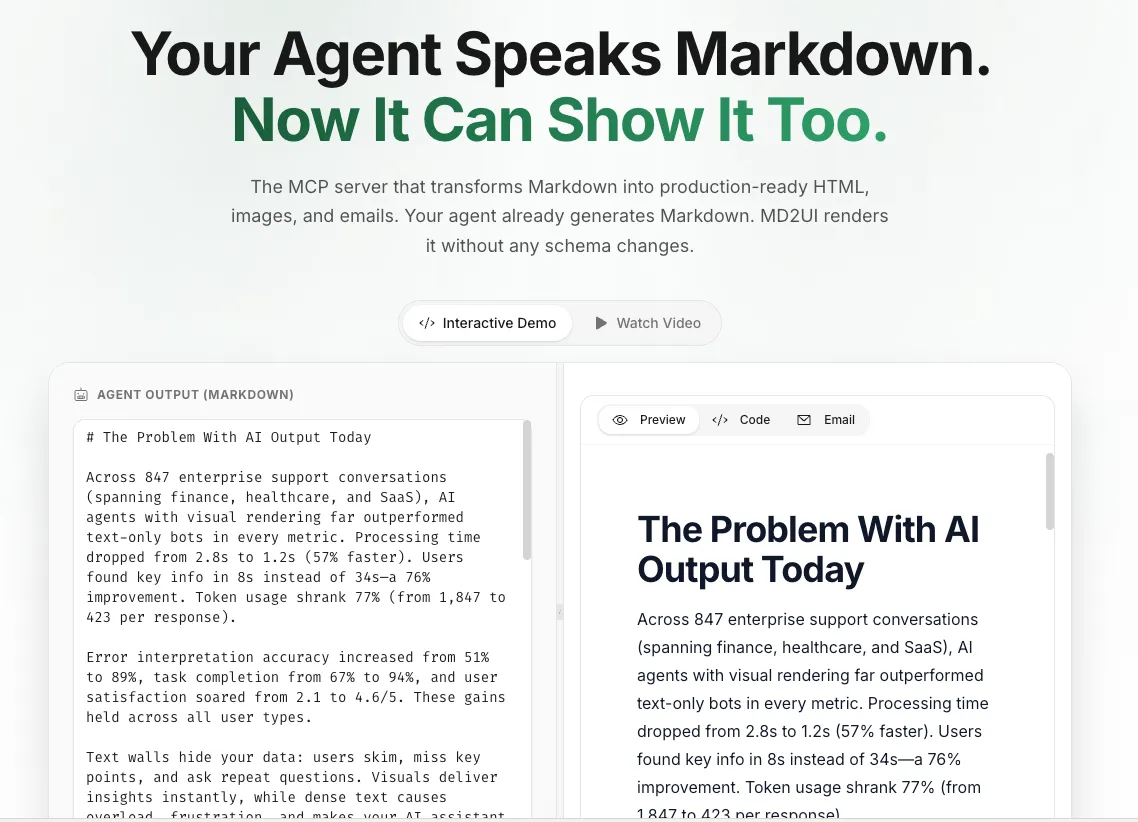
Give your AI agents the power to create beautiful visuals, not just text.
Transform Markdown into shareable images, styled HTML, and email-ready output. Perfect for AI agents that need to generate charts, diagrams, code snippets, and visual reports.
Try the Web Editor | Browse Themes | View on Apify
👁 MD2UI Editor - Transform Markdown to Visual Output
The Problem
AI agents are incredible at generating text. But when it comes to creating visual output, they hit a wall:
- Claude can write a perfect Mermaid flowchart... but can't render it as an image
- Your LangGraph agent generates a beautiful report... as raw Markdown nobody wants to read
- You need to share analysis results on Slack/WhatsApp... but plain text looks unprofessional
- Sending base64 images back to the LLM eats thousands of tokens
MD2UI solves this. It's an MCP server that takes any Markdown and returns a beautiful, shareable image URL in milliseconds.
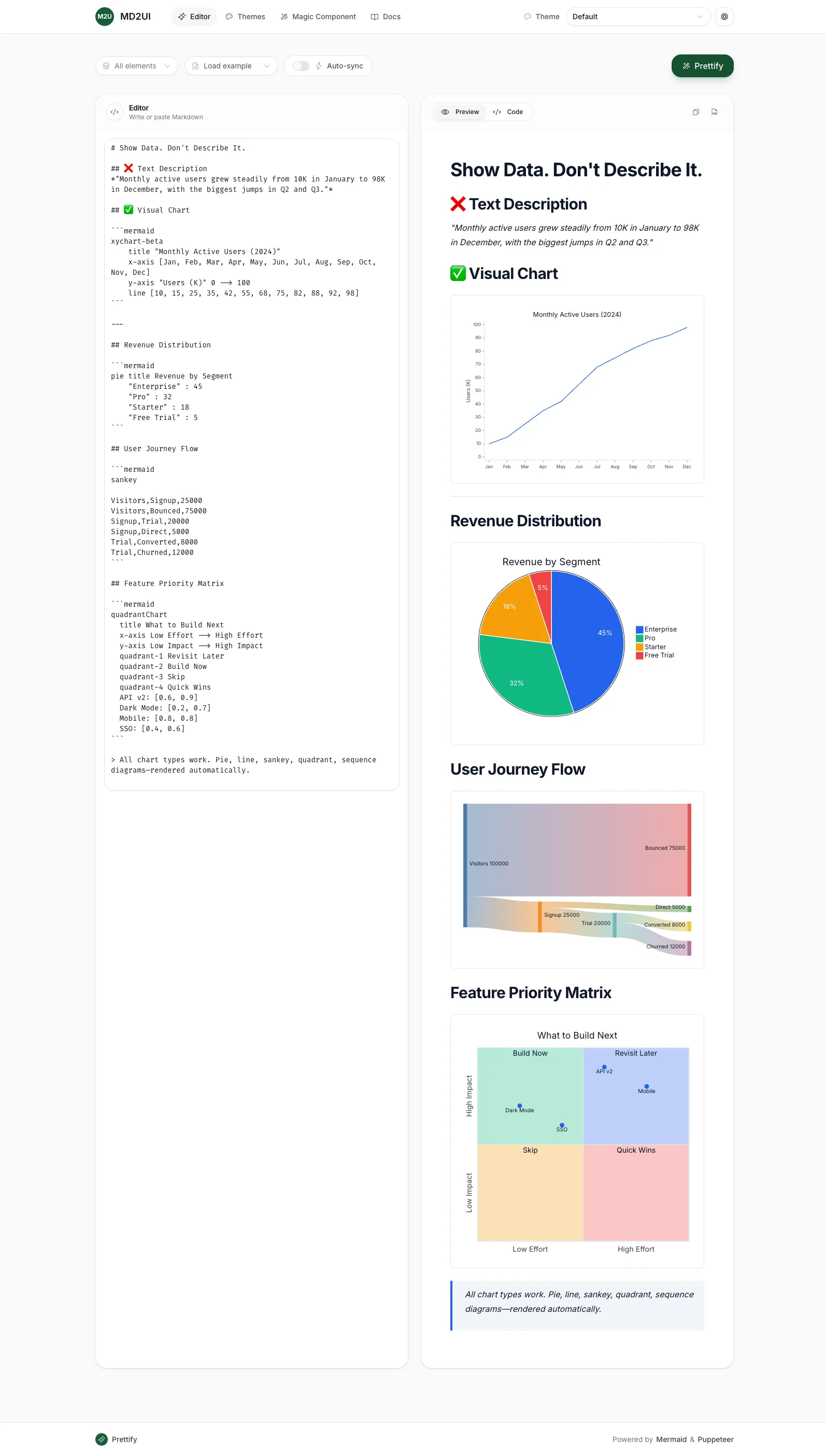
Mermaid Diagram Support
Full Mermaid 11.x support with server-side rendering:
Supported diagrams: flowchart, sequence, pie, sankey, timeline, quadrant, class, state, ER, gantt, mindmap, and more.
👁 Chart Gallery - Line charts, pie charts, sankey diagrams, and more
Features
- Multiple Output Formats - HTML, PNG, JPEG, WebP, Email HTML
- Email Rendering - Generate email-client compatible HTML (Gmail, Outlook, Apple Mail)
- 9 Professional Themes - Match your brand or use familiar styles
- Mermaid Diagrams - All diagram types rendered server-side
- Syntax Highlighting - Beautiful code blocks in any language
- URL Response - Get shareable links instead of base64 blobs
- Smart Caching - Mermaid diagrams and SVG conversions cached for performance
- Fast Cold Start - Standby mode keeps the server warm (~150-700ms)
- MCP Native - Works with any MCP-compatible client
Themes
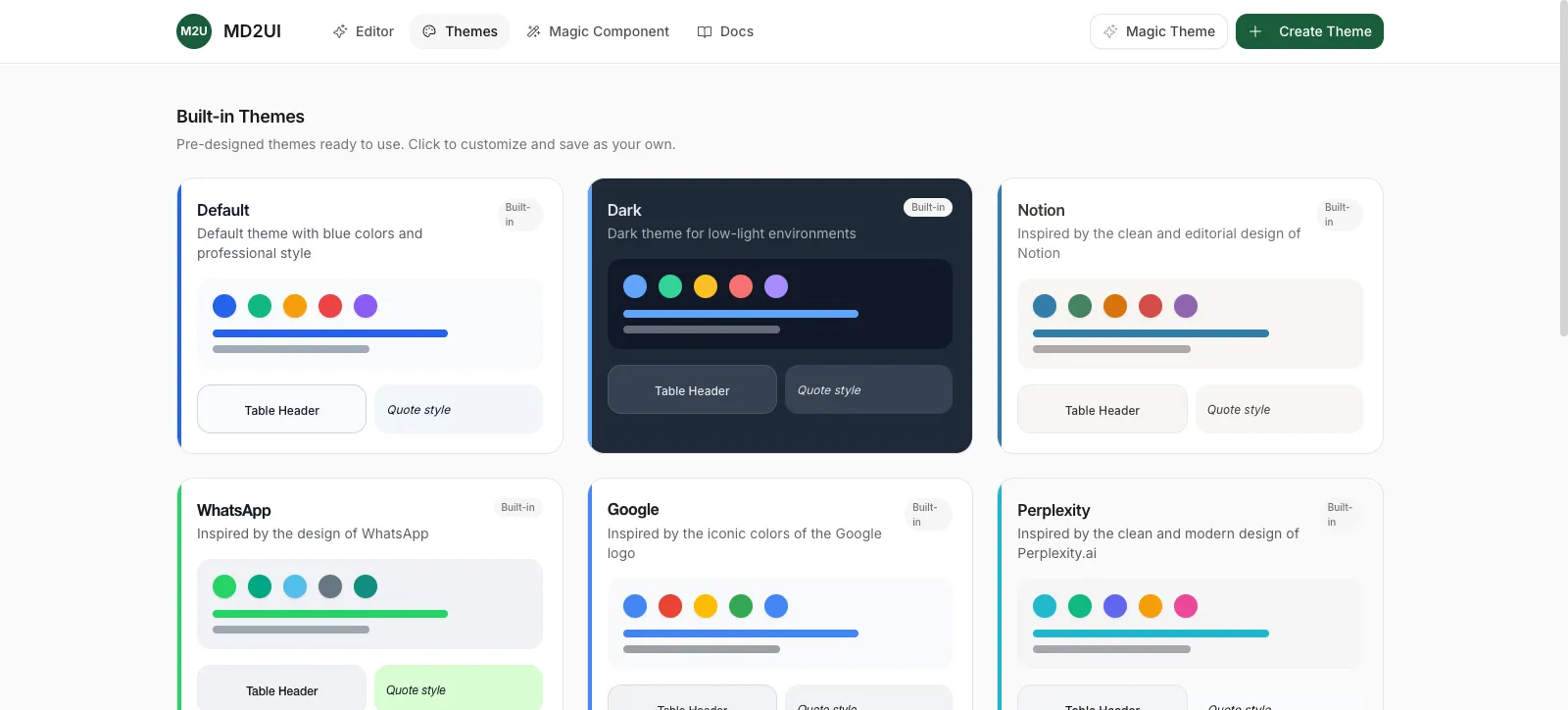
Choose from 9 built-in themes or create custom ones:
| Theme | Style | Best For |
|---|---|---|
default | Clean blue, professional | General purpose |
dark | Dark mode | Developer content, night mode |
notion | Notion-inspired | Documentation, notes |
anthropic | Claude-style warm tones | AI assistant outputs |
google | Material Design colors | Reports, presentations |
perplexity | Modern turquoise | Search results, summaries |
whatsapp | Chat-bubble green | Messaging, notifications |
minimal | Content-focused, serif | Long-form reading |
corporate | Business blue | Enterprise documents |
👁 Theme Gallery - 9 professional built-in themes
Quick Start
MCP Endpoint
Get your token at console.apify.com/settings/integrations.
Claude Code
Add to ~/.claude/settings.json:
MCP Tools
| Tool | Description |
|---|---|
render | Transform Markdown to HTML, PNG, JPEG, WebP images |
render_email | Generate email-compatible HTML for Gmail, Outlook, Apple Mail |
theme_list | List all 9 available themes |
theme_get | Get full configuration of a theme |
theme_create | Create a custom theme |
generate_component | AI-powered: describe what you want, get Markdown/Mermaid code |
health | Check server status |
render Parameters
| Parameter | Type | Required | Description |
|---|---|---|---|
markdown | string | Yes | Markdown content to render (max 100KB) |
output_format | enum | Yes | html, png, jpeg, webp |
theme_id | string | No | Theme ID (default: default) |
options.width | number | No | Width in pixels (default: 800) |
options.scale | number | No | DPI multiplier 1-3 (default: 2) |
options.quality | number | No | 0-100 for JPEG/WebP (default: 90) |
options.transparentBackground | boolean | No | Transparent PNG background |
Response Format
render_email Parameters
| Parameter | Type | Required | Description |
|---|---|---|---|
markdown | string | Yes | Markdown content to render for email |
theme_id | string | No | Theme ID (default: default) |
image_hosting | enum | No | hosted (URL) or base64 (embedded) |
Email Features:
- React Email components for universal email client support
- Automatic font fallbacks (Inter → Helvetica, Fira Code → Courier)
- Mermaid diagrams rendered as hosted PNG images
- Cached diagram rendering for improved performance
Response Format (Email)
Integration Examples
n8n Workflow
Use MD2UI in n8n workflows with LangChain or LangGraph agents:
LangGraph Agent
Why MD2UI?
| Without MD2UI | With MD2UI |
|---|---|
| AI generates Markdown nobody reads | AI creates shareable visuals |
| Mermaid code sits unrendered | Beautiful diagrams in seconds |
| Base64 images waste tokens | URL response saves 99% tokens |
| Plain text notifications | Professional formatted alerts |
| Manual diagram rendering | Automated visual pipeline |
Performance
| Scenario | Latency |
|---|---|
| Cold start (Standby wake) | ~150-700ms |
| Warm HTML render | ~50-100ms |
| Warm image render | ~200-400ms |
| Warm email render | ~250-450ms |
The server uses a persistent Puppeteer browser instance in Standby mode. After the first render, subsequent requests reuse the warm browser—no cold start penalty per request.
Batch rendering: Use render_batch to render up to 10 documents in a single request, sharing the same browser session for optimal throughput.
URL Persistence
Image URLs are stored in Apify's key-value store:
| Storage Type | Retention |
|---|---|
| Default (unnamed) | 7 days |
| Named stores | Indefinitely |
For most use cases, 7 days is plenty. URLs work immediately for Slack, email, or any sharing. If you need permanent URLs, download the image and host it yourself.
Tip: The response includes
expires_in(seconds) so your agent knows the URL lifetime.
Self-Hosting
MD2UI is optimized for Apify but can run elsewhere:
Docker image available: Built on apify/actor-node-puppeteer-chrome with Chromium pre-installed.
Limitations when self-hosting:
- No
Actor.charge()billing (pricing features disabled) - No automatic key-value store URLs (returns base64 only)
- You handle scaling, uptime, and browser management
Recommended: Use Apify for production. The Standby mode, managed scaling, and pay-per-use pricing make it simpler than self-hosting Puppeteer.
Links
Built by Treplit for AI agents that need to show, not just tell.


