|
VOOZH | about |
|
VOOZH | about |
Using characters as placeholders is a common practice in computer programming. If you’ve ever tried adding multiple files with an extension similar to Git to a directory using the git add *.java command, then you’ve used the glob pattern.
The glob pattern is most commonly used to specify filenames, called wildcard characters, and strings, called wildcard matching. The glob pattern adds all files within a directory with the .java extension, while the git add * command will add all files with the exception of those with a dot . at the start of their name in a given directory.
In this article, we’ll explore how to use the glob pattern in Node.js to represent or specify filenames and arbitrary strings. To follow along with this tutorial, you’ll need the following:
The Replay is a weekly newsletter for dev and engineering leaders.
Delivered once a week, it's your curated guide to the most important conversations around frontend dev, emerging AI tools, and the state of modern software.
Glob matching, or globbing, is a programming approach that entails using wildcards or glob patterns to specify or match filenames or a set of arbitrary strings.
Compared to the glob pattern, regular expression patterns might be more sophisticated. However, a simplified glob pattern can prove useful in some cases and get the job done.
* is one of the most commonly supported basic wildcard matching patterns across different programming languages. * matches any character zero or more times, excluding /. It also does not match files with dot . at the start of their name unless specified by the programmer using the dotglob common option.
The ** wildcard pattern matches any character zero or more times, including /. The ? wildcard pattern matches any character once, but it typically does not match a dotfile, a file name with a leading dot ..
Finally, the [abc] wildcard pattern matches specified characters as defined. In this case, a, b, and c. Now that we have an understanding of what a glob is, let’s learn how to implement globbing in Node.js.
First, we’ll create a new Node.js project. First, create a package.json with the following command:
npm init -y
Next, we’ll install the glob package with the following command:
npm install glob

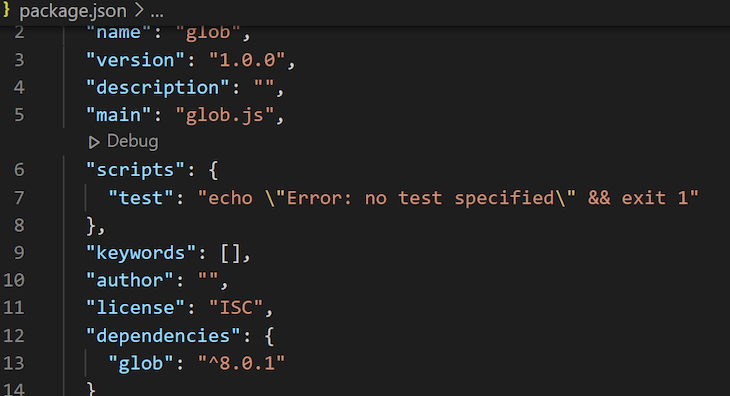
👁 Glob Dependency Package Json
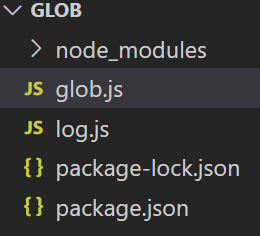
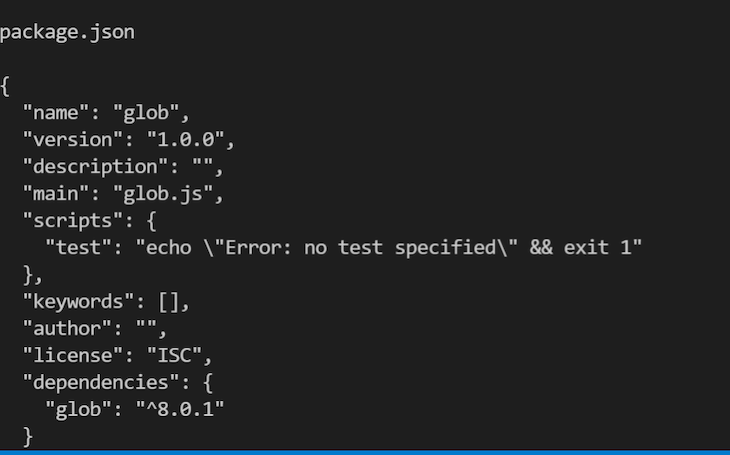
Your package.json file should look like the image above. Now, let’s write a sample code for using the glob package. Create two files in your Node.js project folder, glob.js and log.js:
Add the following code in your glob.js file:
const glob = require(“glob”);

glob("*.js", (error, filesWithJs)=>{
 if(error){
 console.log(error)
 }
 console.log(filesWithJs)
}
In the code above, I imported the glob module, then passed a pattern into the glob function and a callback function that returns the result of the pattern in the function.
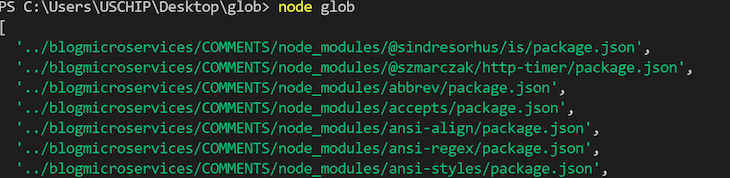
When you run the code above, a list of files with the extension .js will be printed:
Depending on the number of .js files you have in your current working directory, your output should look similar to the screenshot above.
Now, let’s see how to navigate the current working directory and subdirectory using the Node.js glob patterns. In the glob.js file where we imported the glob package, write the following code:
function directoryFiles(error, jsonFilesInDirectory){
 return console.log(jsonFilesInDirectory);
}
glob('*../**/*.json', directoryFiles)
The code snippet above will search through the current directory and subdirectory for files ending with .json as their extension, then print them to the console. The output will be an array of files ending with.json. Yours may differ slightly from the image below:
Next, we’ll learn to use the Node.js package to navigate through the computer directory. To access the current directory of a Node.js application, we have two options to choose from, process.cwd() and __dirname.
The process.cwd() method lies in the Node.js global object and provides information about the current working directory of a Node.js process. On the other hand, the __dirname variable returns the directory name of the current module or file.
The code snippet below illustrates the difference between process.cwd() and __dirname:
console.log("This is process.cwd", process.cwd());
console.log("This is _dirname", __dirname);
Before you run the code above, navigate a step backwards in your directory with the cd.. command:
👁 Changing File Path Step Back
The image below shows the outcome of the command:
Go ahead and run your Node.js application with the command below:
node glob
The result of running the code above is in the image below:
Now that we understand the difference between process.cwd() and __dirname, let’s use the process.cwd() function with glob. We’ll use the following code snippet for illustration:
const glob = require(“glob”);

stepInDirectory = {
 cwd: "../"
}
allJSFiles = (error, filesWithJS)=>console.log(filesWithJS);

// add a glob pattern
glob('**/*.js', stepInDirectory, allJSFiles);

console.log("This is an illustration for the current working directory", process.cwd());
So far, we’ve only used the Node.js glob package for globbing, or pattern matching, but the Node.js glob isn’t limited to pattern matching. In collaboration with the Node.js file system package, fs, you can use glob to read files.
The code snippet below illustrates how to use glob and fs in a Node.js application to read files:
const glob = require(“glob”);
const fs = require('’fs”);

const readFiles = function (pat, forFile) {
 // pattern
 pat = '*.json';
 // for file method
 forFile = (contentOfFile, jsonFileInDirectory) => {
 console.log(' ');
 console.log(jsonFileInDirectory);
 console.log(' ');
 console.log(contentOfFile);
 console.log(' ');
 };
 // using glob
 glob(pat, function (err, files) {
 if (err) {
 console.log(err);
 } else {
 files.forEach(function (file) {
 fs.readFile(file, function (err, data) {
 if (err) {
 console.log(err);
 } else {
 forFile(data.toString(), file);
 }
 });
 });
 }
 });
};
readFiles();
The code examines the current folder for files ending with .json, prints a space, reads the content, and finally prints it to the console. If you have the same code as I have, the output should be similar the to the one below:
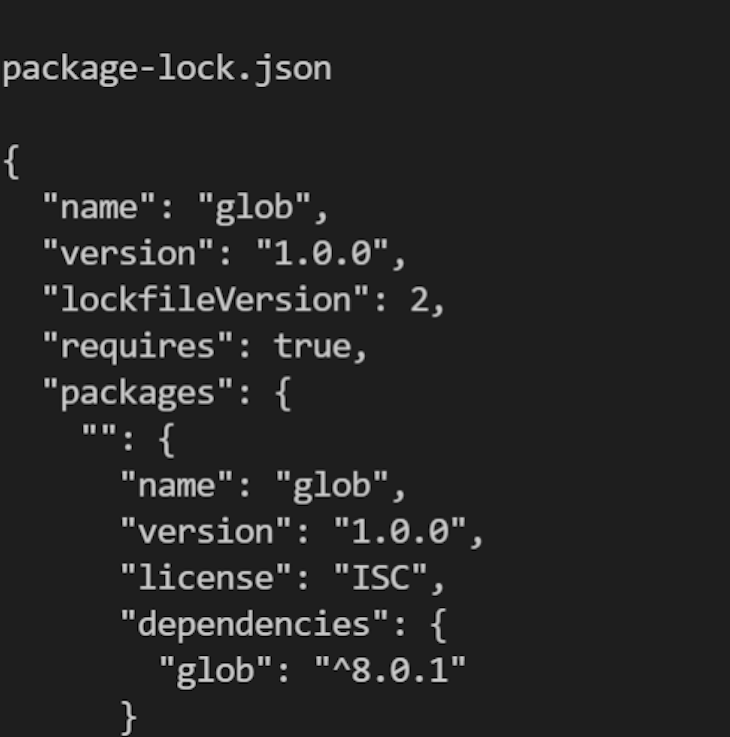
👁 Package Lock Json Glob Output
In this tutorial, we covered several of the most common glob patterns including *, **, ? , and finally [abc], considering the differences between wildcard characters and wildcard matching. We demonstrated how globbing can be used in Node.js applications along with fs, another useful Node.js package, to read files in our application.
We also illustrated how to use the glob pattern to traverse our working directory. The lessons from this tutorial should be enough to get you started using the glob package in Node.js, but be sure to leave a comment if you have any questions. Happy coding!
Deploying a Node-based web app or website is the easy part. Making sure your Node instance continues to serve resources to your app is where things get tougher. If you’re interested in ensuring requests to the backend or third-party services are successful, try LogRocket.
👁 LogRocket Network Request MonitoringLogRocket lets you replay user sessions, eliminating guesswork around why bugs happen by showing exactly what users experienced. It captures console logs, errors, network requests, and pixel-perfect DOM recordings — compatible with all frameworks.
LogRocket's Galileo AI watches sessions for you, instantly identifying and explaining user struggles with automated monitoring of your entire product experience.
LogRocket instruments your app to record baseline performance timings such as page load time, time to first byte, slow network requests, and also logs Redux, NgRx, and Vuex actions/state. Start monitoring for free.
Learn how next-browser gives AI agents runtime context for debugging Next.js apps, including React props, hydration, PPR, forms, and performance.
Build dynamic LLM routing in Next.js with OpenRouter, TanStack AI, task classification, model fallbacks, and cost-aware routing.
TSRX adds first-class control flow, conditional hooks, and scoped styles to React via a TypeScript compiler extension — no new framework required.
Learn how to build a full React Native auth system using Better Auth and Expo — with email/password login, Google OAuth, session persistence, and protected routes.
Would you be interested in joining LogRocket's developer community?
Join LogRocket’s Content Advisory Board. You’ll help inform the type of content we create and get access to exclusive meetups, social accreditation, and swag.
Sign up now