|
VOOZH | about |
|
VOOZH | about |
The Replay is a weekly newsletter for dev and engineering leaders.
Delivered once a week, it's your curated guide to the most important conversations around frontend dev, emerging AI tools, and the state of modern software.
As a developer, it’s difficult to build applications for multiple screen sizes or different operating systems, but cross-platform languages revolutionized software development.
👁 React Native Logo and Flutter LogoThere are plenty of cross-platform languages making software development very easy, but Flutter is gaining recognition over the existing cross-platform technologies like React Native, NativeScript, Xamarin, etc.
Flutter-built apps use Dart, which applies to both client and server-side development. Dart is a programming language developed by Google that is open source and object-oriented.
Flutter is a complete SDK for building apps and not just a framework. This implies that it includes everything required to build a user interface (UI), including the Material Design and Cupertino widgets. This lets developers easily render the UI on both iOS and Android.
Cross-platform development is the process of designing software products or services for different platforms or software environments.
Cross-platform development enables developers to build applications once and run them on every platform or software environment.
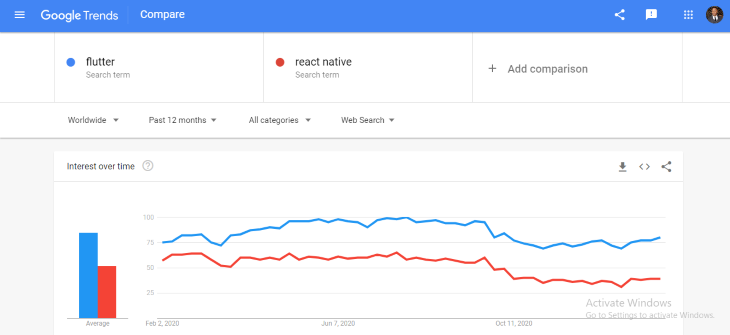
According to Google Trends search results from January 2020 to January 2021, comparing search results on Google between Flutter and React Native shows Flutter to be the most searched term.
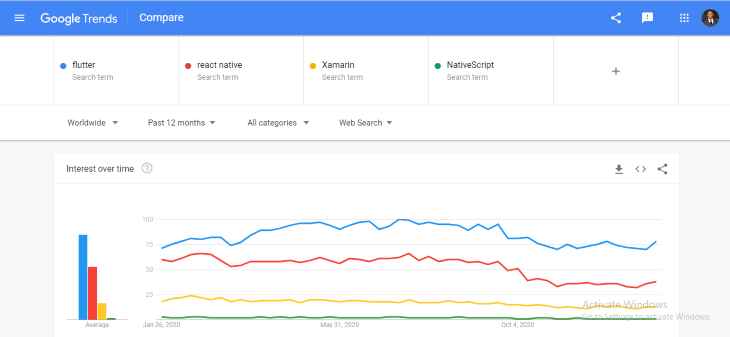
According to Google Trends showing search results from January 2020 to January 2021 comparing search results on Google between Flutter, React Native, Xamarin, and NativeScript shows Flutter to be the most searched term.
Flutter uses Material Design and Cupertino for its widget, which provides an expressive and flexible UI that enables developers to easily render the UI on both iOS and Android platforms with fast prototyping.
For both Android and iOS, because Flutter is compiled into the native ARM code, performance problems are further mitigated. Flutter allows programmers to use a single code base, this unifies teams, decreases risk, and speeds time to market. All while having the advantages of natives look and efficiency.
Flutter uses a single codebase for both web and mobile development.
When it comes to using Google Firebase for cloud services, Flutter has well-documented support on Firebase installation, making it easy for developers to integrate Flutter apps to Firebase.
React Native has great community support, but the Flutter community is promising with Flutter being an open-source tool backed by Google with 105k GitHub stars and 14.6k GitHub forks, and also a good community engagement with developers on Discord, Meetup, Gitter, Medium, and Stack Overflow.

With Stateful Hot Reload, Flutter provides a quick development cycle, the ability to reload the code of a live running app without restarting or losing app status. If programmers change some code when building Flutter apps and when it’s re-compiled, they don’t have to navigate back or manually recreate the state to see what changed.
Flutter builds a native app with a beautiful UI using a single codebase without compromising on speed, quality, or performance.
The approach in cross-platform development uses only a single code base, but it involves either a web view in which the app creates HTML and displays it in a web view on the platform, or building a bridge from code in a common language like JavaScript to those native UI components like buttons and menus.
In contrast to this, Flutter renders the app itself instead of letting the platform do so, eliminating any bridge or context needed to go between the app and platform. All it requires of the platform is a canvas in which to render the widgets so they can appear on the device screen and access events like finger taps and services like the camera and geolocation. This makes the app super fast and responsive and can run on any platform.
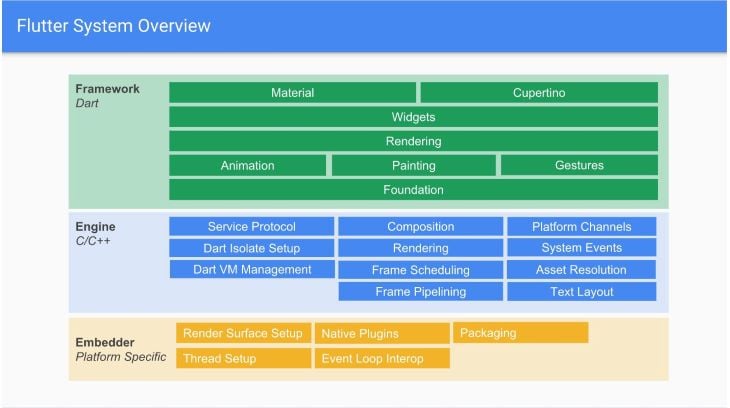
Flutter consists of a framework built with Dart and a rendering engine designed mainly in C++, because everything in the top region is Dart, you get a full stack trace for better debugging. In Flutter everything you can see on the screen is a widget. A widget can be described as a structural element like a button or a menu, a stylistic element like a font or a color scheme, and even a layout like padding.
DART provides both just in time (JIT) compilation, and also ahead of time compilation, which enables a lightning-fast development experience with a feature called Hot Reload, which allows you to see your code changes in less than a second.
To begin Flutter development, you will need to download the SDK from the official Flutter site here and choose the operating system version you are installing.
Next, set up your code editor depending on your preference, for this tutorial I will use visual studio code, you can download it here if you don’t have it. After setting up the code editor, go to the Extensions tab, and in the Extensions search section, type “Flutter”, pick Flutter from the list and then click Install.
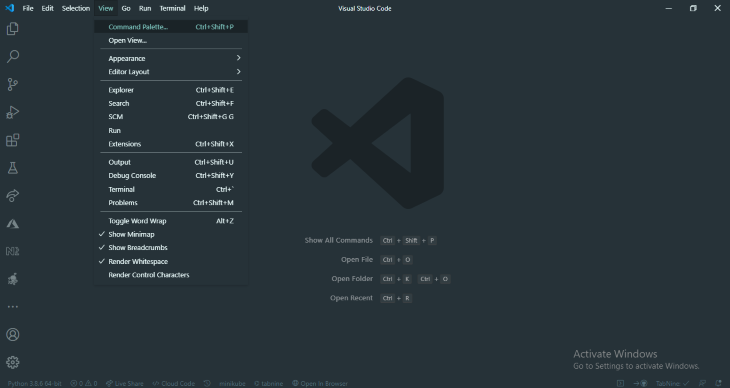
Go to the View tab and select the Command palette.
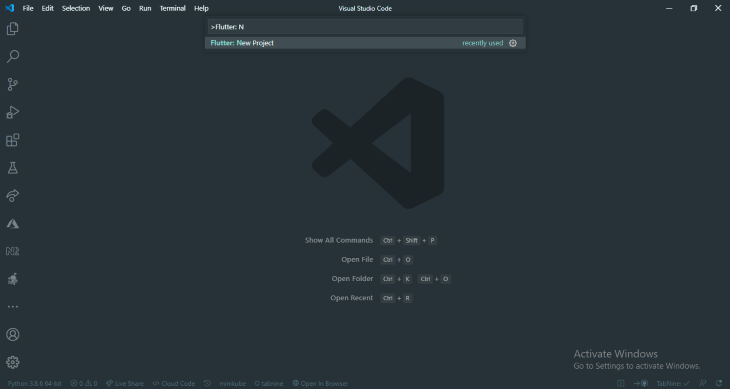
Type “Flutter” and select the Flutter: New Project.
👁 Flutter New Project Dropdown
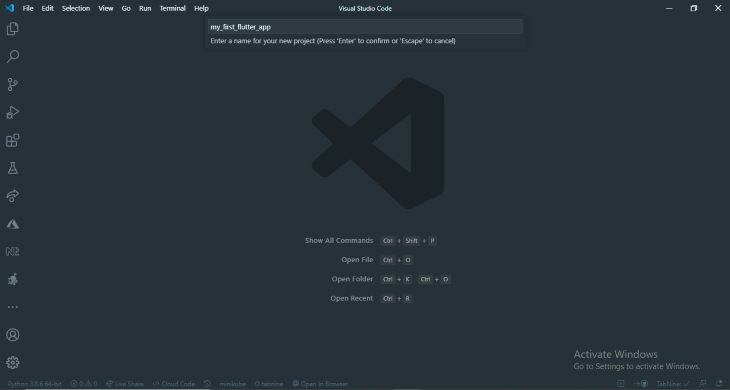
Next, enter a project name such as “my_first_flutter_app” and then create or select a parent directory folder for your project.
👁 Enter Project Name and Select Folder
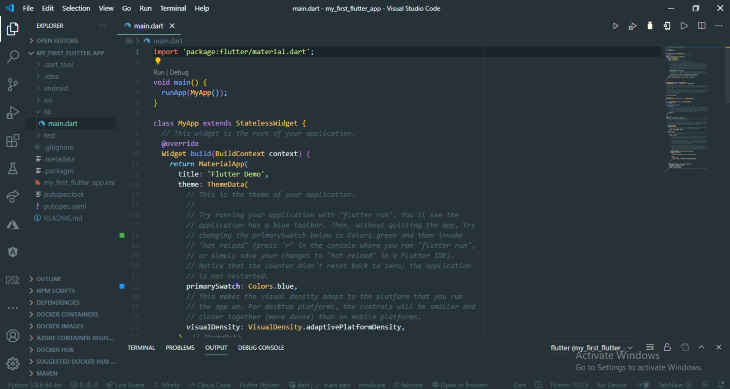
Finally, wait for your project creation to finish and you will see a libs folder and in it, you will see the main.dart file. The libs folder is where you will write most of the code using the Dart programming language.
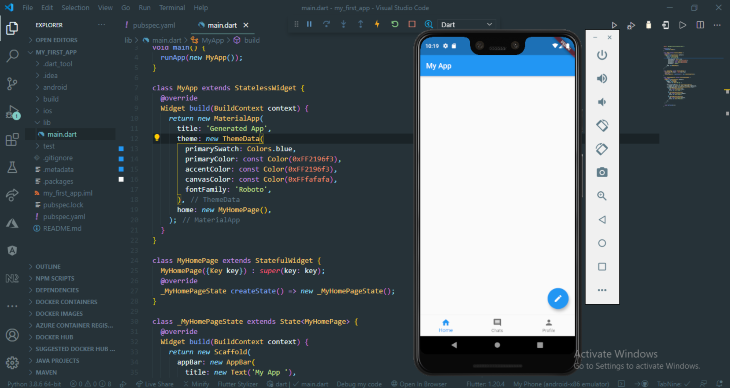
To test it, select an emulator device to run your app. I’m using an Android emulator to run the app:
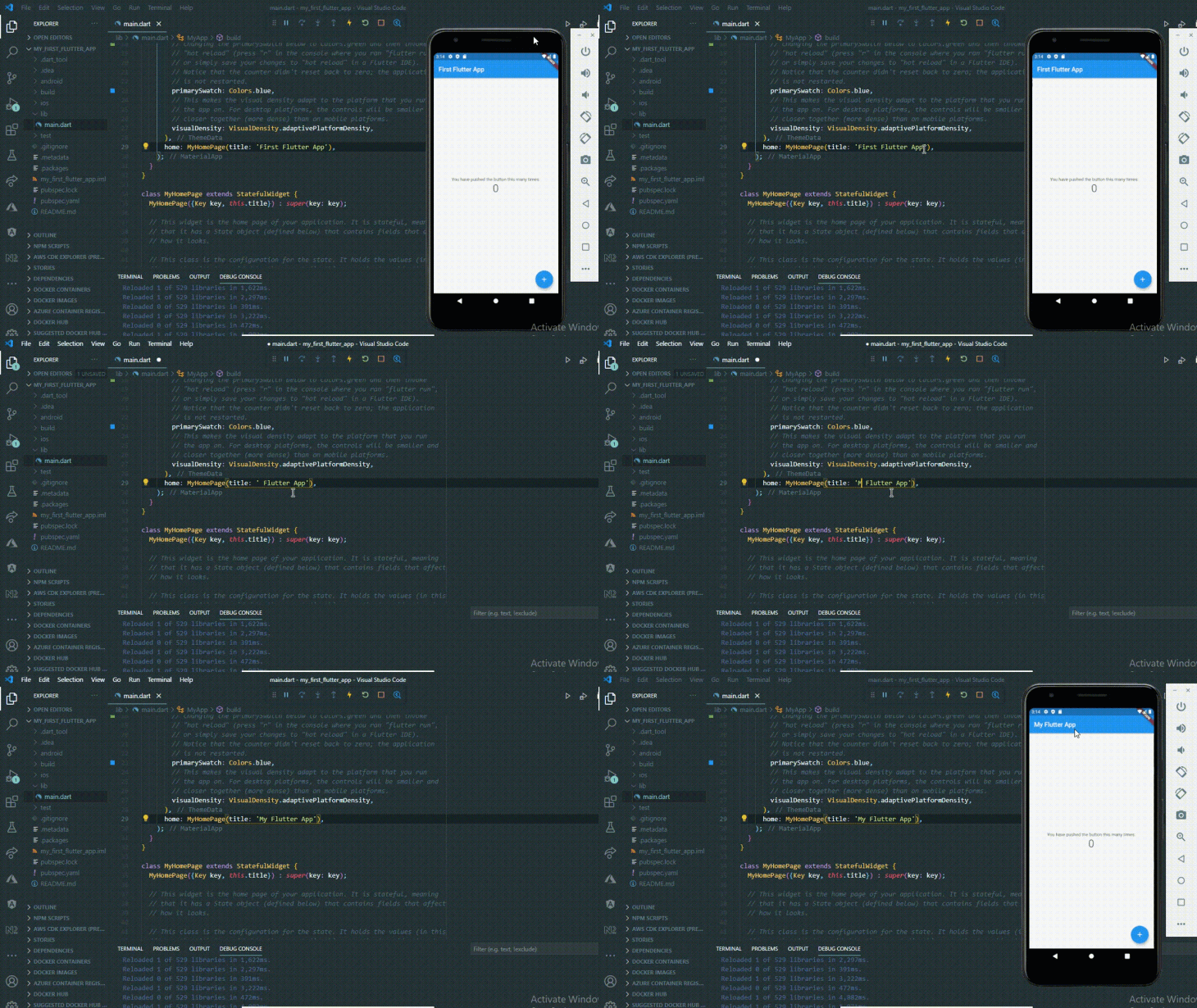
To use the Hot Reload, change the code, and then click on the hot reload key or save the changes to see the changes in your emulator or device.
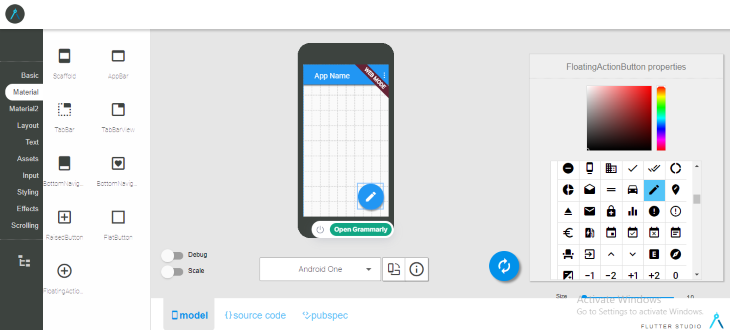
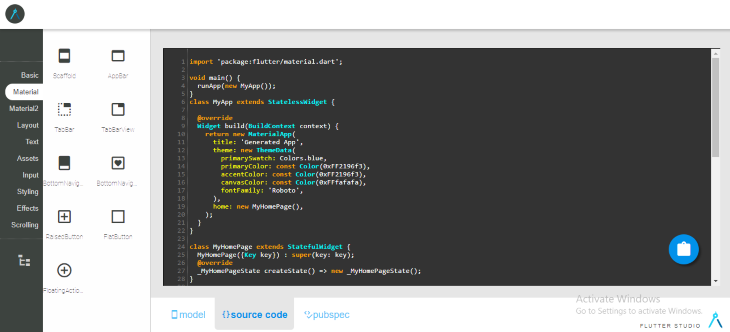
Using Flutter studio, a Flutter UI (user interface) NoCode platform, you can build a user interface by simply dragging and dropping elements.
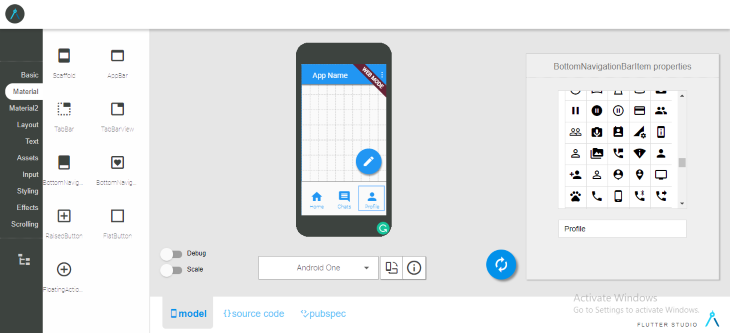
From the Material tab, drag and drop the FloatingActionButton and the BottomNavigationBar to the mobile screen, and then drag and drop the BottomNavigationIcon three times into the BottomNavigationBar and edit the icons.
Copy the source code and the pubspec code from the source code and pubspec tabs, respectively, and paste the source code in the main.dart file and the pubspec code in the pubspec.yaml file.
After pasting the code, Hot Reload, and you will see the fresh changes to the app.
The link to the GitHub source code can be found here.
Flutter is used by many companies today including Realtor, Tencent, The New York Times, Google Assistant, and Pickio.
In this post, we have learned why Flutter is overtaking React. We also looked at how Flutter cross-platform development works and how easy it is to get started with building Flutter applications using Flutter studio, an online NoCode platform.
LogRocket's Galileo AI watches sessions for you and and surfaces the technical and usability issues holding back your React Native apps.
LogRocket also helps you increase conversion rates and product usage by showing you exactly how users are interacting with your app. LogRocket's product analytics features surface the reasons why users don't complete a particular flow or don't adopt a new feature.
Start proactively monitoring your React Native apps — try LogRocket for free.
Learn how next-browser gives AI agents runtime context for debugging Next.js apps, including React props, hydration, PPR, forms, and performance.
Build dynamic LLM routing in Next.js with OpenRouter, TanStack AI, task classification, model fallbacks, and cost-aware routing.
TSRX adds first-class control flow, conditional hooks, and scoped styles to React via a TypeScript compiler extension — no new framework required.
Learn how to build a full React Native auth system using Better Auth and Expo — with email/password login, Google OAuth, session persistence, and protected routes.
Hey there, want to help make our blog better?
Join LogRocket’s Content Advisory Board. You’ll help inform the type of content we create and get access to exclusive meetups, social accreditation, and swag.
Sign up now