VOOZH about

URL: https://claude.com/resources/tutorials/working-with-claude-opus-4-7

⇱ Working with Claude Opus 4.7 | Claude


Explore here

Working with Claude Opus 4.7

A practical guide to the newest version of Claude's most capable generally available model class
  • Category
    Professional
  • Product
    Claude.ai
  • Reading time
    Watch time
    5
    min
    min
  • Share
    Copy link
    https://claude.com/resources/tutorials/working-with-claude-opus-4-7

What Claude Opus 4.7 does well and how to use it

Claude Opus 4.7 is the model to reach for when the work is substantial and worth getting right. Learn what it's best at, how it handles reasoning and effort, and when it's the right model for the job — with examples to follow along.

1. Follows instructions more closely

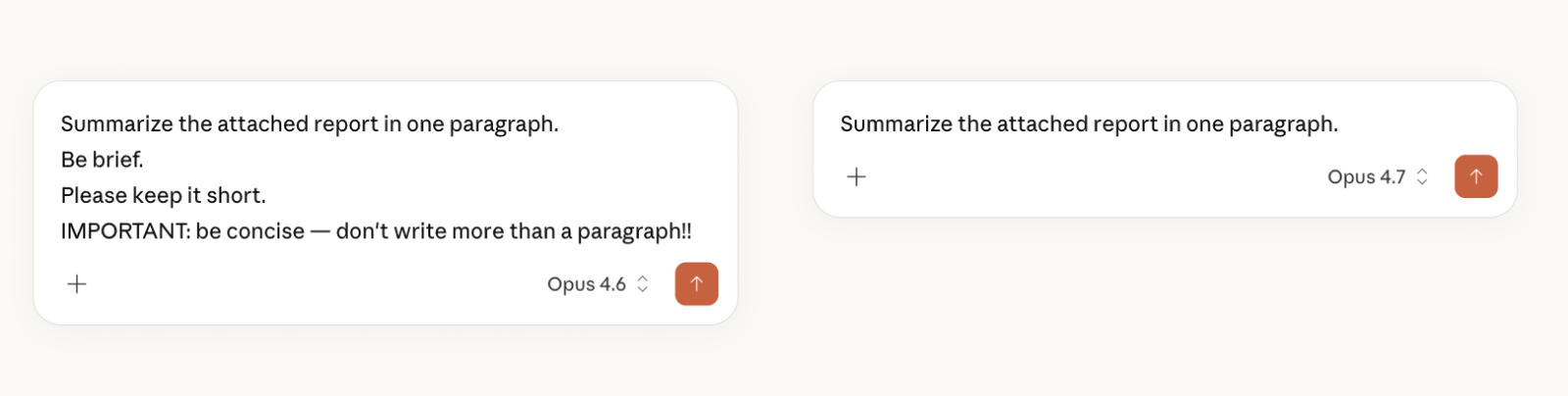
Models differ in how strictly they follow instructions or how ‘steerable’ they are. Opus 4.7 is likely to take your instructions more literally than Opus 4.6 did. This means you should think about what you need to emphasize or include within your prompt. 

What this means for you: Write your directions once and clearly. And re-read any instructions Claude already has from you, including Project instructions or scheduled task prompts. Certain instructions like "be brief" or "skip the obvious parts" may now be followed more precisely.

Opus 4.7 follows instructions more literally than earlier models.

2. Reads images at full resolution

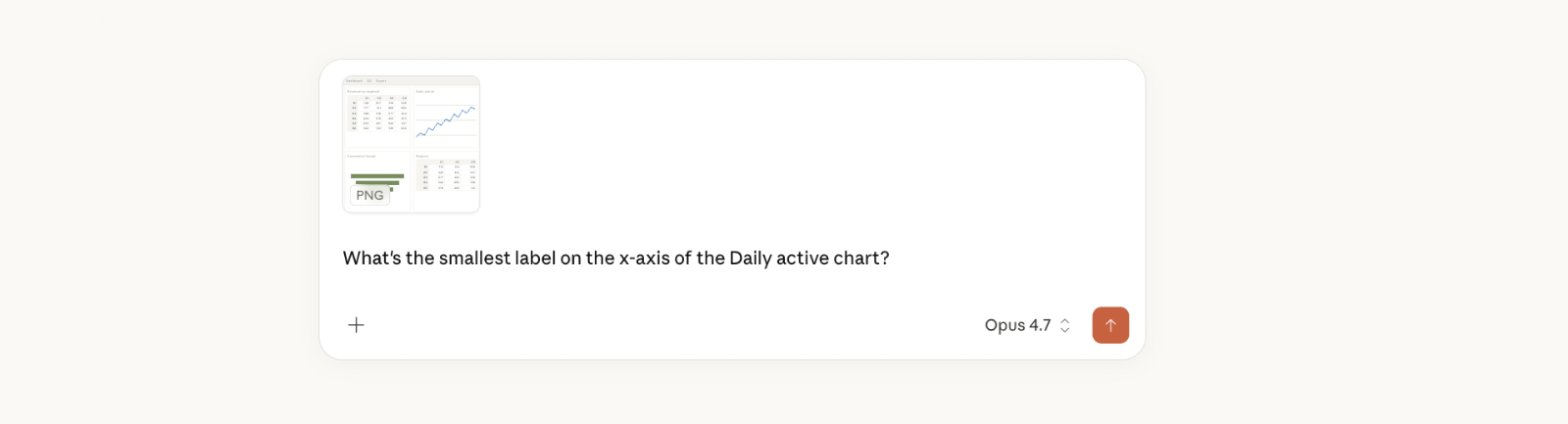
Opus 4.7 reads images at higher resolution than prior models, which means small details come through more clearly: chart labels, values in a busy table, fine print in a screenshot. This applies anywhere you give Claude an image: a claude.ai chat, a Cowork task, Claude in Chrome reading the page in front of you.

What this means for you: Opus 4.7 is the model to pick when the details in an image matter. It can more reliably read from images like a full dashboard, a scanned form, or a chart with small labels, catching details previous models may have missed.

Images are read at higher resolution. Small text — axis labels, table cells, footnotes — is legible without cropping or upscaling first.

3. Thinks through problems at the right depth

With Opus 4.6,  extended thinking was a toggle you managed: turn it on for hard tasks, off for quick stuff. If you left it on, every question paid the thinking tax whether it needed to or not. Now, with Opus 4.7, extended thinking becomes adaptive thinking. This means that when the toggle is on, Claude makes the decision on how much to think per question. It answers simple things immediately and takes the time on hard ones.

What this means for you: You can leave Extended thinking on and stop managing it. Simple questions come back faster than they did on Opus 4.6 with thinking on; hard questions still get the depth. You get both without choosing.

With Extended thinking on, Opus 4.7 decides per question how much to think. Simple questions finish fast; harder ones get more time automatically.

4. Better at document and spreadsheet work

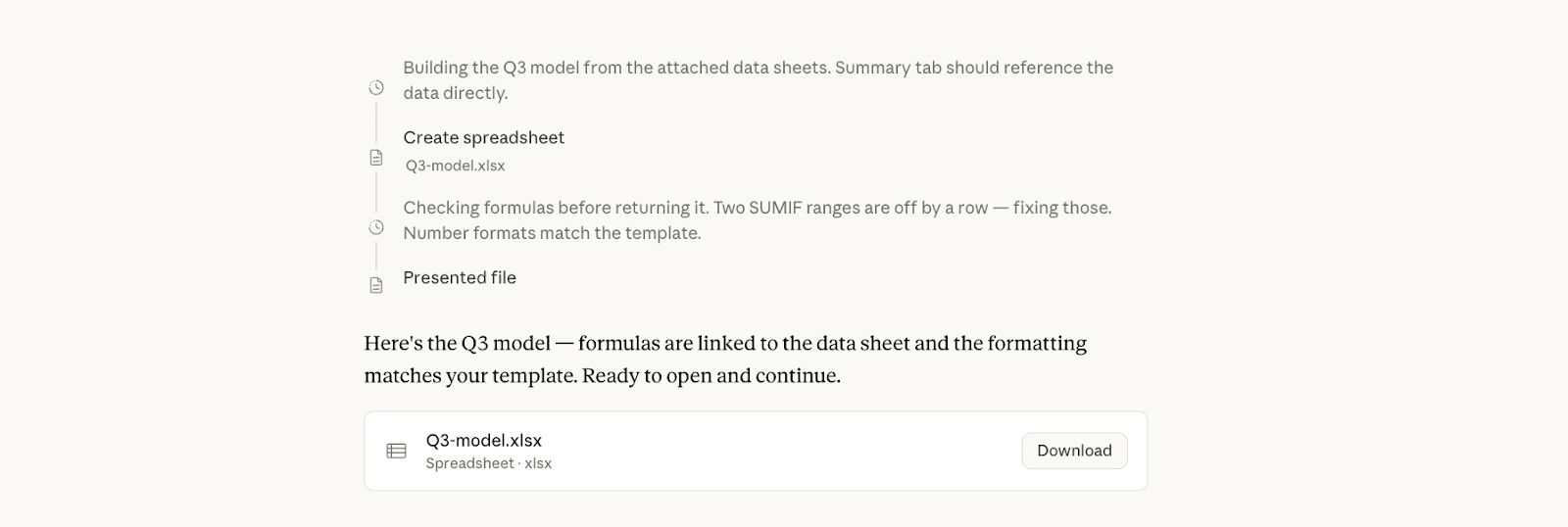
Opus 4.7 is stronger at producing and reviewing its own work on office tasks, so the files it returns are more complete and correct on the first pass. Whether it's redlining a Word doc, building a slide deck, or working through a spreadsheet, it's more likely to spot its own layout and formula mistakes before outputting the file. That cuts down the rounds of back-and-forth it takes to reach something usable.

What this means for you: Choose Opus 4.7 when you're asking Claude to create office files. You'll get a draft you can open and continue working in rather than one you have to rebuild. This applies to file creation in claude.ai Chat and Cowork, and to Claude in Excel and Claude in PowerPoint.

Office files — spreadsheets, docs, slides — come back more complete on the first pass.

5. More selective about searching the web and using connectors

Claude has tools it can use mid-task: web search for current information, files you've attached or put in a Project, and connectors like Google Drive and Slack. On any given question it decides whether to use them or to answer from what it already has.

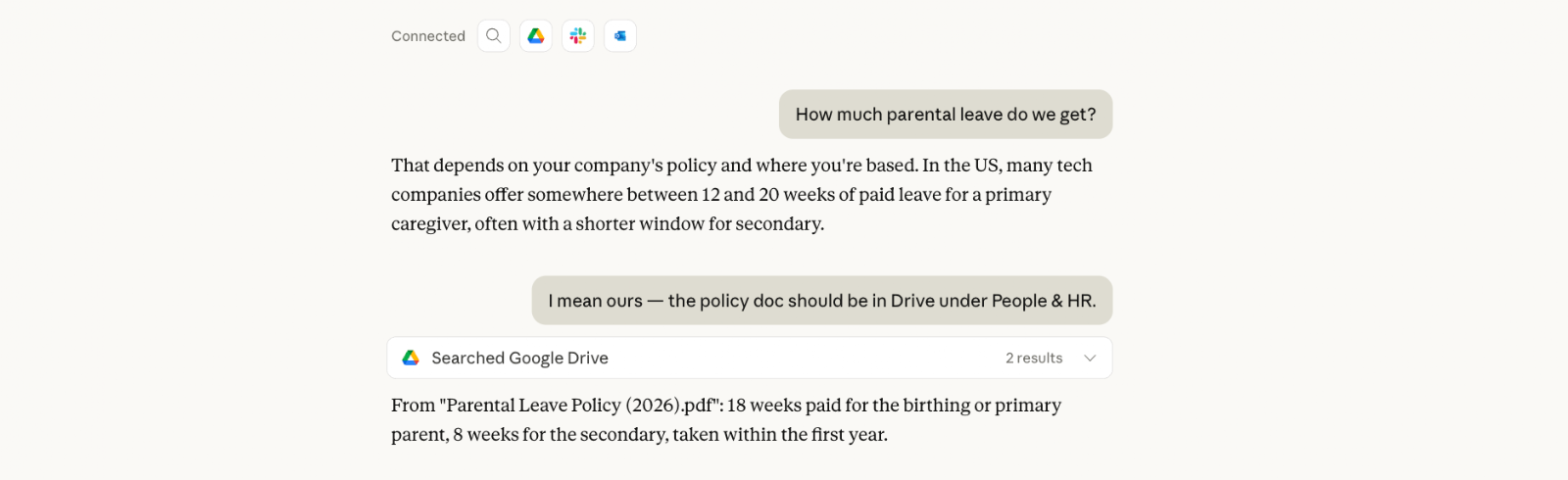
Left to decide, Opus 4.7 reaches for those tools less often than 4.6 did. Unless you ask, it's more likely to answer from what it already has than to search or pull from a connector on its own.

What this means for you:Before you prompt, decide whether the answer needs a specific source. If it lives on the web or in your files and tools, name it in your prompt. If not, leave it out and Claude answers faster from what it already knows. Afterward, check in Claude's thinking what it drew from, and if it answered on its own where you needed something looked up or pulled from connected tool, follow up by pointing it to the right source.

If the answer should come from somewhere specific — Drive, Slack, the web — name it in the prompt. That makes the lookup intentional rather than Claude’s judgment call.

Set yourself up to get more from it

Opus 4.7 makes good use of the context you've already given Claude — so it's worth setting up once.
Related tutorials

Thank you! Your submission has been received!
Oops! Something went wrong while submitting the form.
Write
  • Help me develop a unique voice for an audience

    Hi Claude! Could you help me develop a unique voice for an audience? If you need more information from me, ask me 1-2 key questions right away. If you think I should upload any documents that would help you do a better job, let me know. You can use the tools you have access to— like Google Drive, web search, etc.—if they’ll help you better accomplish this task. Do not use analysis tool. Please keep your responses friendly, brief and conversational.

    Please execute the task as soon as you can—an artifact would be great if it makes sense. If using an artifact, consider what kind of artifact (interactive, visual, checklist, etc.) might be most helpful for this specific task. Thanks for your help!

  • Improve my writing style

    Hi Claude! Could you improve my writing style? If you need more information from me, ask me 1-2 key questions right away. If you think I should upload any documents that would help you do a better job, let me know. You can use the tools you have access to— like Google Drive, web search, etc.—if they’ll help you better accomplish this task. Do not use analysis tool. Please keep your responses friendly, brief and conversational.

    Please execute the task as soon as you can—an artifact would be great if it makes sense. If using an artifact, consider what kind of artifact (interactive, visual, checklist, etc.) might be most helpful for this specific task. Thanks for your help!

  • Brainstorm creative ideas

    Hi Claude! Could you brainstorm creative ideas? If you need more information from me, ask me 1-2 key questions right away. If you think I should upload any documents that would help you do a better job, let me know. You can use the tools you have access to— like Google Drive, web search, etc.—if they’ll help you better accomplish this task. Do not use analysis tool. Please keep your responses friendly, brief and conversational.

    Please execute the task as soon as you can—an artifact would be great if it makes sense. If using an artifact, consider what kind of artifact (interactive, visual, checklist, etc.) might be most helpful for this specific task. Thanks for your help!

Learn
  • Explain a complex topic simply

    Hi Claude! Could you explain a complex topic simply? If you need more information from me, ask me 1-2 key questions right away. If you think I should upload any documents that would help you do a better job, let me know. You can use the tools you have access to— like Google Drive, web search, etc.—if they’ll help you better accomplish this task. Do not use analysis tool. Please keep your responses friendly, brief and conversational.

    Please execute the task as soon as you can—an artifact would be great if it makes sense. If using an artifact, consider what kind of artifact (interactive, visual, checklist, etc.) might be most helpful for this specific task. Thanks for your help!

  • Help me make sense of these ideas

    Hi Claude! Could you help me make sense of these ideas? If you need more information from me, ask me 1-2 key questions right away. If you think I should upload any documents that would help you do a better job, let me know. You can use the tools you have access to— like Google Drive, web search, etc.—if they’ll help you better accomplish this task. Do not use analysis tool. Please keep your responses friendly, brief and conversational.

    Please execute the task as soon as you can—an artifact would be great if it makes sense. If using an artifact, consider what kind of artifact (interactive, visual, checklist, etc.) might be most helpful for this specific task. Thanks for your help!

  • Prepare for an exam or interview

    Hi Claude! Could you prepare for an exam or interview? If you need more information from me, ask me 1-2 key questions right away. If you think I should upload any documents that would help you do a better job, let me know. You can use the tools you have access to— like Google Drive, web search, etc.—if they’ll help you better accomplish this task. Do not use analysis tool. Please keep your responses friendly, brief and conversational.

    Please execute the task as soon as you can—an artifact would be great if it makes sense. If using an artifact, consider what kind of artifact (interactive, visual, checklist, etc.) might be most helpful for this specific task. Thanks for your help!

Code
  • Explain a programming concept

    Hi Claude! Could you explain a programming concept? If you need more information from me, ask me 1-2 key questions right away. If you think I should upload any documents that would help you do a better job, let me know. You can use the tools you have access to— like Google Drive, web search, etc.—if they’ll help you better accomplish this task. Do not use analysis tool. Please keep your responses friendly, brief and conversational.

    Please execute the task as soon as you can—an artifact would be great if it makes sense. If using an artifact, consider what kind of artifact (interactive, visual, checklist, etc.) might be most helpful for this specific task. Thanks for your help!

  • Look over my code and give me tips

    Hi Claude! Could you look over my code and give me tips? If you need more information from me, ask me 1-2 key questions right away. If you think I should upload any documents that would help you do a better job, let me know. You can use the tools you have access to— like Google Drive, web search, etc.—if they’ll help you better accomplish this task. Do not use analysis tool. Please keep your responses friendly, brief and conversational.

    Please execute the task as soon as you can—an artifact would be great if it makes sense. If using an artifact, consider what kind of artifact (interactive, visual, checklist, etc.) might be most helpful for this specific task. Thanks for your help!

  • Vibe code with me

    Hi Claude! Could you vibe code with me? If you need more information from me, ask me 1-2 key questions right away. If you think I should upload any documents that would help you do a better job, let me know. You can use the tools you have access to— like Google Drive, web search, etc.—if they’ll help you better accomplish this task. Do not use analysis tool. Please keep your responses friendly, brief and conversational.

    Please execute the task as soon as you can—an artifact would be great if it makes sense. If using an artifact, consider what kind of artifact (interactive, visual, checklist, etc.) might be most helpful for this specific task. Thanks for your help!

More
  • Write case studies

    This is another test

  • Write grant proposals

    Hi Claude! Could you write grant proposals? If you need more information from me, ask me 1-2 key questions right away. If you think I should upload any documents that would help you do a better job, let me know. You can use the tools you have access to — like Google Drive, web search, etc. — if they’ll help you better accomplish this task. Do not use analysis tool. Please keep your responses friendly, brief and conversational.

    Please execute the task as soon as you can - an artifact would be great if it makes sense. If using an artifact, consider what kind of artifact (interactive, visual, checklist, etc.) might be most helpful for this specific task. Thanks for your help!

  • Write video scripts

    this is a test

© [year] Anthropic PBC
Products
Features
Models
Solutions
Claude Platform
Resources
Company
Help and security
Terms and policies
English (US)