What is Hermes Agent?#
Hermes Agent is an open-source AI coding assistant that runs in your terminal. Think of it as a local, privacy-friendly alternative to cloud-based coding copilots — it connects to any OpenAI-compatible API and gives you an interactive chat or autonomous coding workflow right from the command line.
The problem? You still need an inference provider. That's where Crazyrouter comes in.
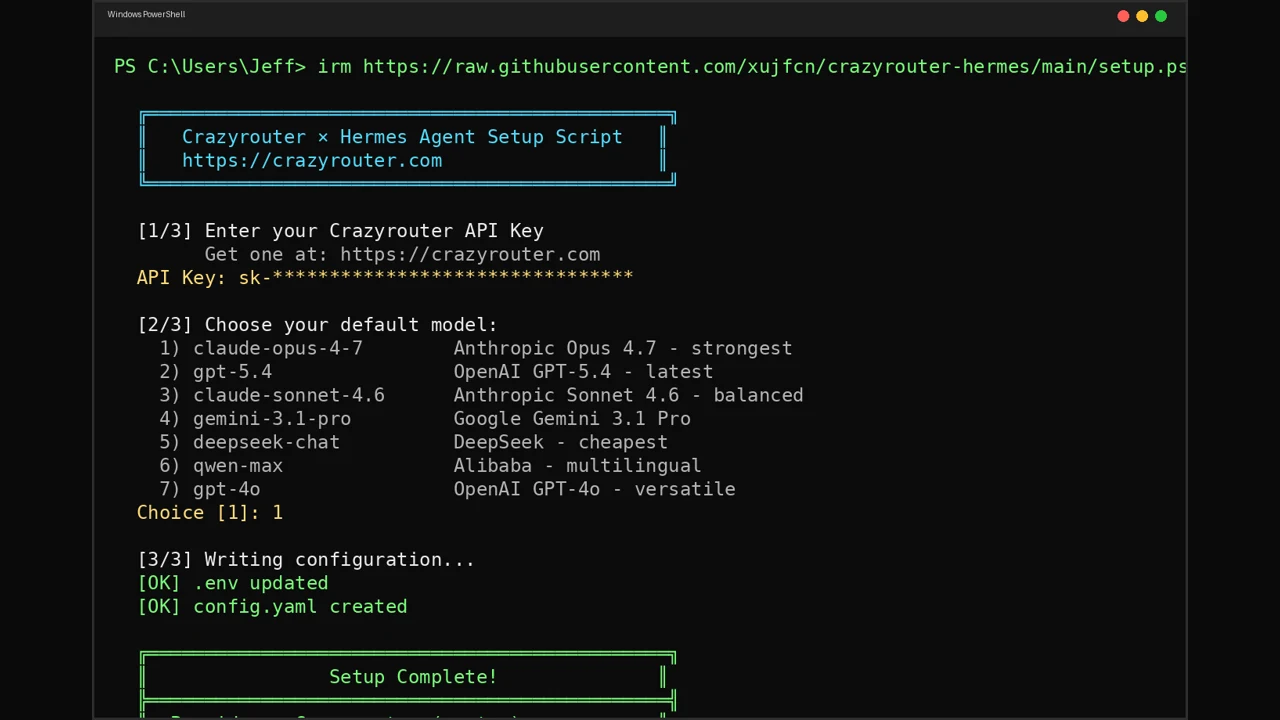
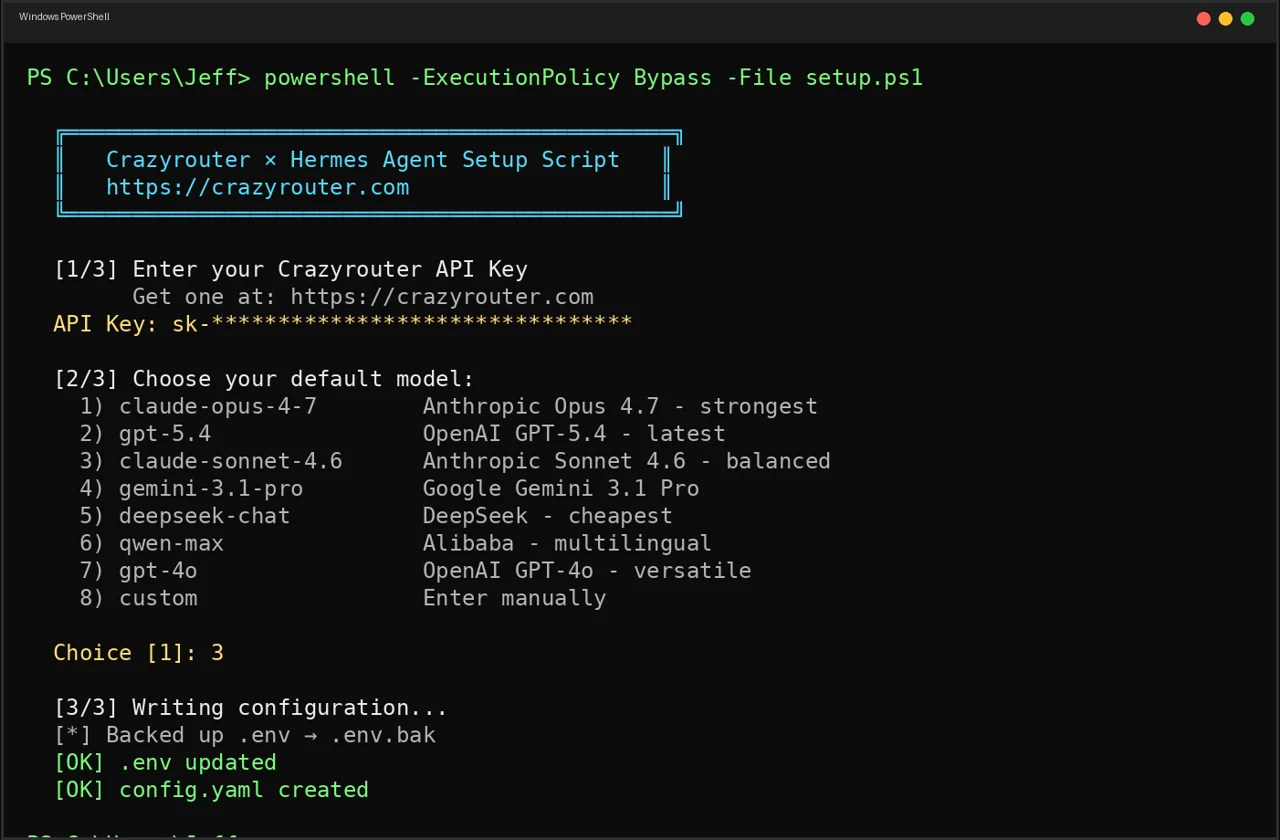
👁 PowerShell setup flow for Hermes Agent with Crazyrouter API key entry and model selection
Why Crazyrouter + Hermes?#
Instead of juggling multiple API keys and endpoints for different model providers, Crazyrouter gives you:
- One API key for 627+ models (OpenAI, Anthropic, Google, DeepSeek, Qwen, Meta, and more)
- One endpoint — fully OpenAI-compatible:
https://crazyrouter.com/v1 - Pay-as-you-go — no subscriptions, no minimums
- Switch models instantly — no config changes needed
Hermes Agent speaks the OpenAI protocol natively, so the integration is seamless.
Quick Start#
Linux / macOS / WSL2#
curl -fsSL https://raw.githubusercontent.com/xujfcn/crazyrouter-hermes/main/setup.sh | bash
Windows (PowerShell)#
irm https://raw.githubusercontent.com/xujfcn/crazyrouter-hermes/main/setup.ps1 | iex
Windows (CMD)#
curl -o setup.bat https://raw.githubusercontent.com/xujfcn/crazyrouter-hermes/main/setup.bat
setup.bat
The script will:
- Check that Hermes Agent is installed
- Ask for your Crazyrouter API key
- Let you pick a default model
- Write the config to
~/.hermes/ - Optionally test the connection
That's it. The whole process takes about 30 seconds.
What the Setup Does Under the Hood#
The script writes two files in ~/.hermes/:
.env — stores your credentials:
OPENAI_API_KEY=sk-your-crazyrouter-key
OPENAI_BASE_URL=https://crazyrouter.com/v1
config.yaml — sets the default model:
model:
 provider: "custom"
 default: "claude-opus-4-7"
 base_url: "https://crazyrouter.com/v1"
Existing configs are backed up automatically (.env.bak, config.yaml.bak).
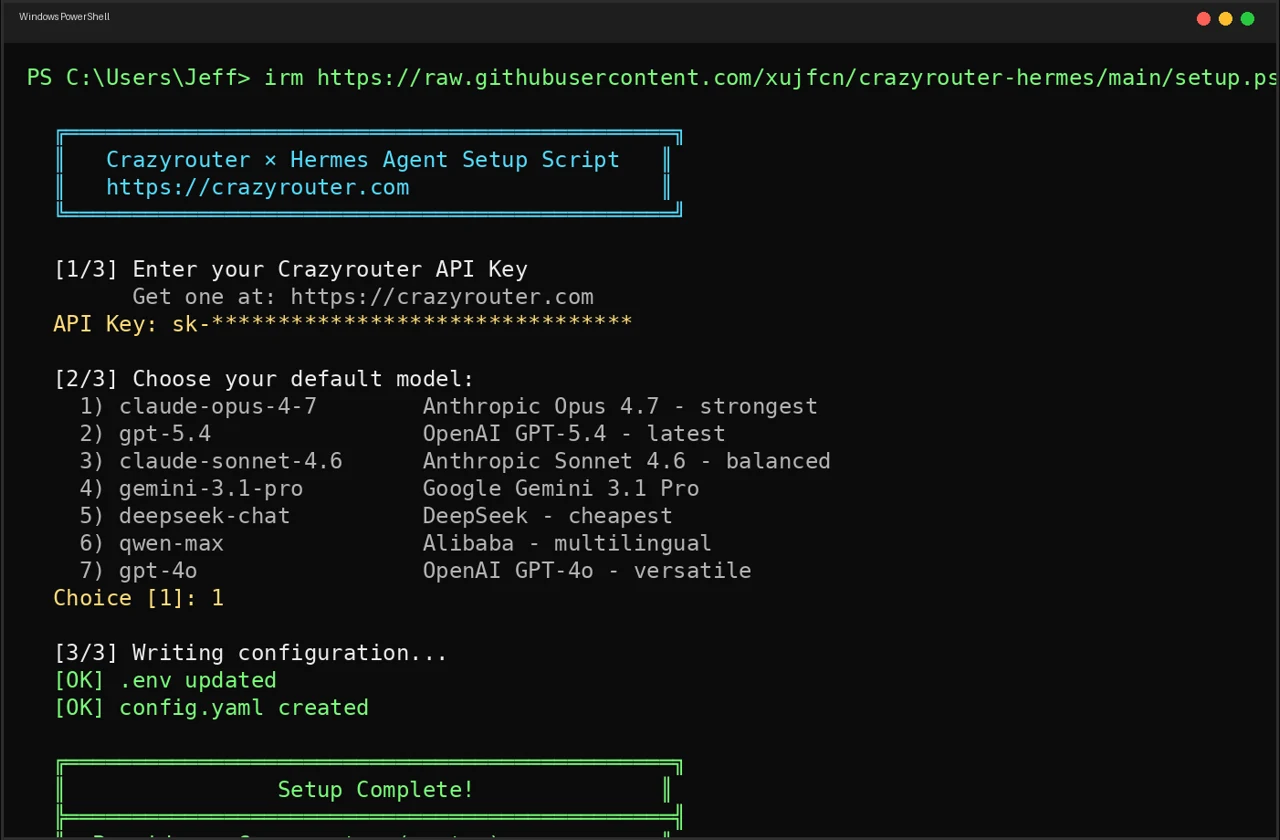
👁 Completed PowerShell setup screen showing Hermes Agent connected to Crazyrouter
Available Models#
During setup you can choose from popular defaults:
| # | Model | Best For |
|---|---|---|
| 1 | claude-opus-4-7 | Complex reasoning, coding |
| 2 | gpt-5.4 | General tasks, fast |
| 3 | claude-sonnet-4.6 | Balanced speed & quality |
| 4 | gemini-3.1-pro | Multimodal, long context |
| 5 | deepseek-chat | Budget-friendly reasoning |
| 6 | qwen-max | Chinese + English |
| 7 | gpt-4o | Multimodal |
Or enter any model name from the full catalog — all 627+ are available.
Switching Models After Setup#
Once configured, switch models anytime:
hermes model # interactive picker
hermes model list # see all available models
Or just edit ~/.hermes/config.yaml and change the default field. No restart needed.
Prerequisites#
- Hermes Agent installed
- A Crazyrouter API key — get one free (includes starter credit)
curl(Linux/macOS) or PowerShell 5+ (Windows)
Troubleshooting#
"Hermes Agent not found" — Install Hermes first:
curl -fsSL https://raw.githubusercontent.com/NousResearch/hermes-agent/main/scripts/install.sh | bash
Connection test fails — Double-check your API key at crazyrouter.com/dashboard. Make sure you have credit on your account.
Want to reset? — Run the setup script again. It backs up your old config and writes fresh files.
Source Code#
The setup scripts are fully open-source (MIT):
👉 github.com/xujfcn/crazyrouter-hermes
Supports Linux, macOS, WSL2, Windows PowerShell, and Windows CMD.
Get Started#
- Get your API key at crazyrouter.com
- Run the one-liner for your platform
- Start coding with
hermes
One key. 627+ models. Zero friction.