Secure API Access with API Keys
All Similarweb API requests require authentication using API keys. This guide covers everything you need to know about creating, managing, and using your API keys securely.
Before You Begin
API Keys Creation
1
Access Your Account Settings
Navigate to Settings → Account from the left menu
Look for the Data Tools section
2
Generate Your API Key
Select either REST API or Batch API
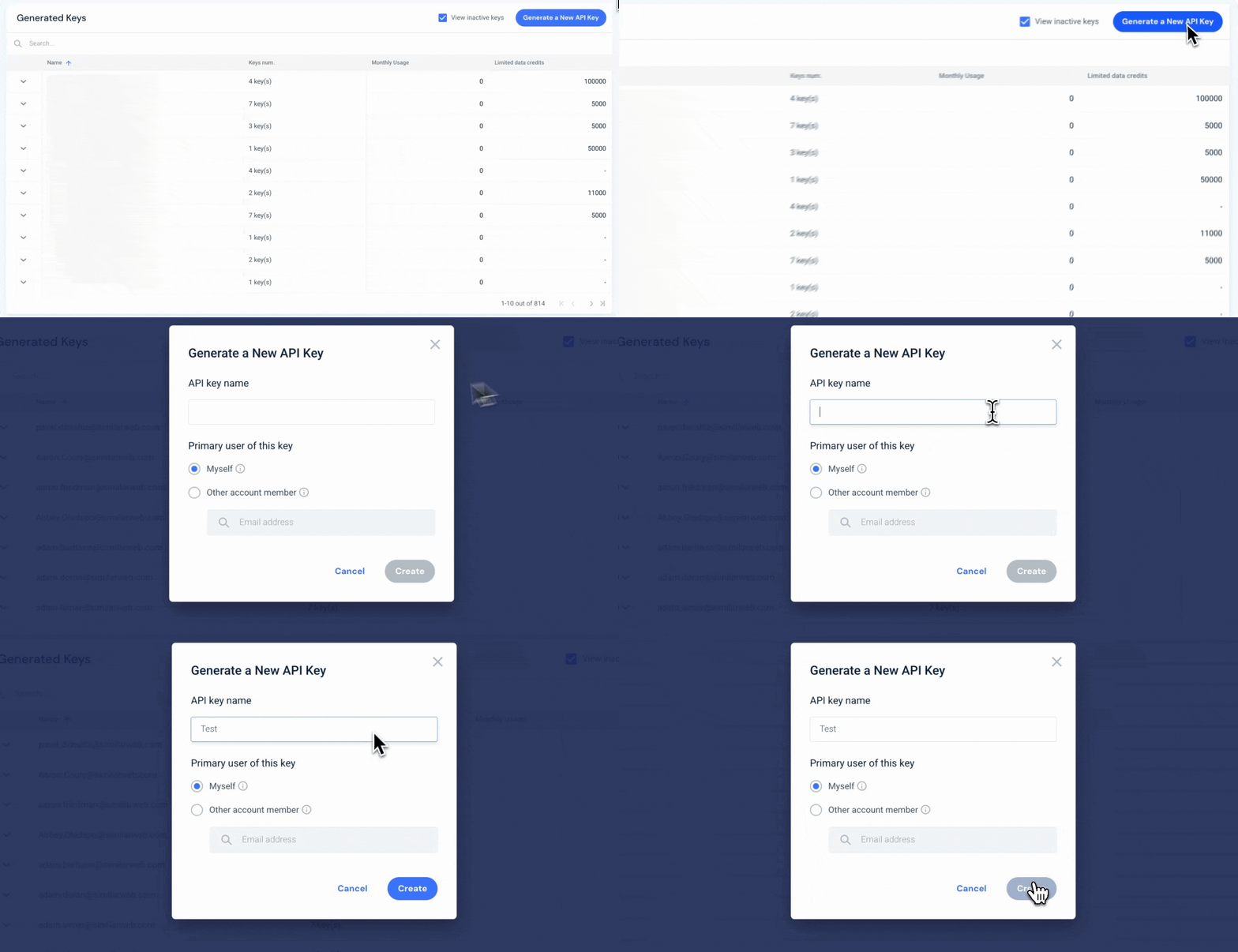
Scroll down and click Generate a new API key
Give your API key a name
Select the primary use for this key (your email or another user)
Click Create
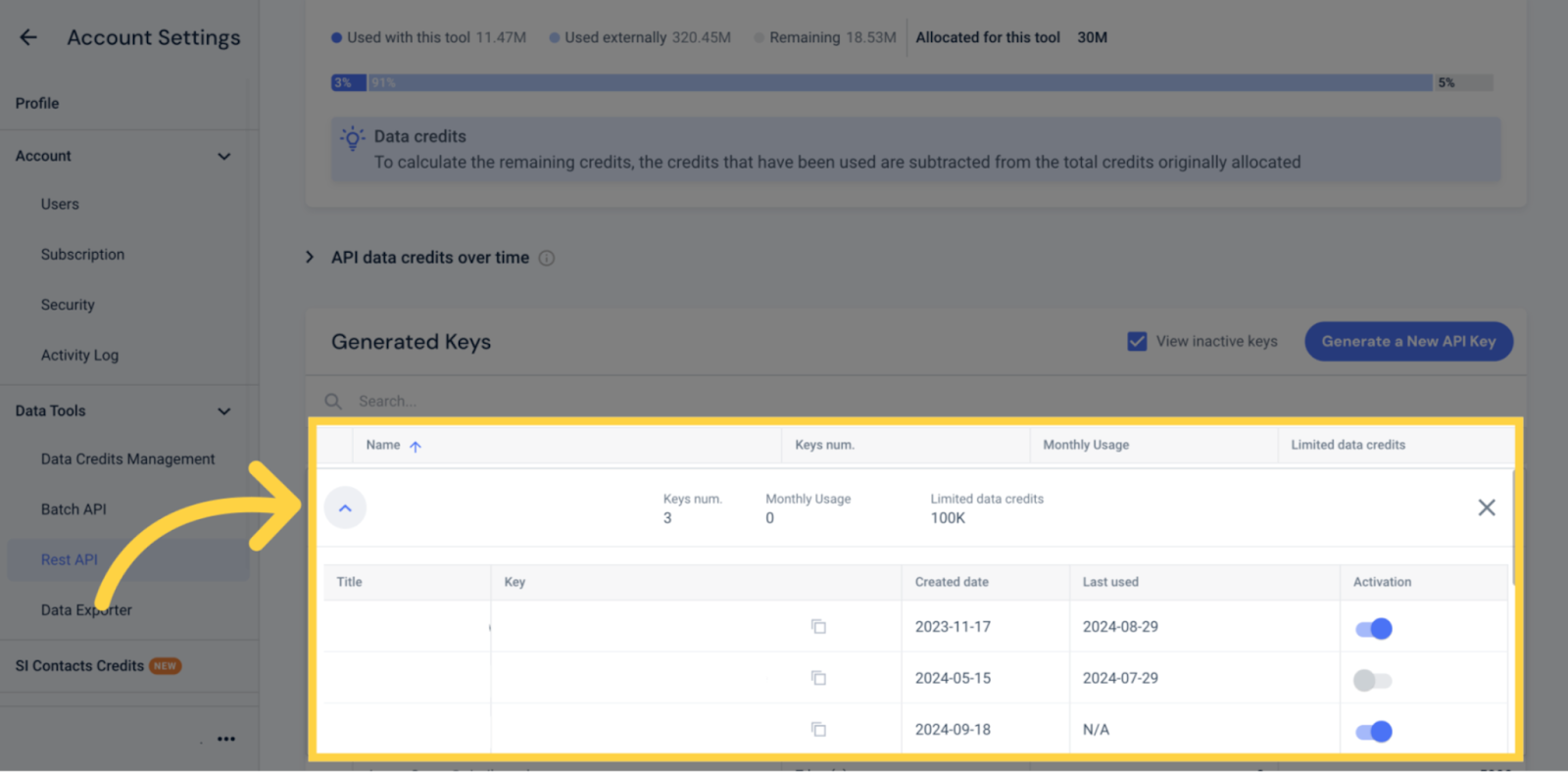
Your new API key will appear in the Generated Keys table under the user name you selected
Make sure the Activation toggle is enabled (switched on)
API Keys Management
Admins can create and manage API keys for the entire account.
Every user can have up to 3 active keys.
There's no expiry date on active keys.
When a user is removed from the account his API key is revoked, there’s also an option of specifically removing users API keys.
Admins can set credit limits per user under each API, for example a user can have 10K on REST API and 10K on Batch API. Only Admins can control limits. The limits are per user and not per key.