Luma AI review (2026): Dream Machine quality tested


Last edited October 6, 2025
Generative AI is moving so fast it can give you whiplash. The world of video is a perfect example. Things that felt like pure science fiction just a year ago are now tools you can actually use, and they’re changing how everyone from marketers to filmmakers tells stories. In this new, fast-paced world, Luma AI has popped up as a name you keep hearing, mostly because the video it creates is just so realistic and creative.
Before we jump in, let's clear something up. You might have seen two different websites: "luma.ai" and "lumalabs.ai". This guide is all about LumaLabs AI, the company behind the impressive Dream Machine and Ray video models. We’ll cover their core tech, how people are using it, what it costs, and where it fits into the bigger AI picture.
What is Luma AI?
At its heart, Luma AI is a company trying to build what they call "multimodal general intelligence." It sounds complicated, but it just means they're creating AI that can understand and work with video, audio, and text all at once, kind of like we do. Their big-picture goal isn’t just about making cool video effects; it's about building foundational AI models that can see, hear, and make sense of the world.
Their tools give you a good idea of what they’re aiming for:
-
Dream Machine: This is their user-friendly video generator for turning text prompts and images into high-quality video clips.
-
Ray Models: These are the powerful, behind-the-scenes AI models (like Ray2 and Ray3) that make their tools work. They’re also available for developers to build with.
-
3D Capture: A neat mobile app that uses AI to create photorealistic 3D models of objects using just your phone’s camera.
-
Luma API: An access point for developers who want to integrate Luma's video generation features into their own apps.
Luma AI is getting a lot of attention from all sorts of people, from creators making TikTok videos to professional studios. They even opened a lab in Los Angeles to collaborate with the entertainment industry, which shows they’re serious about becoming a go-to tool for Hollywood.
Exploring Luma AI's core features and technology
Luma AI isn't just one thing; it's a whole collection of tools built on some pretty advanced technology. Let's break down the main parts.
Luma AI Dream Machine: The creative powerhouse
Dream Machine is Luma AI’s star product and the tool most people will try first. It’s a straightforward platform where you can generate five-second video clips from a simple text description or by animating a picture you upload. What makes it stand out is the remarkably smooth motion and lifelike detail it produces, which is a step up from many other AI video tools out there.
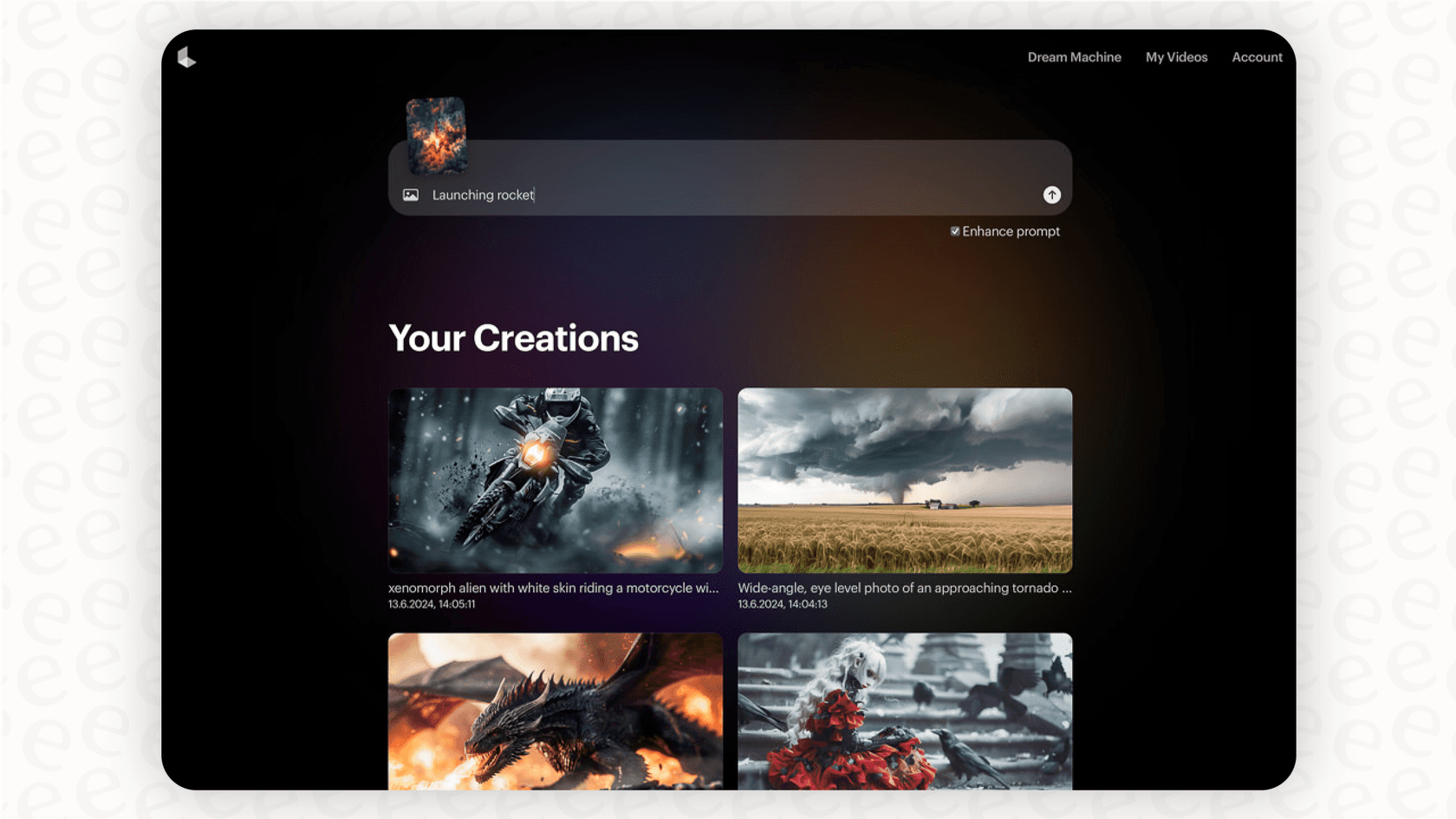
If you're a marketer needing a quick social media ad or an artist wanting to visualize a concept, Dream Machine makes it possible without a steep learning curve. It’s available on the web and as an iOS app, putting some serious video creation power right in your pocket.
The Luma AI Ray models: Pushing AI video forward
Powering Dream Machine are the Ray models, Luma's core video generation tech. Think of these as the engines that are constantly being tweaked and improved. Their latest model, Ray3, is especially interesting because it’s designed to reason about what it's creating, not just generate pixels.
It has a surprisingly good grasp of physics and can generate video in 16-bit High Dynamic Range (HDR) color. That might sound technical, but it’s a huge plus for professional studios that need the absolute best visual quality for their projects. This kind of power is why Luma’s models are also available on platforms like Amazon Bedrock, letting bigger companies build their own custom video applications.
Beyond 2D: Luma AI's 3D capture technology
While Luma AI gets the most press for its video tools, its expertise in visual AI doesn’t stop there. The company also has a Luma AI 3D Capture app for both iPhone and Android. This app lets you scan real-world objects and scenes with your phone and transforms them into incredibly realistic 3D models.
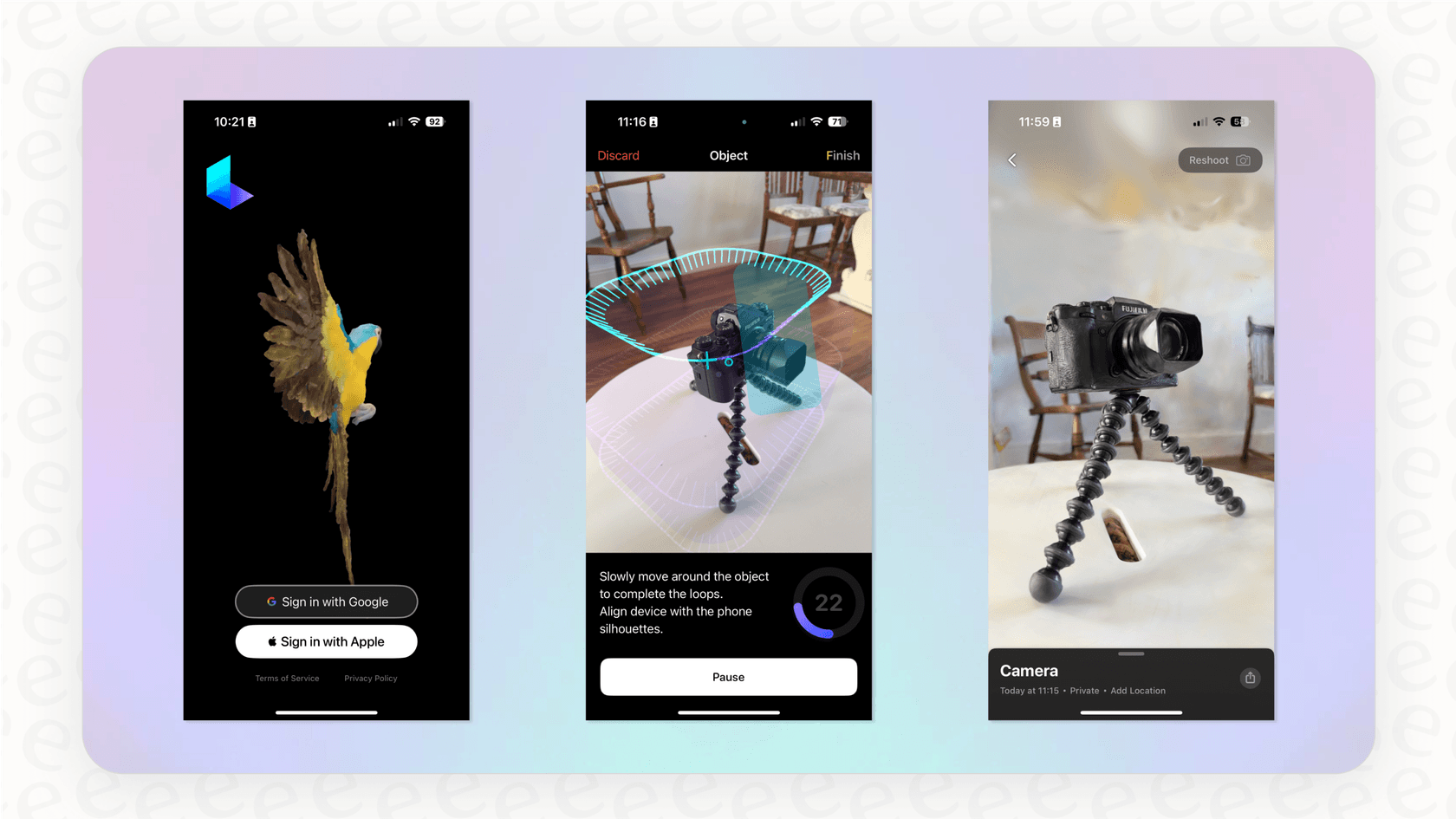
You can imagine the possibilities. An e-commerce shop could create an interactive 3D model of a new sneaker, or a game developer could capture real-world textures for their next title. It’s another piece of the puzzle showing Luma’s goal of building AI that really understands the visual world.
Key use cases and applications for Luma AI
Okay, so what are people actually doing with all this tech? Luma AI is starting to find its footing in a few different industries, moving beyond just being a fun experiment.
Content creation for marketing and social media
If you work in marketing or social media, you know that speed is key. Luma AI gives you a way to quickly brainstorm and pump out eye-catching video content without the cost and hassle of a traditional video shoot. For instance, a small coffee shop promoting a new blend could use a prompt like, "cinematic shot of steam rising from a coffee cup on a rustic wooden table, morning light." In minutes, they could have a dozen video clips ready for their Instagram and TikTok feeds.
Pre-visualization and visual effects for film
As we mentioned, Luma AI is making a real effort to get into Hollywood with its Dream Lab LA initiative. For filmmakers, tools like this are a huge help in pre-production. A director can test out a complex action sequence or get a feel for a fantasy world long before they start shooting. This saves a ton of time and money by helping the team make creative calls early and giving the visual effects crew a clear guide to work from.
Empowering developers with the Luma AI API
Beyond its own apps, Luma AI provides an API that lets developers use its video models to build their own tools. This is where things can get really creative, as it lets other companies plug Luma's AI directly into their products and workflows.
While Luma's API is all about creating visuals, other platforms use APIs to connect different business tools and automate tasks. Take eesel AI as an example. It uses one-click integrations with helpdesks like Zendesk and knowledge bases such as Confluence. This setup allows its AI agents to do more than just answer questions; they can take action, like updating a support ticket or looking up a customer's order info on the fly. It shows how AI can be woven directly into the daily operations that keep a business running.
Luma AI pricing and plans
Luma AI uses a subscription model where you pay for a certain number of video generations per month. This credit-based system is pretty common for generative AI tools.
A breakdown of Luma AI's subscription tiers
Here's what their current plans look like:
| Plan | Price (Monthly) | Generations /mo | Key Features |
|---|---|---|---|
| Free | $0 | 30 | Standard queue, public generations |
| Standard | $29.99 | 400 | Standard queue, private generations |
| Pro | $99.99 | 2,000 | Priority queue, private generations |
| Premier | $499.99 | 10,000 | Highest priority queue, private generations |
Is the credit-based model right for your business?
Paying per generation can be great for freelancers or agencies working on a per-project basis, since you only pay for what you use. But for businesses with high or unpredictable needs, it can lead to surprise costs. If you have a really busy month, your bill could be much higher than you planned for.
You've probably seen this with other usage-based AI tools, especially in areas like customer support where the number of questions can swing wildly. A "per-resolution" fee, which some AI support tools charge, can make budgeting a real headache. That’s why platforms like eesel AI offer a more predictable, interaction-based subscription. You get a set number of AI interactions each month with no surprise fees, giving you a clear idea of your costs and letting you automate support without worrying about a huge bill after a busy week.
The future of video is generative
Luma AI has definitely carved out a spot for itself in the world of generative video. Its focus on creating high-quality, believable video, plus its work in both 2D and 3D, makes it a really capable and flexible platform. By building tools for everyone from solo creators to Hollywood studios, Luma AI is doing more than just making a cool app, it's helping set a new standard for creating visual content.
As generative AI keeps getting better, tools like Luma AI are going to become a standard part of the toolkit for creatives and businesses, letting us tell stories and share ideas in ways we're only just starting to figure out.
Automate more than just video with AI
Generative AI is changing how we create content, but its usefulness goes way beyond making videos. The same kind of AI can be used to streamline how businesses operate, automating things like customer support, internal questions, and IT helpdesks.
While Luma AI helps you create amazing visuals, eesel AI helps you build a more efficient business. You can connect your helpdesk and knowledge bases to get a fully autonomous AI support agent running in minutes. You can even simulate how it would have handled past tickets, tweak its personality, and automate your frontline support with pricing that’s clear and predictable. Try eesel AI for free today.
Frequently asked questions

Share this article

Article by
Stevia Putri
Stevia Putri is a marketing generalist at eesel AI, where she helps turn powerful AI tools into stories that resonate. She’s driven by curiosity, clarity, and the human side of technology.