|
VOOZH | about |
|
VOOZH | about |
Perplexity AI is a powerful, AI-driven search engine and research assistant that gives you quick, reliable answers in a conversational way. It’s an excellent tool for finding credible information fast.
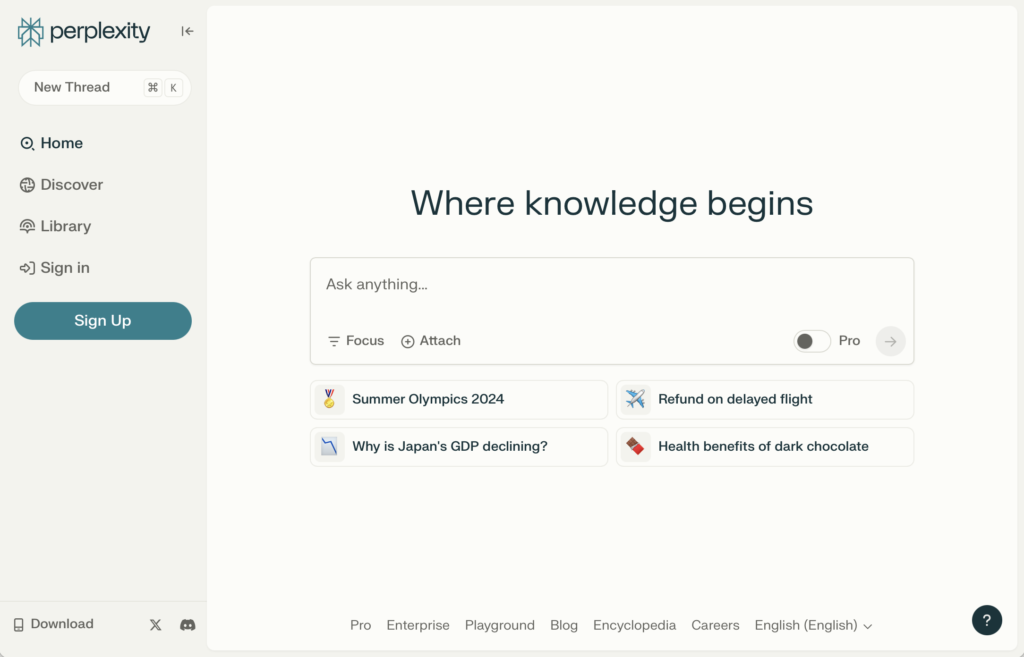
Traditionally, Perplexity AI is accessed via a web browser, but there are simple ways to make it more convenient to use on your Mac—even while waiting for an official desktop app to be released. This article will show you how to download and use Perplexity AI on macOS, including some handy alternatives.
Using Perplexity AI in a browser can be inconvenient, especially if you need fast, repeated access. Unfortunately, there isn’t an official Perplexity AI app for Mac yet. However, there are solutions like Fello AI that make using Perplexity as a desktop app much easier and more efficient.
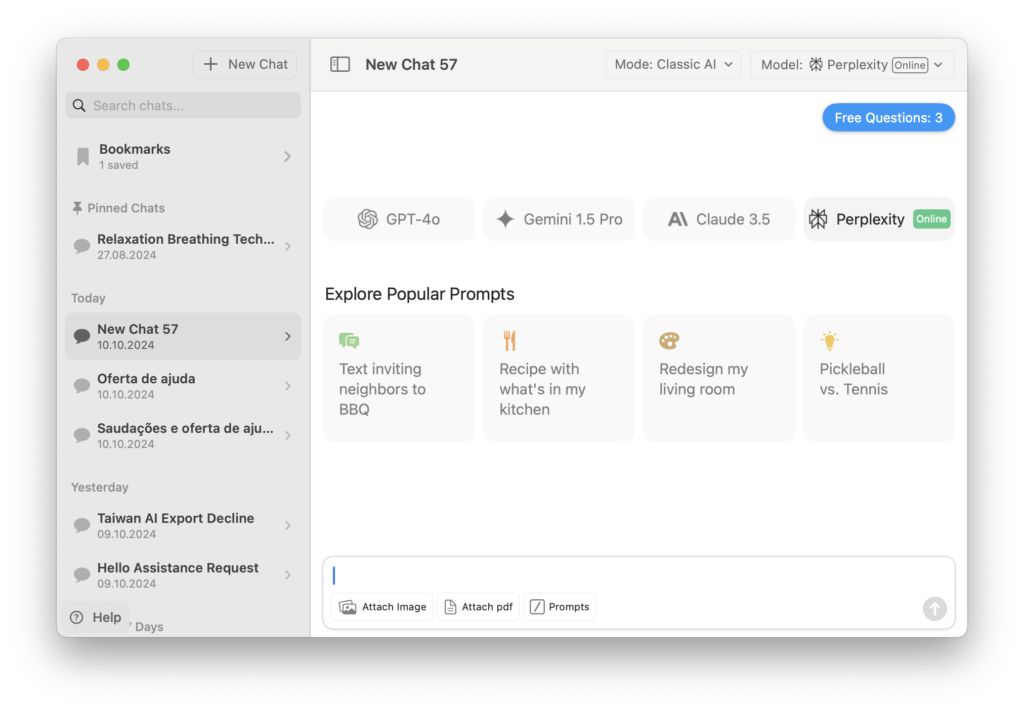
Fello AI integrates Perplexity directly into a Mac desktop app, providing a smoother, faster experience compared to using a browser. In this article, we’ll explore how to set up Perplexity AI on your Mac using Fello AI and other methods, so you can make the most of this powerful tool.
Perplexity AI is an AI-powered research tool that provides quick answers by pulling information from web sources, summarizing it, and presenting it in natural language. Here are some of its key features:
Unlike ChatGPT, which is known for its conversational abilities, Perplexity AI focuses more on search accuracy and providing credible source citations. It’s a great option if you need reliable information with references, whereas ChatGPT excels at tasks involving creativity and extended conversations.
While Perplexity AI is a great research tool, using it through a web browser every time can be frustrating. Constantly opening a browser tab and navigating to the website isn’t ideal if you need to access it multiple times a day.
Using Perplexity as a desktop app makes the experience much smoother. You get one-click access, a streamlined interface, and no need to reload the browser repeatedly. If you’re a frequent user, this can save a lot of time and make things easier.
Wondering how to use Perplexity AI on macOS or how can I make Perplexity easier to access on your Mac? Let’s break down your options. We’ll answer these questions and show you simple ways to set up Perplexity AI as a desktop app on your Mac:
Fello AI is the easiest way to use Perplexity AI as a desktop app on your Mac. Here’s how:
Fello AI supports multiple AI models, including Perplexity, offering a seamless way to use AI without switching between different websites or applications.
Another way to create a desktop-like experience for Perplexity AI is to use the PWA method:
Another option is to wait for the official Perplexity app for Mac that was announced in September 2024. This might not be the best choice if you need immediate access to the tool.
The release date is uncertain, and most likely, the official app will focus only on the Perplexity main functionality: AI Search, which means that it will lack other AI functionality and access to other LLMs such as Gemini, Claude, or ChatGPT.
Let’s take a look at some most common questions:
Currently, there is no official Perplexity AI desktop app for Mac. However, you can use Fello AI or a PWA shortcut as workarounds to integrate it into your daily workflow.
Technically, no—but using Fello AI or a browser shortcut makes it feel like a desktop app, providing the same convenience. The official Perplexity macOS app is, however, announced and coming soon.
Perplexity AI is more focused on delivering accurate answers with sources, whereas ChatGPT excels at conversations and creative responses.
If you’re a power user, you can create a Mac shortcut to open the app directly or even set up browser shortcuts to make accessing Perplexity AI easier.
Perplexity AI has announced that they are working on an official desktop app for Mac at the end of September 2024, but it isn’t available yet. The methods described in this article are excellent alternatives for those who can’t wait.
The upcoming Perplexity AI app will likely differ from ChatGPT’s macOS app by emphasizing source citations, search accuracy, and additional tools like voice search and web integration.
Using Perplexity AI on your Mac doesn’t have to be cumbersome. By using Fello AI or the PWA method, you can make accessing Perplexity AI fast and convenient. Try it out today and experience the benefits of having a powerful research assistant available directly from your desktop.
Download Fello AI and start exploring what Perplexity can do for you—it’s a great way to make your research more efficient and enjoyable.
Stay ahead with expert AI insights trusted by top tech professionals!
Join thousands of AI fans & professionals benefiting from exclusive tips and insights from industry leaders.