
This article explains how to replace the native search bar in the OceanWP theme by OceanWP LLC
FiboSearch plugin features built-in integration with this theme. It means you can replace the default search bars by selecting a single checkbox.
If you have activated the WebShop theme or the child theme of WebShop theme, you should see the following screen in the plugin settings:
WooCommerce → FiboSearch → Starting (tab)

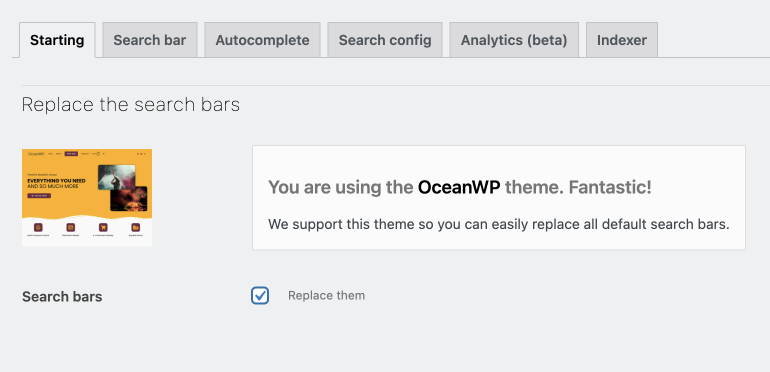
Select the option Replace them and the search bar should be replaced.
Result
Desktop


Mobile


Please notice: with OceanWP there are plenty of stylistic options to choose from to customize your header. They are available from a drop down list in the "Customize" section of WordPress → Header → General
We’ve integrated FiboSearch with each of them:
- Minimal
- Transparent
- Top menu
- Full screen
- Center
- Medium
- Vertical
The search bar behavior also differs significantly between desktop and mobile, which we showed on GIFs above. Design and behavior of headers and menu’s elements can be adjusted in Header → General and Header → Mobile Menu, respectively.