
This article explains how to replace the native search bar in the WoodMart theme by xtemos.
WooCommerce → FiboSearch → Starting (tab)
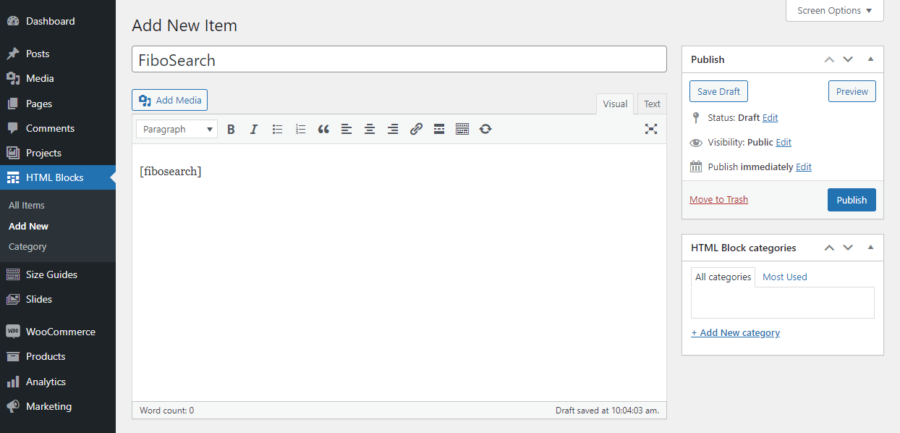
Step 1: Step 1: Go to HTML Blocks → Add New. Create an FiboSearch block and add a shortcode:
[fibosearch]
Step 2: Go to WoodMart -> Header builder and edit the header.


Step 3: Remove the default search.


Step 4: Add a new element.


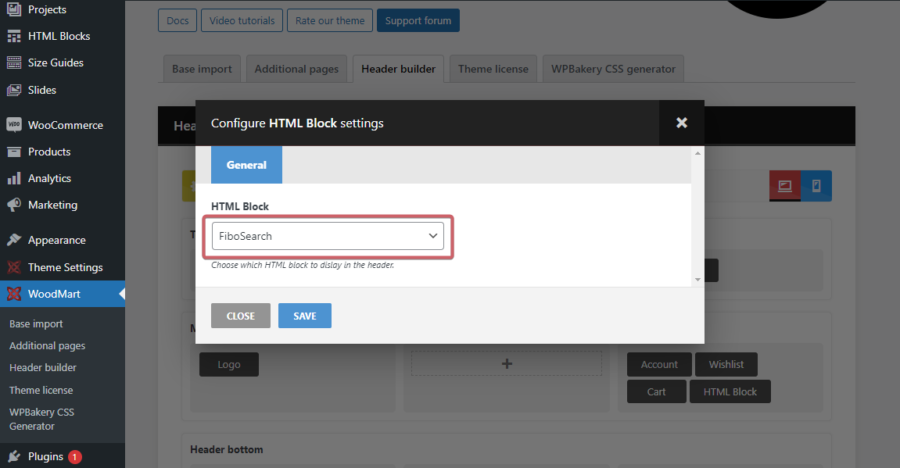
Step 5: Select the HTML Block.


Step 6: Select the FiboSearch block created in step 1.

The header with the search replaced.

