
画像ツール MCP
URL とローカル ファイル ソースの両方をサポートし、画像のサイズを取得して画像を圧縮するためのモデル コンテキスト プロトコル (MCP) サービス。
特徴
URLから画像のサイズを取得する
ローカルファイルから画像のサイズを取得する
TinyPNG API を使用して URL から画像を圧縮する
TinyPNG APIを使用してローカル画像を圧縮する
画像をさまざまな形式(webp、jpeg/jpg、png)に変換します
幅、高さ、タイプ、MIMEタイプ、圧縮情報を返します。
結果例
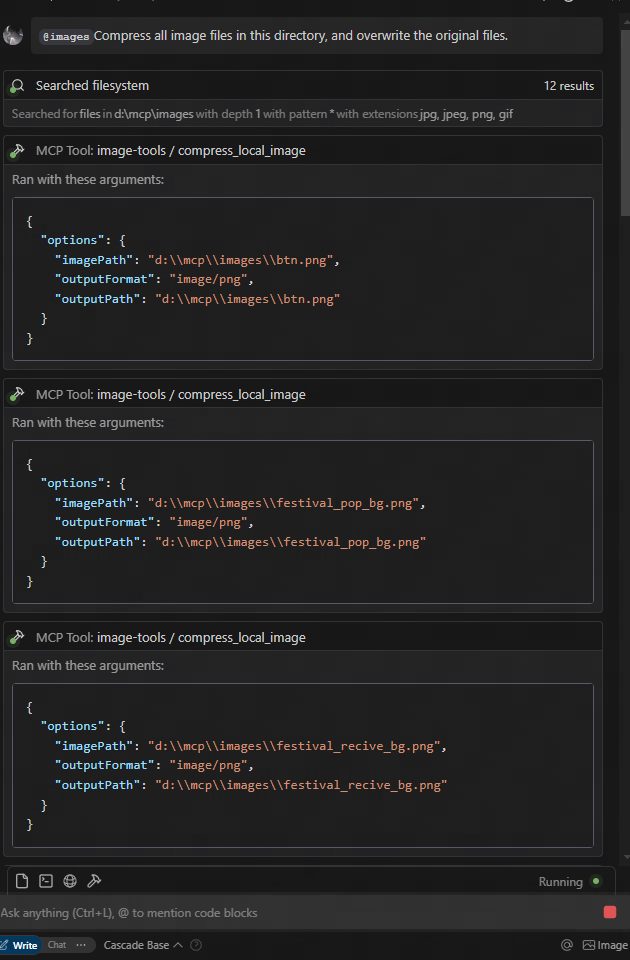
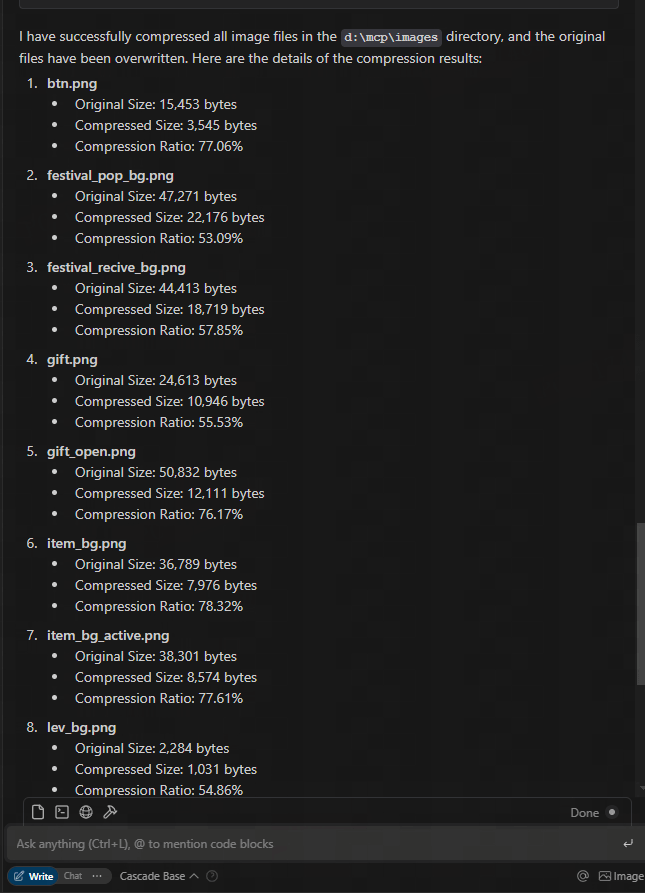
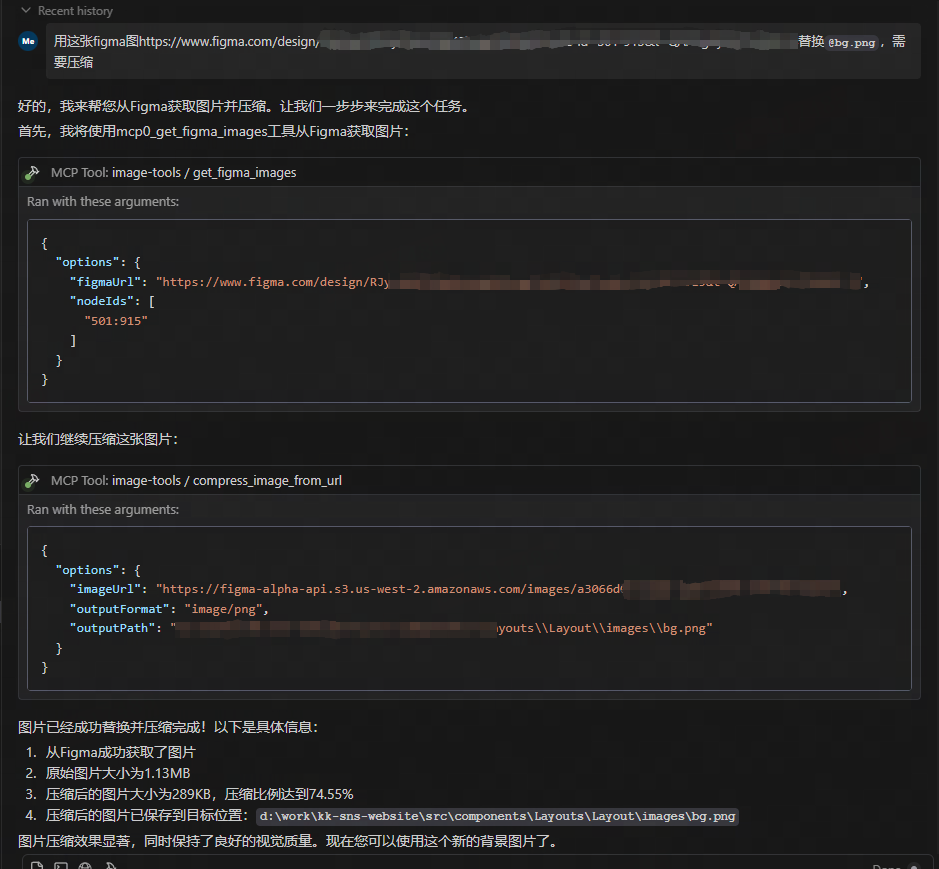
figmaのURLからダウンロードして圧縮する👁 例の結果3
Related MCP server: File Converter MCP Server
使用法
MCPサービスとして利用
このサービスは、次の 5 つのツール機能を提供します。
get_image_size- リモート画像のサイズを取得するget_local_image_size- ローカル画像のサイズを取得するcompress_image_from_url- TinyPNG API を使用してリモート画像を圧縮するcompress_local_image- TinyPNG API を使用してローカル画像を圧縮するfigma- Figma API から画像リンクを取得し、TinyPNG API を使用して圧縮します。
クライアント統合
このMCPサービスを利用するには、MCPクライアントから接続する必要があります。以下に、様々なクライアントとの統合方法の例を示します。
Claude Desktopでの使用
claude.ai/downloadからClaude Desktopをインストールします。
TinyPNG APIキーを取得: TinyPNGにアクセスしてAPIキーを取得します
構成ファイルを編集して、Claude Desktop がこの MCP サーバーを使用するように設定します。
{
 "mcpServers": {
 "image-tools": {
 "command": "npx",
 "args": ["image-tools-mcp"],
 "env": {
 "TINIFY_API_KEY": "<YOUR_TINIFY_API_KEY>",
 "FIGMA_API_TOKEN": "<YOUR_FIGMA_API_TOKEN>"
 }
 }
 }
}
Claudeデスクトップを再起動します
Claude に画像のサイズを取得するよう依頼します。「この画像のサイズを教えていただけますか: https://example.com/image.jpg 」
クロードに画像を圧縮するように依頼します。「この画像を圧縮できますか: https://example.com/image.jpg 」
Claude にローカル画像を圧縮するように依頼します。「この画像を圧縮できますか: D:/path/to/image.png」
Claude にローカル画像フォルダを圧縮するように依頼します。「このフォルダを圧縮できますか: D:/imageFolder」
Claude に Figma API から画像リンクを取得するように依頼します。「Figma API から画像リンクを取得できますか: https://www.figma.com/file/XXXXXXX 」

MCPクライアントライブラリの使用
import { McpClient } from "@modelcontextprotocol/client";

// Initialize the client
const client = new McpClient({
 transport: "stdio" // or other transport options
});

// Connect to the server
await client.connect();

// Get image dimensions from URL
const urlResult = await client.callTool("get_image_size", {
 options: {
 imageUrl: "https://example.com/image.jpg"
 }
});
console.log(JSON.parse(urlResult.content[0].text));
// Output: { width: 800, height: 600, type: "jpg", mime: "image/jpeg" }

// Get image dimensions from local file
const localResult = await client.callTool("get_local_image_size", {
 options: {
 imagePath: "D:/path/to/image.png"
 }
});
console.log(JSON.parse(localResult.content[0].text));
// Output: { width: 1024, height: 768, type: "png", mime: "image/png", path: "D:/path/to/image.png" }

// Compress image from URL
const compressUrlResult = await client.callTool("compress_image_from_url", {
 options: {
 imageUrl: "https://example.com/image.jpg",
 outputFormat: "webp" // Optional: convert to webp, jpeg/jpg, or png
 }
});
console.log(JSON.parse(compressUrlResult.content[0].text));
// Output: { originalSize: 102400, compressedSize: 51200, compressionRatio: "50.00%", tempFilePath: "/tmp/compressed_1615456789.webp", format: "webp" }

// Compress local image
const compressLocalResult = await client.callTool("compress_local_image", {
 options: {
 imagePath: "D:/path/to/image.png",
 outputPath: "D:/path/to/compressed.webp", // Optional
 outputFormat: "image/webp" // Optional: convert to image/webp, image/jpeg, or image/png
 }
});
console.log(JSON.parse(compressLocalResult.content[0].text));
// Output: { originalSize: 102400, compressedSize: 51200, compressionRatio: "50.00%", outputPath: "D:/path/to/compressed.webp", format: "webp" }

// Fetch image links from Figma API

const figmaResult = await client.callTool("figma", {
 options: {
 figmaUrl: "https://www.figma.com/file/XXXXXXX"
 }
});
console.log(JSON.parse(figmaResult.content[0].text));
// Output: { imageLinks: ["https://example.com/image1.jpg", "https://example.com/image2.jpg"] }

### Tool Schemas

#### get_image_size

```typescript
{
 options: {
 imageUrl: string // URL of the image to retrieve dimensions for
 }
}
ローカル画像サイズの取得
{
 options: {
 imagePath: string; // Absolute path to the local image file
 }
}
URLから画像を圧縮する
{
 options: {
 imageUrl: string // URL of the image to compress
 outputFormat?: "image/webp" | "image/jpeg" | "image/jpg" | "image/png" // Optional output format
 }
}
ローカル画像を圧縮する
{
 options: {
 imagePath: string // Absolute path to the local image file
 outputPath?: string // Optional absolute path for the compressed output image
 outputFormat?: "image/webp" | "image/jpeg" | "image/jpg" | "image/png" // Optional output format
 }
}
フィグマ
{
 options: {
 figmaUrl: string; // URL of the Figma file to fetch image links from
 }
}
変更履歴
2025-05-12: 2 倍の画像スケーリングなどの追加パラメータをサポートするように Figma API を更新しました。
技術的実装
このプロジェクトは次のライブラリ上に構築されています:
環境変数
TINIFY_API_KEY- 画像圧縮機能に必要です。TinyPNGからAPIキーを取得してください。指定されていない場合、圧縮ツール(
compress_image_from_urlとcompress_local_image)は登録されません。
FIGMA_API_TOKEN- Figma APIから画像リンクを取得するために必要です。FigmaからAPIトークンを取得してください。指定しない場合、Figmaツール(
figma)は登録されません。
注: 基本的な画像寸法ツール ( get_image_sizeおよびget_local_image_size ) は、API キーに関係なく常に利用できます。
ライセンス
マサチューセッツ工科大学
Maintenance
Latest Blog Posts
MCP directory API
We provide all the information about MCP servers via our MCP API.
curl -X GET 'https://glama.ai/api/mcp/v1/servers/kshern/image-tools-mcp'
If you have feedback or need assistance with the MCP directory API, please join our Discord server