
rancher-mcp-server
👁 GitHub License
👁 npm
👁 GitHub release (latest SemVer)
👁 Build
👁 MCP Badge

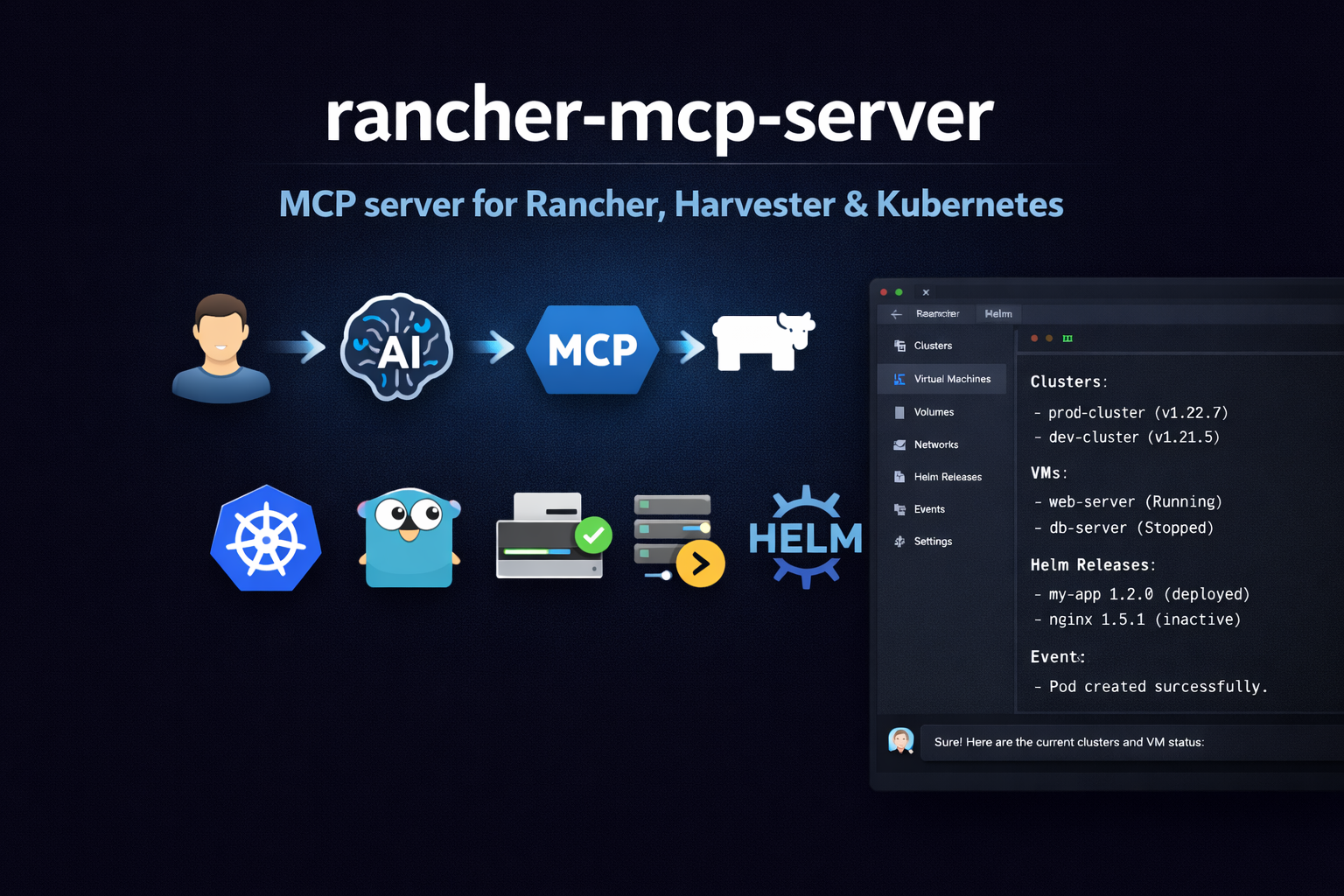
Model Context Protocol (MCP) server for the Rancher ecosystem: multi-cluster Kubernetes, Harvester HCI (VMs, storage, networks), and Fleet GitOps.
Demo
A walkthrough of how this MCP server works (example in Cursor).
https://github.com/user-attachments/assets/7d8fb814-e504-47b4-956d-28f43aeea3b8
Features
Harvester toolset: List/get VMs, images, volumes, networks, hosts; VM actions; addon list/switch (enable/disable)
Rancher toolset: Clusters and projects via Steve (management proxy); Norman management API (
/v3) for schemas, users, tokens, auth configs, global role bindings, cluster registration tokens, node drivers, cloud credentials, catalogs, cluster repos, feature flags, settings, audit (when exposed); support bundle and generic actions when writes are enabledKubernetes toolset: List/get/create/patch/delete resources by apiVersion/kind; describe (resource + events), events, capacity
Helm toolset: List/get/history of releases; install, upgrade, rollback, uninstall; repo list
Fleet toolset: GitRepo list/get/create; Bundle list; Fleet cluster list; drift detection
Rancher APIs: Same Bearer token for Steve (
/k8s/clusters/...) and Norman (/v3/...); no CLI wrappersSecurity: Read-only default, disable-destructive, sensitive data masking (Norman token/credential fields redacted unless
--show-sensitive-data)Config: Flags, env (
RANCHER_MCP_*), or file (YAML/TOML)
Related MCP server: MCP REST API Server
Quick start
Install
npm install -g rancher-mcp-serverCursor
Add to .cursor/mcp.json (project-level) or ~/.cursor/mcp.json (global):
{
 "mcpServers": {
 "rancher": {
 "command": "npx",
 "args": [
 "-y", "rancher-mcp-server",
 "--rancher-server-url", "https://rancher.example.com",
 "--rancher-token", "token-xxxxx:yyyy",
 "--toolsets", "harvester,rancher,kubernetes,fleet"
 ]
 }
 }
}
Restart Cursor after saving. Check Settings → Tools & MCP that rancher is listed and enabled.
Claude Desktop
Add to your Claude Desktop config (claude_desktop_config.json):
{
 "mcpServers": {
 "rancher": {
 "command": "npx",
 "args": [
 "-y", "rancher-mcp-server",
 "--rancher-server-url", "https://rancher.example.com",
 "--rancher-token", "token-xxxxx:yyyy",
 "--toolsets", "harvester,rancher,kubernetes,fleet"
 ]
 }
 }
}
With env vars instead of args
If you prefer to keep the token out of the JSON config:
{
 "mcpServers": {
 "rancher": {
 "command": "npx",
 "args": ["-y", "rancher-mcp-server"],
 "env": {
 "RANCHER_MCP_RANCHER_SERVER_URL": "https://rancher.example.com",
 "RANCHER_MCP_RANCHER_TOKEN": "token-xxxxx:yyyy",
 "RANCHER_MCP_TOOLSETS": "harvester,rancher,kubernetes"
 }
 }
 }
}
Enable write operations
For VM create, snapshots, backups, image/volume create, addon switch, host maintenance mode, VPC create/update/delete, Kubernetes create/patch/delete, Helm install/upgrade/rollback, Fleet gitrepo create/delete, and Norman writes (tokens, users, auth configs, role bindings, cluster registration tokens, cloud credentials, catalog refresh, feature flags, settings, rancher_norman_action, support bundle), add --read-only=false. Delete operations (Norman tokens/bindings/registration tokens/cloud credentials, plus existing toolset deletes) also require --disable-destructive=false (default).
{
 "mcpServers": {
 "rancher": {
 "command": "npx",
 "args": [
 "-y", "rancher-mcp-server",
 "--rancher-server-url", "https://rancher.example.com",
 "--rancher-token", "token-xxxxx:yyyy",
 "--toolsets", "harvester,rancher,kubernetes,helm,fleet",
 "--read-only=false"
 ]
 }
 }
}
Streamable HTTP transport
For web clients or remote access (e.g. Claude Code claude mcp add -t http), add --transport and --port:
{
 "mcpServers": {
 "rancher": {
 "command": "npx",
 "args": [
 "-y", "rancher-mcp-server",
 "--rancher-server-url", "https://rancher.example.com",
 "--rancher-token", "token-xxxxx:yyyy",
 "--transport", "http",
 "--port", "8080"
 ]
 }
 }
}
The server uses the MCP Streamable HTTP transport. The default MCP path is /mcp; connect to http://localhost:8080/mcp (or your server base URL + /mcp). Best supported with Claude Code; Cursor support may vary.
Build from source
If you prefer to build the Go binary yourself:
go build -o rancher-mcp-server ./cmd/rancher-mcp-serverThen reference the binary directly in your MCP config:
{
 "mcpServers": {
 "rancher": {
 "command": "/absolute/path/to/rancher-mcp-server",
 "args": [
 "--rancher-server-url", "https://rancher.example.com",
 "--rancher-token", "token-xxxxx:yyyy",
 "--toolsets", "harvester,rancher,kubernetes,fleet"
 ]
 }
 }
}
Configuration
Option | Env | Default | Description |
|
| — | Rancher server URL (required) |
|
| — | Bearer token (required) |
|
| false | Skip TLS verification |
|
| true | Disable write operations |
|
| false | Disable delete operations |
|
| false | Show Norman token/credential fields without redaction (use with care) |
|
| harvester | Toolsets to enable: harvester, rancher, kubernetes, helm, fleet |
|
| stdio | Transport: stdio or http (Streamable HTTP; default path |
|
| 0 | Port for HTTP (0 = stdio only) |
Harvester tools
Tool | Description |
| List VMs with status, namespace, spec/status |
| Get one VM (full spec and status) |
| start, stop, restart, pause, unpause, migrate |
| Create VM (when not read-only). Supports network, interface_type (managedtap/bridge/masquerade), subnet for KubeOVN VPC. |
| Create/list/restore/delete VM snapshots |
| Create/list/restore VM backups (Backup Target) |
| List VM images (VirtualMachineImage) |
| Create VM image from URL (when not read-only) |
| List PVCs (Longhorn-backed volumes) |
| Create volume/PVC (optionally from image) |
| List VM networks (NetworkAttachmentDefinition) |
| Create VM network - KubeOVN overlay or VLAN (when not read-only) |
| Update VM network config (when not read-only) |
| Delete VM network (when destructive allowed) |
| List KubeOVN Subnets (requires kubeovn-operator) |
| Create Subnet in VPC for VM network (when not read-only) |
| Update Subnet namespaces/NAT (when not read-only) |
| Delete Subnet (when destructive allowed) |
| List nodes (Harvester hosts) |
| Enable/disable maintenance mode on a host (cordon/uncordon) |
| List or get Harvester cluster settings (backup-target, etc.) |
| List Harvester addons (enabled/disabled state) |
| Enable or disable an addon (when not read-only) |
| List KubeOVN VPCs (requires kubeovn-operator addon) |
| Create a KubeOVN VPC (when not read-only) |
| Update a KubeOVN VPC namespaces (when not read-only) |
| Delete a KubeOVN VPC (when destructive allowed) |
List tools accept cluster (required), namespace, format (json|table), limit (default 100), continue (pagination token for next page). Write tools require read_only: false.
Creating a VM on KubeOVN VPC with external internet
Use harvester_vm_create with:
network: Name of the overlay network (NAD) linked to a KubeOVN subnet. Create via
harvester_network_create(type=kubeovn) thenharvester_subnet_createwithprovider={network}.{namespace}.ovn,vpc=<vpc-name>, andnat_outgoing=true.interface_type:
managedtap(recommended for KubeOVN) orbridge. Uses Multus as primary network.subnet: Optional KubeOVN subnet name for
ovn.kubernetes.io/logical_switchannotation.
Example: VM on network vswitch1 in namespace default, managedTap interface, subnet vswitch1-subnet:
harvester_vm_create cluster=<cluster-id> namespace=default name=testvm image=<image> network=vswitch1 interface_type=managedtap subnet=vswitch1-subnetRancher tools
Rancher tools use the management cluster (local). There is no cluster parameter on these tools.
Steve API (management resources)
Tool | Description |
| List Rancher clusters (management) |
| Get one cluster (health, version, node count) |
| List Rancher projects |
| Overview: cluster count and project count |
Norman API (https://<rancher>/v3/...)
Norman tools call Rancher’s JSON management API. Discover types and collection URLs for your server with rancher_norman_schema_list / rancher_norman_schema_get (schema ids such as user, token, cluster).
Read-only (always registered with the rancher toolset)
Tool | Description |
| List API schemas ( |
| Get one schema by id |
| Users |
| Auth providers (local, OIDC, etc.) |
| API tokens (values redacted unless |
| Global role bindings |
| Cluster registration tokens |
| Node drivers |
| Cloud credentials (secrets redacted unless |
| Legacy Norman catalogs ( |
| App catalog cluster repos (see note below) |
| Feature flags ( |
| Global settings ( |
|
|
When --read-only=false
Tool | Description |
|
|
| Create API token |
| Replace an auth config ( |
| Create user |
| User enable/disable actions |
| Create global role binding |
| Create registration token |
| Create cloud credential |
| Refresh legacy catalog ( |
| Update feature flag ( |
| Update setting ( |
| Request support bundle ( |
When --read-only=false and --disable-destructive=false
Tool | Description |
| Delete API token |
| Delete global role binding |
| Delete registration token |
| Delete cloud credential |
Norman responses: catalog, cluster repos, audit
rancher_cluster_repo_list/rancher_cluster_repo_get: Tries Norman/v3/clusterreposfirst. If that returns 404 (common), falls back tocatalog.cattle.io/v1ClusterRepoon the local cluster via Steve/Kubernetes, trying namespacescattle-global-data,fleet-default,fleet-local,cattle-fleet-system. Success JSON includes"_source":"kubernetes_api_fallback". If nothing works, the tool still returns 200-style JSON with"_source":"unavailable"and per-attempt errors—not a hard MCP error—so automation can continue.rancher_catalog_list/rancher_catalog_get: If Norman/v3/catalogsis not registered (404), returns JSON with"_source":"unavailable"instead of failing.rancher_audit_log_list: If the server returns 404 or 405 (GET not supported), returns JSON with"_source":"unavailable"and_http_status; audit may be disabled or exposed outside Norman.
For catalog data when ClusterRepo is unavailable everywhere, use kubernetes_list on cluster local with api_version catalog.cattle.io/v1 and kind ClusterRepo, or Helm / Fleet tools as appropriate.
Helm tools
Tool | Description |
| List Helm releases (optionally by namespace, deployed/failed/pending) |
| Get release details (manifest, values, notes) |
| Get revision history for a release |
| List configured Helm chart repositories (from local config) |
| Install a Helm chart (when not read-only) |
| Upgrade a Helm release (when not read-only) |
| Rollback a release to a previous revision (when not read-only) |
| Uninstall a release (when destructive allowed) |
All tools take cluster (Rancher cluster ID). Install/upgrade require chart, release; optional repo_url, version, values (JSON).
Fleet tools
Tool | Description |
| List Fleet GitRepos (GitOps sources) |
| Get one GitRepo (spec, status) |
| Create a GitRepo (when not read-only) |
| Delete a GitRepo (when destructive allowed) |
| Pause, unpause, disablePolling, enablePolling, forceUpdate |
| Clone a GitRepo to a new name (copy spec) |
| List Fleet Bundles (deployment units from GitRepos) |
| List Fleet clusters (downstream clusters registered with Fleet) |
| Report BundleDeployments with Modified state (drift) |
All tools use the Rancher management cluster (local). Optional namespace (default: fleet-default). List tools support format, limit, continue (pagination). fleet_gitrepo_create requires name, repo; optional branch, paths. fleet_gitrepo_action supports: pause, unpause, disablePolling, enablePolling, forceUpdate. fleet_gitrepo_clone copies spec from an existing GitRepo to a new name.
Kubernetes tools
Tool | Description |
| List resources by apiVersion/kind (e.g. v1 Pod, apps/v1 Deployment) |
| Get one resource by apiVersion, kind, namespace, name |
| Get resource + recent events |
| Get recent pod logs (tail only; container, tailLines, sinceSeconds) |
| List events in a namespace (optional involvedObject filter) |
| Node capacity/allocatable summary per node |
| Create resource from JSON (when not read-only) |
| Patch resource with JSON (when not read-only) |
| Delete resource (when destructive allowed) |
All tools take cluster (Rancher cluster ID). List/get support namespace, format (json|table), limit, continue (pagination). Create/patch/delete are gated by read_only and disable_destructive. kubernetes_logs does not support follow (streaming); use tail_lines and since_seconds to limit output. In some Rancher/proxy setups pod logs can return 503 or stream errors; see Troubleshooting.
Setup: Rancher token & Harvester cluster ID
Get a Rancher API token
Log in to your Rancher UI.
Click your profile/avatar (top right) → Account & API Keys (or API & Keys).
Click Create API Key, name it (e.g.
mcp-server), then Create.Copy the token once (format like
token-abc12:xyz...). Use it as--rancher-tokenorRANCHER_MCP_RANCHER_TOKEN.
Find your Harvester cluster ID
Harvester tools require the cluster ID (e.g. c-tx8rn) on each call.
From Rancher UI: Go to Cluster Management → open your Harvester cluster. The URL contains the cluster ID:
.../c/<cluster-id>/....From API (Steve):
curl -s -H "Authorization: Bearer YOUR_TOKEN" "https://YOUR_RANCHER_URL/k8s/clusters/local/v1/management.cattle.io.clusters" | jq '.data[] | {name: .metadata.name}'Norman schemas:
curl -s -H "Authorization: Bearer YOUR_TOKEN" "https://YOUR_RANCHER_URL/v3/schemas" | jq '.data[0:5].id'
Docker (Streamable HTTP)
For HTTP server mode, use the container image from GitHub Container Registry (ghcr.io). For Cursor/Claude with stdio, use npm (see Quick start).
Run the server and expose the port:
docker run -d -p 8080:8080 \
 -e RANCHER_MCP_RANCHER_SERVER_URL=https://rancher.example.com \
 -e RANCHER_MCP_RANCHER_TOKEN="token-xxxxx:yyyy" \
 -e RANCHER_MCP_TRANSPORT=http \
 -e RANCHER_MCP_PORT=8080 \
 ghcr.io/mrostamii/rancher-mcp-server:latest
Connect clients to the MCP endpoint: http://localhost:8080/mcp (Streamable HTTP; default path is /mcp). Example: claude mcp add -t http rancher http://localhost:8080/mcp
Supported platforms
macOS (Apple Silicon & Intel)
Linux (x64 & ARM64)
Windows (x64)
Troubleshooting
Issue | What to check |
"rancher-server-url and rancher-token are required" | Check |
401 Unauthorized | Token expired or invalid. Create a new API key in Rancher. |
TLS / certificate errors | For self-signed Rancher, pass |
"cluster not found" or empty lists | Wrong cluster ID. Get it from Rancher UI URL or API; pass it as |
Cursor doesn't show tools | Restart Cursor after editing |
Binary not found | Use absolute paths in |
| Known in some Rancher/proxied setups (e.g. RKE2). Reduce |
Norman tool returns | That collection may not exist on your Rancher version (e.g. legacy |
Cluster repo list shows |
|
License
Apache-2.0
Maintenance
Latest Blog Posts
MCP directory API
We provide all the information about MCP servers via our MCP API.
curl -X GET 'https://glama.ai/api/mcp/v1/servers/mrostamii/rancher-mcp-server'
If you have feedback or need assistance with the MCP directory API, please join our Discord server