
Provides real-time access to cryptocurrency data from the CoinMarketCap API, including cryptocurrency listings, quotes, metadata, mapping IDs, global market metrics, and exchange information.
Click on "Install Server".
Wait a few minutes for the server to deploy. Once ready, it will show a "Started" state.
In the chat, type
@followed by the MCP server name and your instructions, e.g., "@CoinMarketCap MCP Servershow me the top 5 cryptocurrencies by market cap"
That's it! The server will respond to your query, and you can continue using it as needed.
Here is a step-by-step guide with screenshots.
Crypto MCP
A Model Context Protocol (MCP) server that provides Claude AI with real-time access to cryptocurrency data from the CoinMarketCap API.
Features
This server provides the following tools to Claude:
get-cryptocurrency-listings: Get the latest cryptocurrency market data
get-cryptocurrency-quotes: Retrieve quotes for specific cryptocurrencies
get-cryptocurrency-map: Fetch the mapping of cryptocurrencies to CoinMarketCap IDs
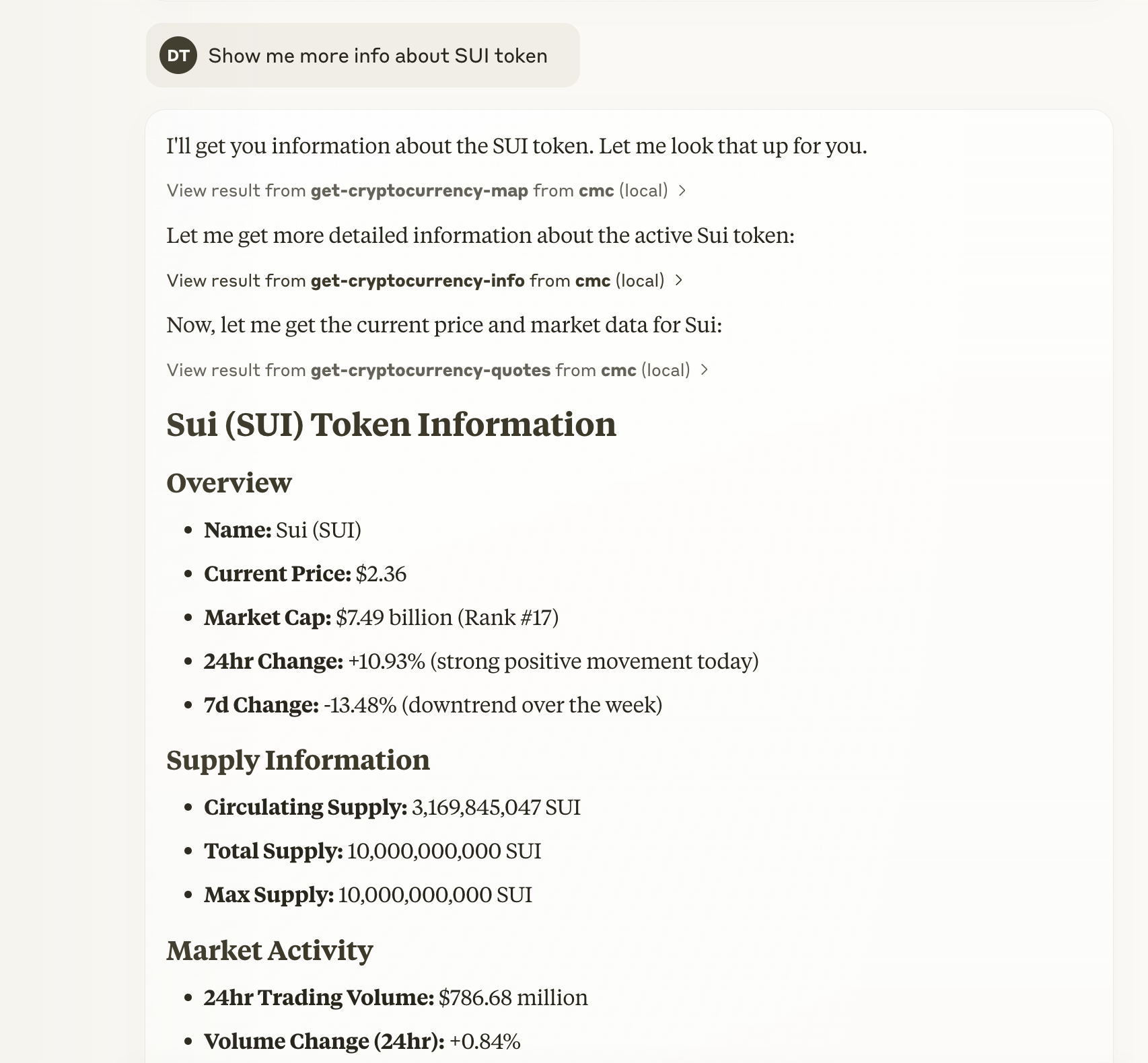
get-cryptocurrency-info: Get detailed metadata for specific cryptocurrencies
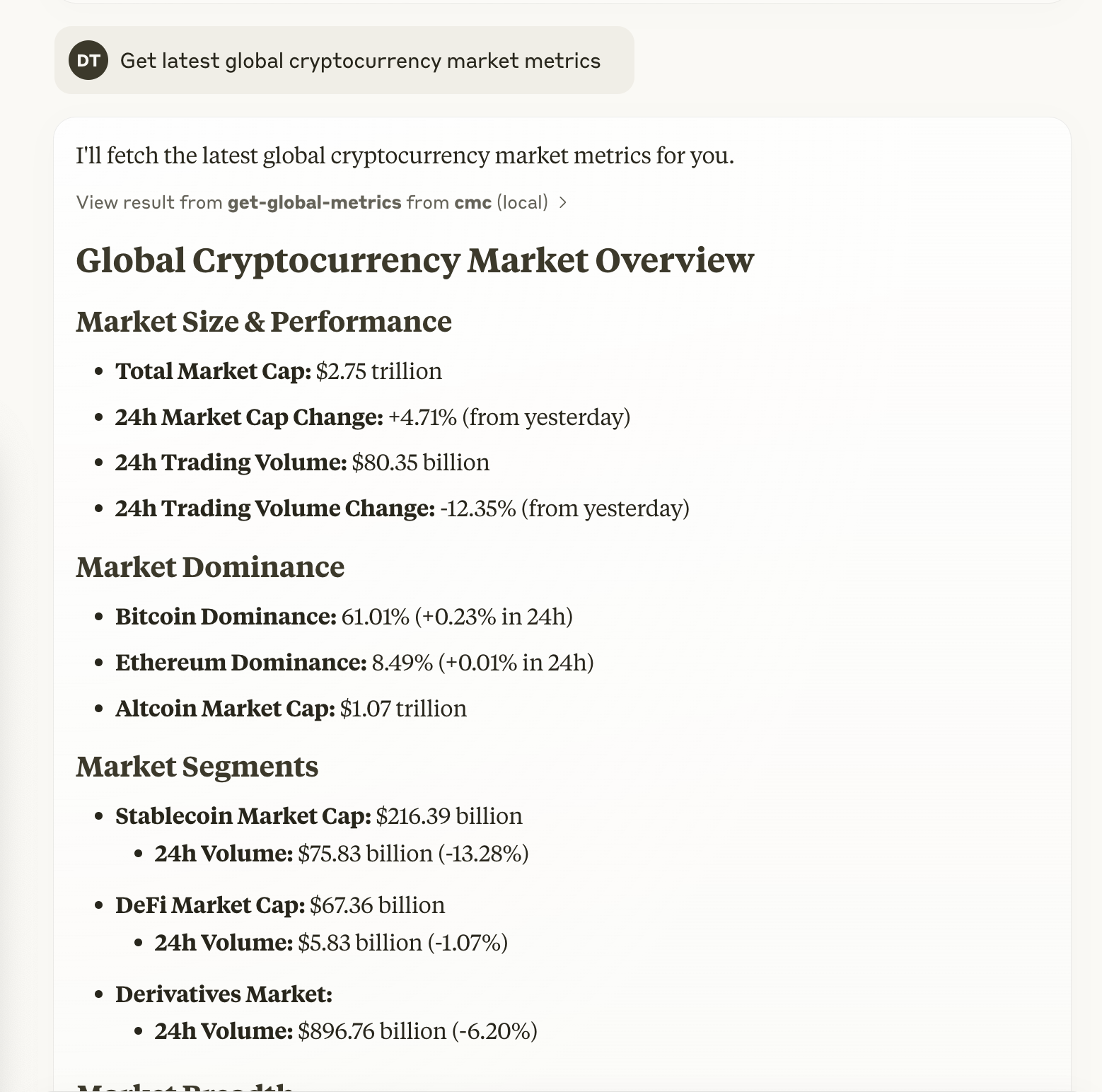
get-global-metrics: Access global cryptocurrency market metrics
get-exchange-listings: Get information about cryptocurrency exchanges
Related MCP server: CoinMarketCap Universal MCP Server
Prerequisites
A CoinMarketCap API key (get one at pro.coinmarketcap.com)
Integration with Claude Desktop
To integrate this MCP server with Claude Desktop:
Locate the Claude Desktop configuration file:
On macOS:
~/Library/Application\ Support/Claude/claude_desktop_config.json
Add the following configuration to the file:
{
 "mcpServers": {
 "cmc": {
 "command": "npx",
 "args": ["crypto-mcp"],
 "env": {
 "COINMARKET_API_KEY": "your-api-key-here"
 }
 }
 }
}
Manual Installation
Clone this repository
Install dependencies:
# Using npm
npm install

# Using bun
bun install
Build the TypeScript code:
# Using npm
npm run build

# Using bun
bun run build
Usage in Claude
Once configured, you can ask Claude to perform various cryptocurrency-related tasks:
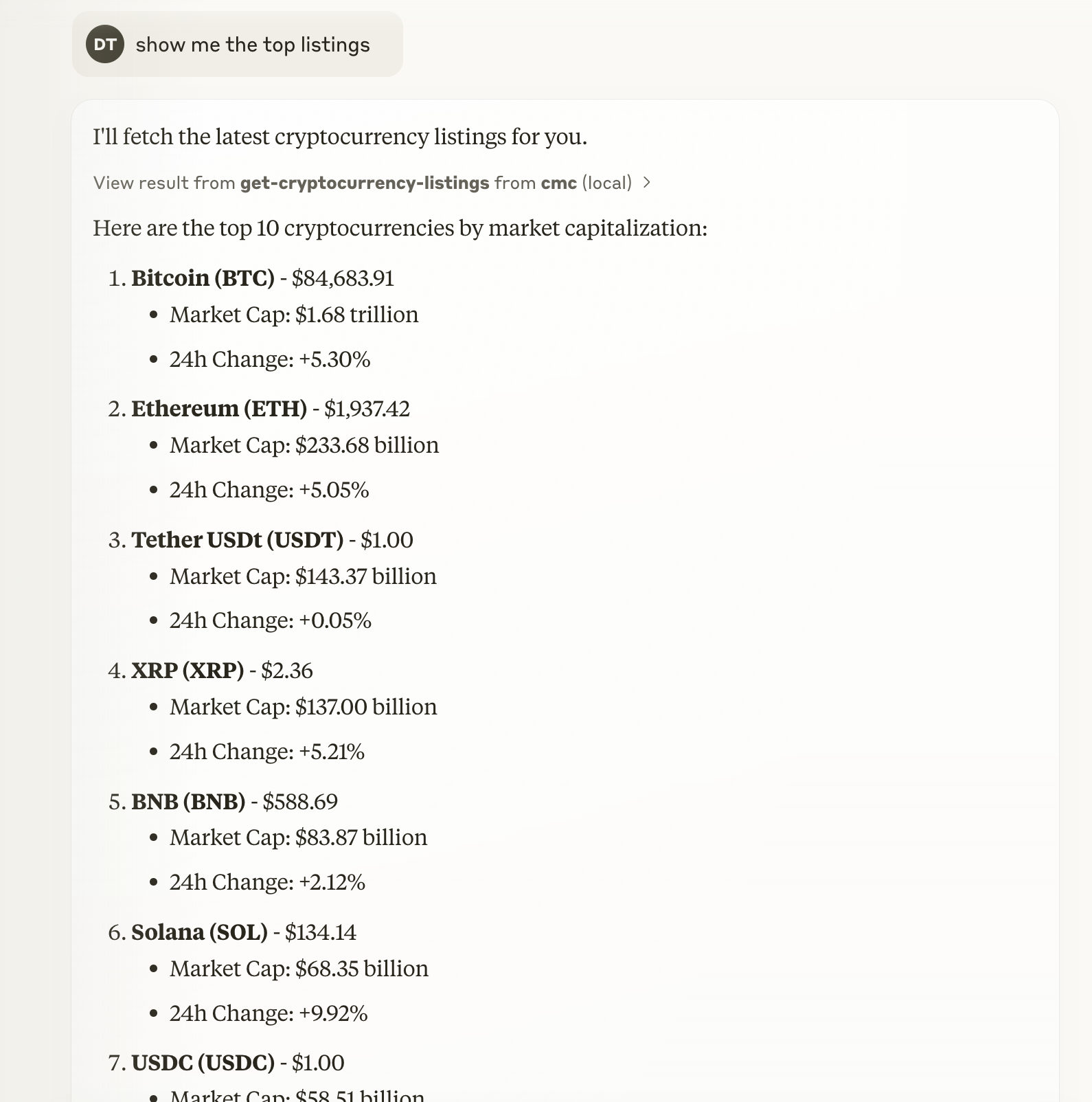
"Show me the top 10 cryptocurrencies by market cap"
"What's the current price of Bitcoin and Ethereum?"
"What are the global cryptocurrency market metrics today?"
"Tell me about the Binance exchange"
Screenshots
Top Cryptocurrencies
Cryptocurrency Metadata
Market Metrics
Development
This project uses TypeScript and the Model Context Protocol SDK to build a server that communicates with Claude AI.
To modify the available tools or add new endpoints, edit the src/index.ts file and rebuild the project.
This server cannot be installed
Maintenance
Latest Blog Posts
MCP directory API
We provide all the information about MCP servers via our MCP API.
curl -X GET 'https://glama.ai/api/mcp/v1/servers/szcharlesji/crypto-mcp'
If you have feedback or need assistance with the MCP directory API, please join our Discord server