When generating images using the Nano Banana Pro API, you'll face a choice: 1K, 2K, or 4K? Many people struggle with this decision, but the answer is actually simple—in the vast majority of cases, choosing 2K is the right choice.
Core Conclusion: 1K is fastest but lowest quality, 4K is too slow and expensive, 2K balances speed and quality, making it the best choice.
👁 nano-banana-pro-1k-2k-4k-resolution-guide-en 图示
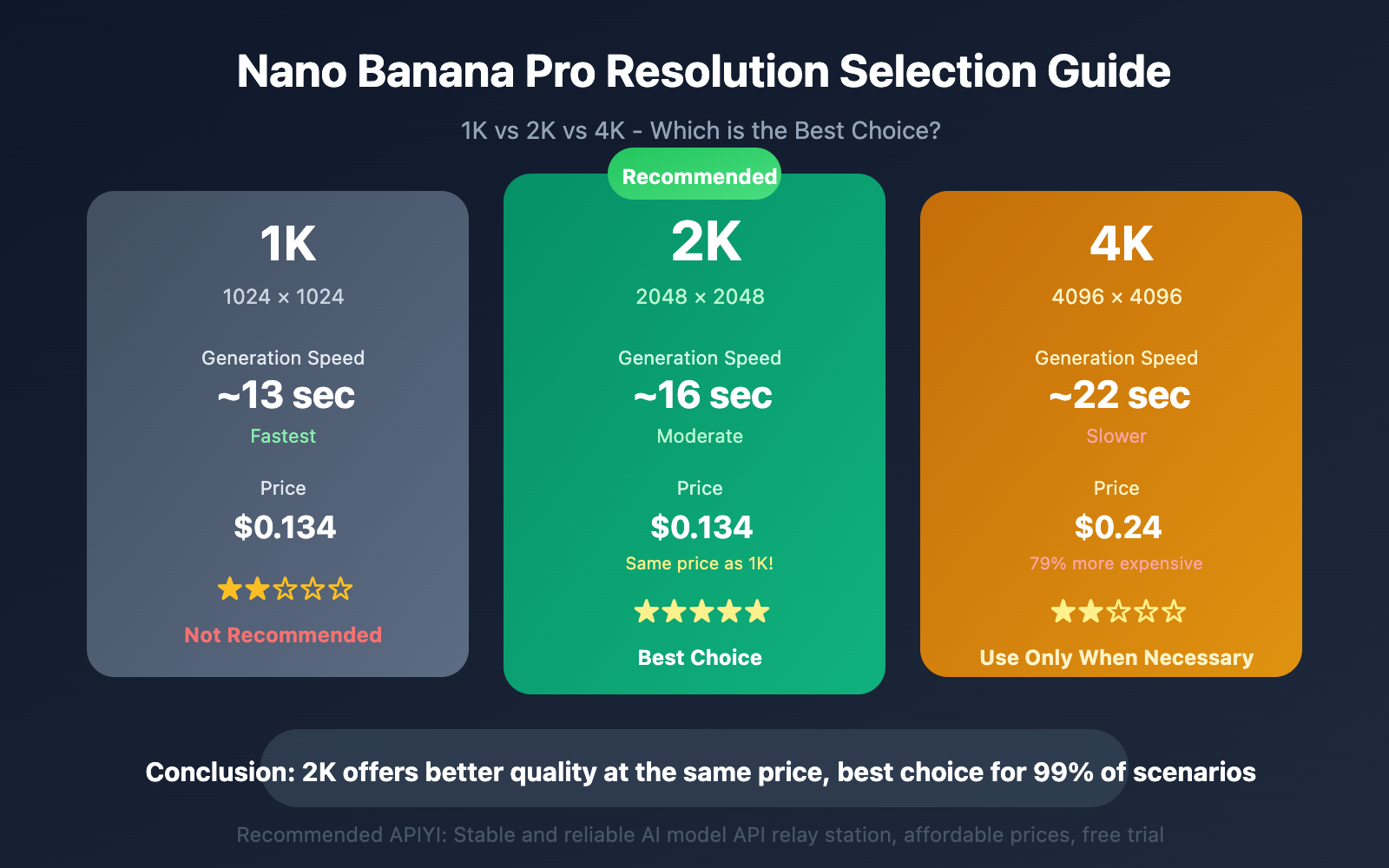
Nano Banana Pro Resolution Core Comparison
Let's look at the most intuitive data comparison first:
| Resolution | Pixels | Generation Time | Official Price | Recommendation |
|---|---|---|---|---|
| 1K | 1024×1024 | ~13 sec | $0.134/image | ★★☆ |
| 2K | 2048×2048 | ~16 sec | $0.134/image | ★★★★★ |
| 4K | 4096×4096 | ~22 sec | $0.24/image | ★★☆ |
One-Sentence Selection Guide
- Want speed: Choose 1K (but lowest quality, not recommended)
- Daily use: Choose 2K (best choice, unbeatable value)
- Must have high resolution: Choose 4K (only for necessary scenarios like print materials)
Here's the key point: 1K and 2K have exactly the same price! This means choosing 1K is simply giving up quality improvement for nothing.
Nano Banana Pro 1K Resolution Detailed Guide
1K is the default output resolution for Nano Banana Pro, and the fastest among the three options.
1K Resolution Features
| Metric | Value | Description |
|---|---|---|
| Pixels | 1024×1024 (approx. 1 million) | Suitable for thumbnails and preview images |
| Generation Time | ~13 seconds | Fastest |
| Price | $0.134/image | Same as 2K |
| Token Consumption | 1,120 tokens | Same as 2K |
1K Use Cases
- Rapid prototype validation
- Batch thumbnail generation
- Test scenarios with lower quality requirements
- Real-time applications requiring ultra-fast response
Why 1K is Not Recommended
Although 1K is the fastest, it has a critical issue: it costs exactly the same as 2K.
Why choose a lower quality option when you're paying the same price? Unless your application is extremely sensitive to a 3-second speed difference, there's no reason to choose 1K.
Practical Advice: Even for rapid prototype validation, 2K is recommended. Waiting an extra 3 seconds brings significant quality improvement at no additional cost.
Nano Banana Pro 2K Resolution Detailed Guide
2K is Nano Banana Pro's best value option, and should be chosen in the vast majority of scenarios.
2K Resolution Features
| Metric | Value | Description |
|---|---|---|
| Pixels | 2048×2048 (approx. 4 million) | Best match for mainstream display devices |
| Generation Time | ~16 seconds | 3 seconds slower than 1K |
| Price | $0.134/image | Same as 1K |
| Token Consumption | 1,120 tokens | Same as 1K |
Why 2K is the Best Choice
1. Same Price as 1K
Google's pricing strategy makes 2K a "free upgrade". For the same $0.134, you get 4x the pixel count.
2. Significant Quality Improvement
At 2K resolution, image details are clearer, edges are sharper, and text rendering is more accurate. For images containing text, 2K's readability far surpasses 1K.
3. Acceptable Speed Difference
16 seconds vs 13 seconds – only 3 seconds more. For most application scenarios, this 3-second wait is entirely acceptable.
4. Matches Mainstream Display Devices
2K resolution perfectly matches current mainstream monitors and phone screens. Displaying 2K images on 2K screens achieves 1:1 pixel mapping for optimal results.
2K Use Cases
- Website images and blog illustrations
- Social media publishing (WeChat, Weibo, Xiaohongshu, etc.)
- Product showcase images
- UI design assets
- E-commerce product images
- PPT and report illustrations
- The vast majority of everyday image generation needs
Development Recommendation: Set 2K as the default resolution. Only consider switching for extreme speed requirements or extreme quality demands.
Nano Banana Pro 4K Resolution Detailed Guide
4K is the highest resolution option for Nano Banana Pro, offering native 4096×4096 pixel output.
4K Resolution Characteristics
| Metric | Value | Description |
|---|---|---|
| Pixels | 4096×4096 (approx. 16 million) | Highest in AI image generation |
| Generation Time | ~22 seconds | 6 seconds slower than 2K |
| Price | $0.24/image | 79% more expensive than 2K |
| Token Consumption | 2,000 tokens | 78% more than 2K |
Issues with 4K
1. Significant Speed Decrease
The 22-second generation time is problematic for scenarios requiring batch generation or real-time responses. During peak hours, it can be even slower, with some users reporting 4K generation taking over 1 minute.
2. Substantial Cost Increase
$0.24 vs $0.134 – each image costs 79% more. For batch generation, the cost difference becomes very significant.
3. Unnecessary for Most Use Cases
Unless you need to print large posters or display on 4K monitors in full screen, 2K is more than sufficient. On mobile phones or regular displays, the visual difference between 4K and 2K is barely noticeable.
4K Applicable Scenarios (Only for the Following)
- Print Materials: Large-format prints like posters, brochures, and banners that require close-up viewing
- 4K Display Devices: Full-screen display on 4K monitors or TVs
- Product Photography: E-commerce product images requiring zoomed-in detail viewing
- Artistic Creation: Digital artwork, NFTs, and other creations requiring high resolution
- Stock Libraries: Stock images needing maximum cropping flexibility
4K Usage Recommendations
Important Principle: Unless absolutely necessary, avoid 4K. First confirm the result with 2K, then decide whether to generate a 4K version based on actual needs.
Nano Banana Pro API Usage Examples
Basic Call (Default 1K)
import openai

client = openai.OpenAI(
 api_key="YOUR_API_KEY",
 base_url="https://vip.apiyi.com/v1"
)

response = client.images.generate(
 model="nano-banana-pro",
 prompt="A cute orange cat sitting on a windowsill watching the sunset",
 n=1,
 size="1024x1024" # 1K resolution
)
print(response.data[0].url)
Recommended Call (2K Resolution)
response = client.images.generate(
 model="nano-banana-pro",
 prompt="A cute orange cat sitting on a windowsill watching the sunset",
 n=1,
 size="2048x2048" # 2K resolution - Recommended
)
Platform Recommendation: Call Nano Banana Pro API through APIYI apiyi.com for better pricing and more stable service, with free trial credits available.
Nano Banana Pro Resolution Selection Decision Flow
Not sure which one to choose? Follow this decision flow:
Start
 │
 ▼
Need printing or 4K display? ──Yes──▶ Choose 4K
 │
 No
 ▼
Extremely sensitive to 3-second delay? ──Yes──▶ Choose 1K (Not recommended)
 │
 No
 ▼
Choose 2K (Recommended)
Simplified Decision:
- Default to 2K
- Choose 4K only for print materials
- 1K is rarely worth considering
Frequently Asked Questions
Summary
Core recommendations for Nano Banana Pro resolution selection:
- 2K is the best choice: Same price as 1K, 4x quality improvement, only 3 seconds slower
- 1K not recommended: Unless extreme speed requirements, there's no reason to choose 1K
- 4K use cautiously: 79% more expensive, 6 seconds slower, only for must-have scenarios like printing
- Default 2K strategy: Set 2K as default during development, adjust as needed
Remember this principle: Why not choose better for the same price? 2K is the answer.
By calling Nano Banana Pro through APIYI apiyi.com, you can enjoy more favorable pricing with support for all resolution options.
Author: Technical Team
Technical Discussion: Welcome to share your Nano Banana Pro usage experience in the comments. For more AI image generation resources, visit APIYI apiyi.com
References:
- AI Free API – Nano Banana Pro Pricing 2K vs 4K: aifreeapi.com
- Nano Banana Pro Official: nano-banana.ai
- Google AI – Nano Banana Image Generation: ai.google.dev
- Max Woolf's Blog – Nano Banana Pro Review: minimaxir.com